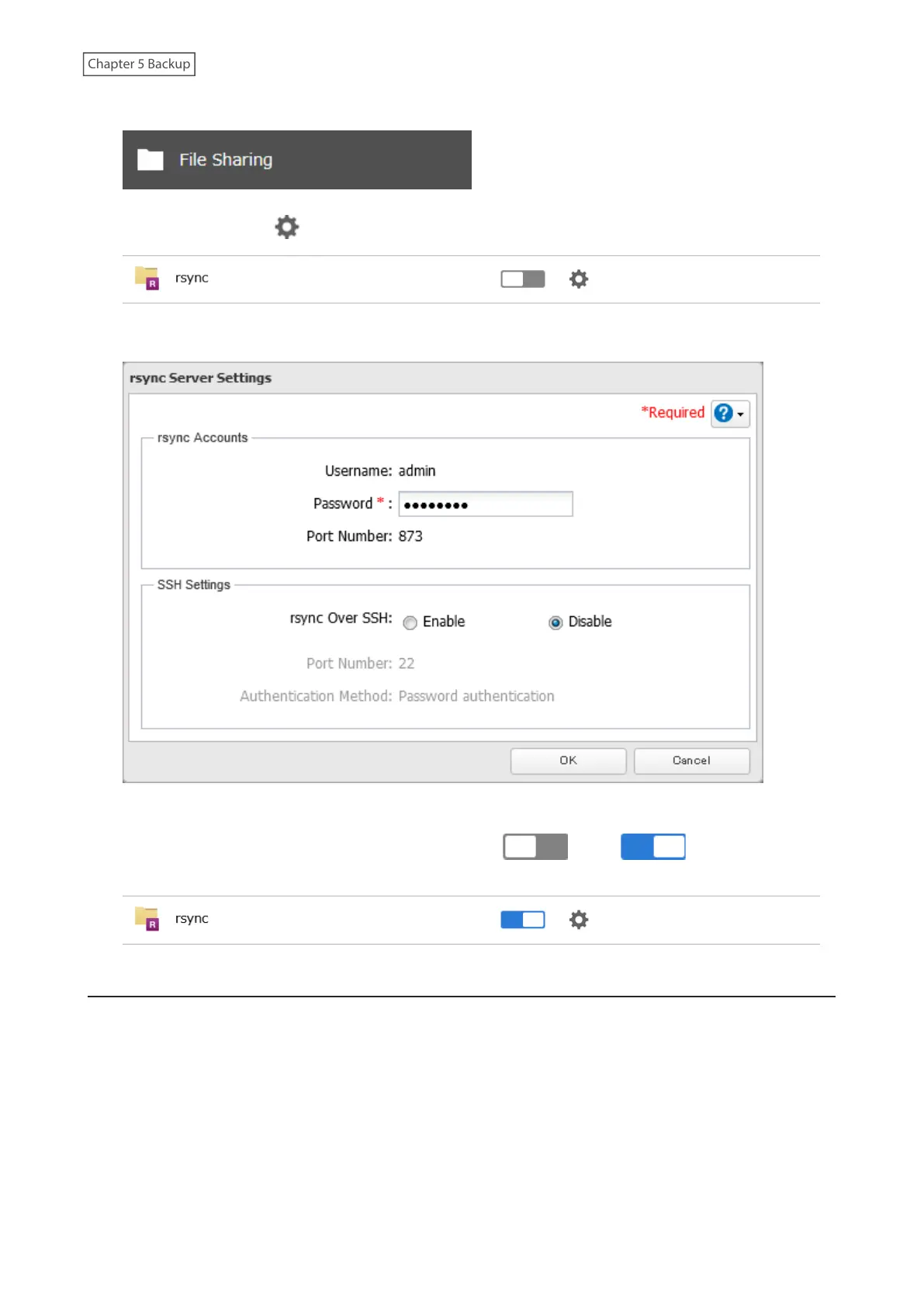
1 From Settings, click File Sharing.
2 Click the settings icon ( ) to the right of “rsync”.
3 Enter this TeraStation’s admin password into the “Password” field and click OK.
Note: If you want to encrypt the rsync access, enable “rsync Over SSH”.
4 The process is complete when you move the rsync switch ( ) to the position to enable
rsync.
Restoring Backup Data
The procedure for restoring backup data varies depending on the backup mode. Refer to the following subsection
corresponding to the backup mode you have used for backup. When restoring backup data, make sure you have
enough available space on the TeraStation to accommodate the backup data, otherwise the restore process will fail.
Full and Management Backups
Copy and paste the backed up files from the backup destination folder to a folder which you want to restore.
103















 To Next Page