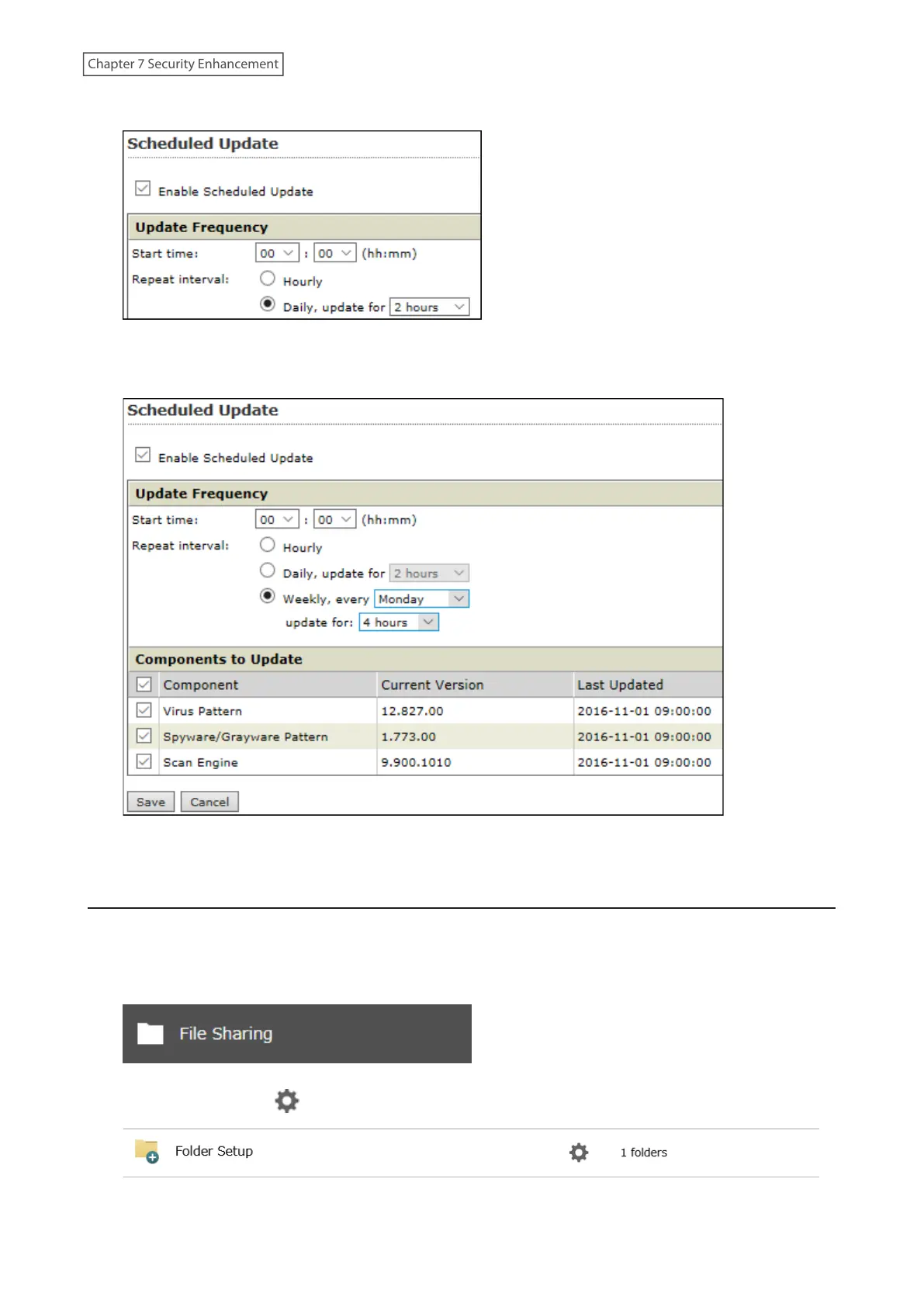
2 Check “Enable Scheduled Update”.
3 Select a time for updates to begin, an interval for updates, and an amount of time for updates to continue.
Select the components to update. Click Save.
The antivirus software is now configured to update automatically at the scheduled time. Updates will not be
downloaded if the TeraStation is turned off, in standby mode, or disconnected from the Internet.
Configuring Folders as Virus Scanning Targets
By default, all folders on the TeraStation (including attached USB drives) will be scanned. Follow the procedure
below to block specific shared folders from being scanned.
1 From Settings, click File Sharing.
2 Click the settings icon ( ) to the right of “Folder Setup”.
200
Chapter 7 Security Enhancement















 To Next Page