Maintenance Mode
The TeraStation has certain settings that cannot be configured or modified while other existing settings are in
effect, such as failover. In such a case, putting the TeraStation into maintenance mode allows you to change certain
TeraStation settings without affecting existing settings.
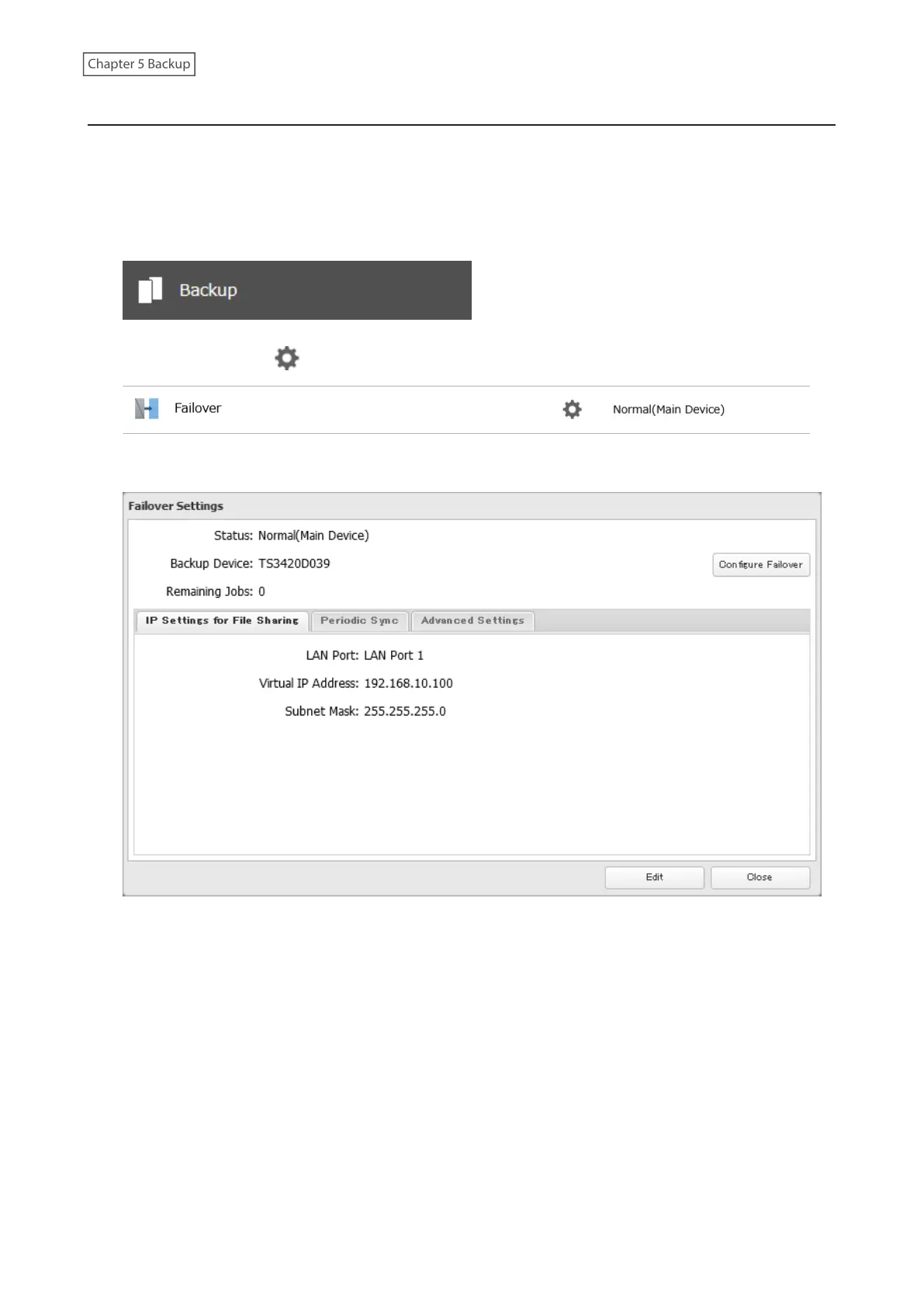
Follow the procedure below to make the TeraStation enter into maintenance mode.
1 From Settings for the main TeraStation, click Backup.
2 Click the settings icon ( ) to the right of “Failover”.
3 Click Configure Failover.
118















 To Next Page