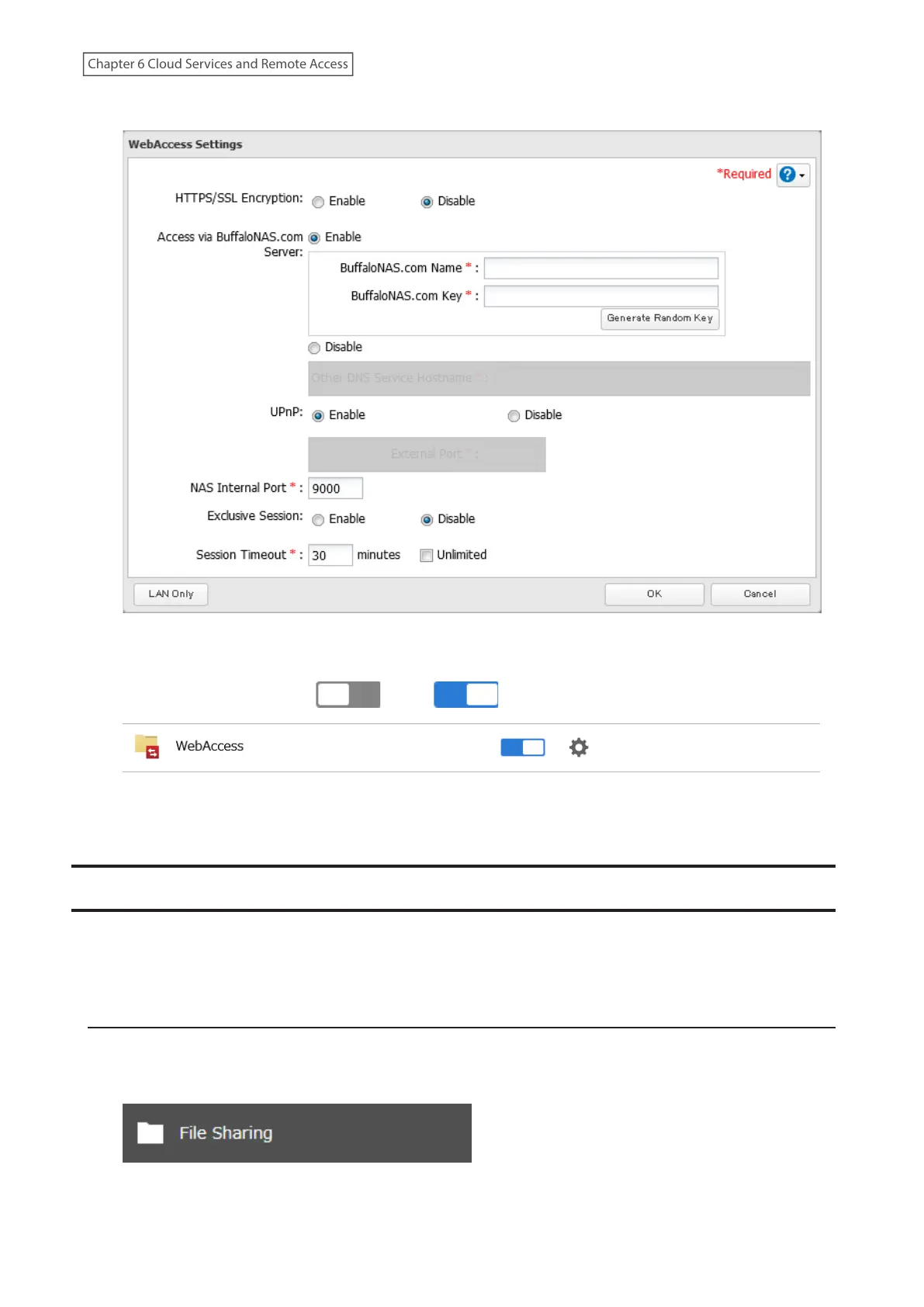
4 Enable “Access via BuffaloNAS.com Server” and the desired BuffaloNAS.com name and key.
5 Disable “UPnP” and enter a router’s port number into the “External Port” field, then click OK.
6 Move the WebAccess switch ( ) to the position to enable WebAccess.
7 After configuring the required settings on the Buffalo NAS device is finished, next configure the router using
the port number set at step 5 above.
FTP
By default, the TeraStation’s shares are only accessible by users connected to the same network or router as the
TeraStation. The optional FTP server allows users outside the local network to access the TeraStation.
Note: FTP is intended for users who already have FTP client software and have experience with it.
Enabling FTP
Follow the procedure below to enable FTP service to allow access via FTP connections.
1 From Settings, click File Sharing.
182
Chapter 6 Cloud Services and Remote Access















 To Next Page