Adding an External Drive
Your TeraStation features multiple USB ports, and you can connect an external drive to any of these ports.
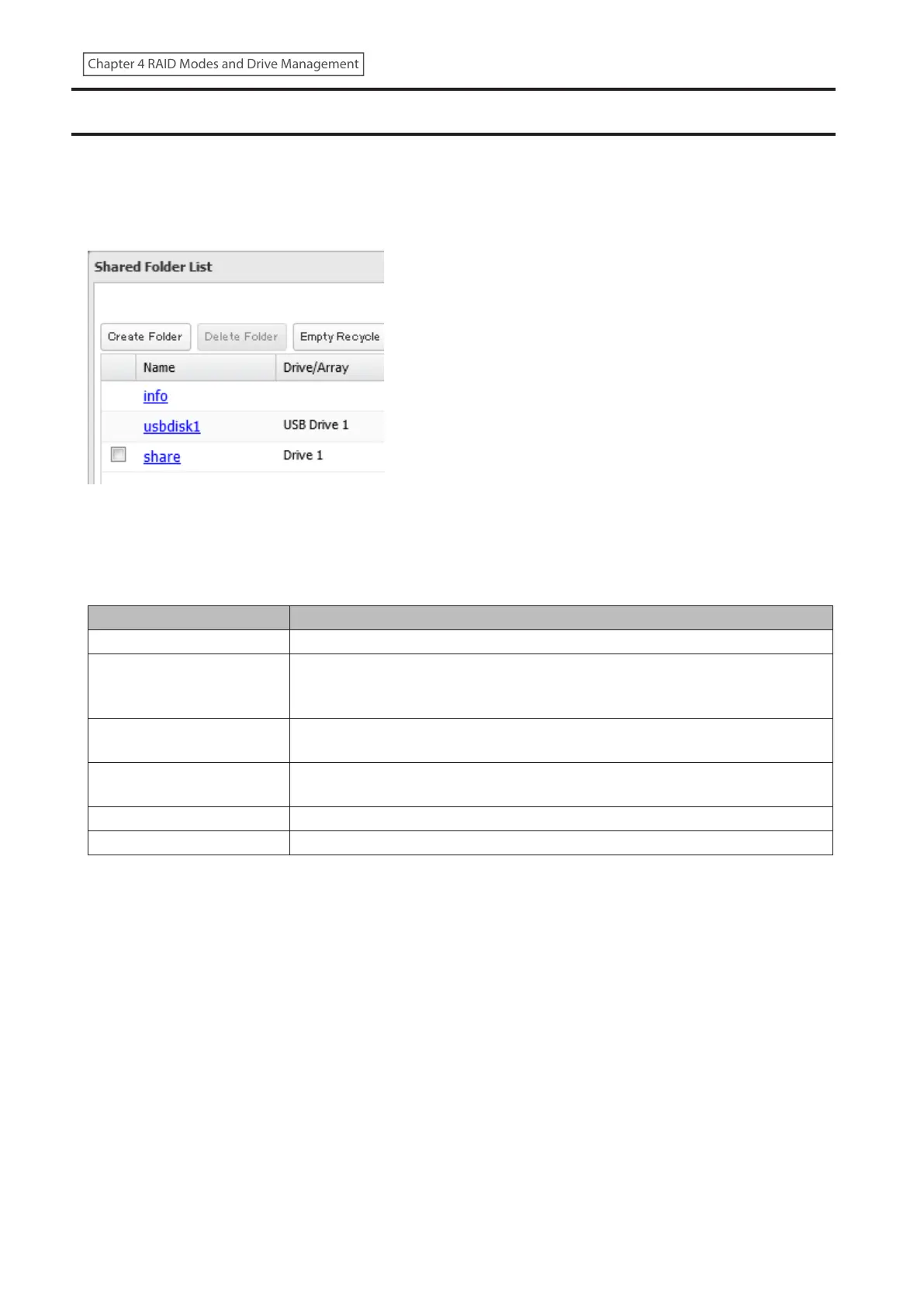
Once connected, it appears as a shared folder on the TeraStation. A formatted drive is detected automatically.
Unformatted drives should be formatted in Settings.
After a USB drive is recognized, the TeraStation adds “usbdisk x” to the shared folder list, where “x” is the USB port to
which the drive is connected.
If a USB drive is unplugged without being dismounted first while the TeraStation is powered on, it may not be
recognized properly when it is reconnected. If this occurs, restart the TeraStation and then reconnect the drive.
Compatibility
Supported file systems for external USB drives are below:
File Systems Recommended Situation
XFS Connecting to another Buffalo NAS device.
Ext3
Connecting to another Buffalo NAS device. XFS is recommended because the
more files stored in one folder, the slower the performance. The available capacity
will be less than the area formatted to XFS.
NTFS*
Connecting to Windows computers. The NTFS-formatted drive can use many
more functions of the operating system than an exFAT drive.
HFS Plus*, **
Connecting to macOS computers. The HFS Plus-formatted drive can use many
more functions of the operating system than an exFAT drive.
exFAT* Connecting to both Windows and macOS computers.
FAT32 Connecting to both Windows and macOS computers.
*This cannot be formatted from Settings.
**This is read-only from the TeraStation. Files on the USB drive can be copied to the TeraStation.
Make sure only one device is connected to a USB port on the TeraStation. Note that only the first partition of a
connected USB drive is mounted. Additional partitions are not recognized.
Notes:
• If your USB 3.0 drive is not reconfigured after rebooting the TeraStation, unplug and reconnect it.
• When copying a file that is over 100 MB to a FAT32-formatted USB drive using File Explorer, an error message may
appear. In such a case, use an FTP or SFTP connection to copy the file.
• When copying files from a shared folder to a FAT32-formatted USB drive, the progress bar may not be displayed
or the file copying may fail. Using a file system other than FAT32 is recommended for the USB drive.
• After connecting an RDX drive to the TeraStation, click Redetect Drive anytime.
66
Chapter 4 RAID Modes and Drive Management















 To Next Page