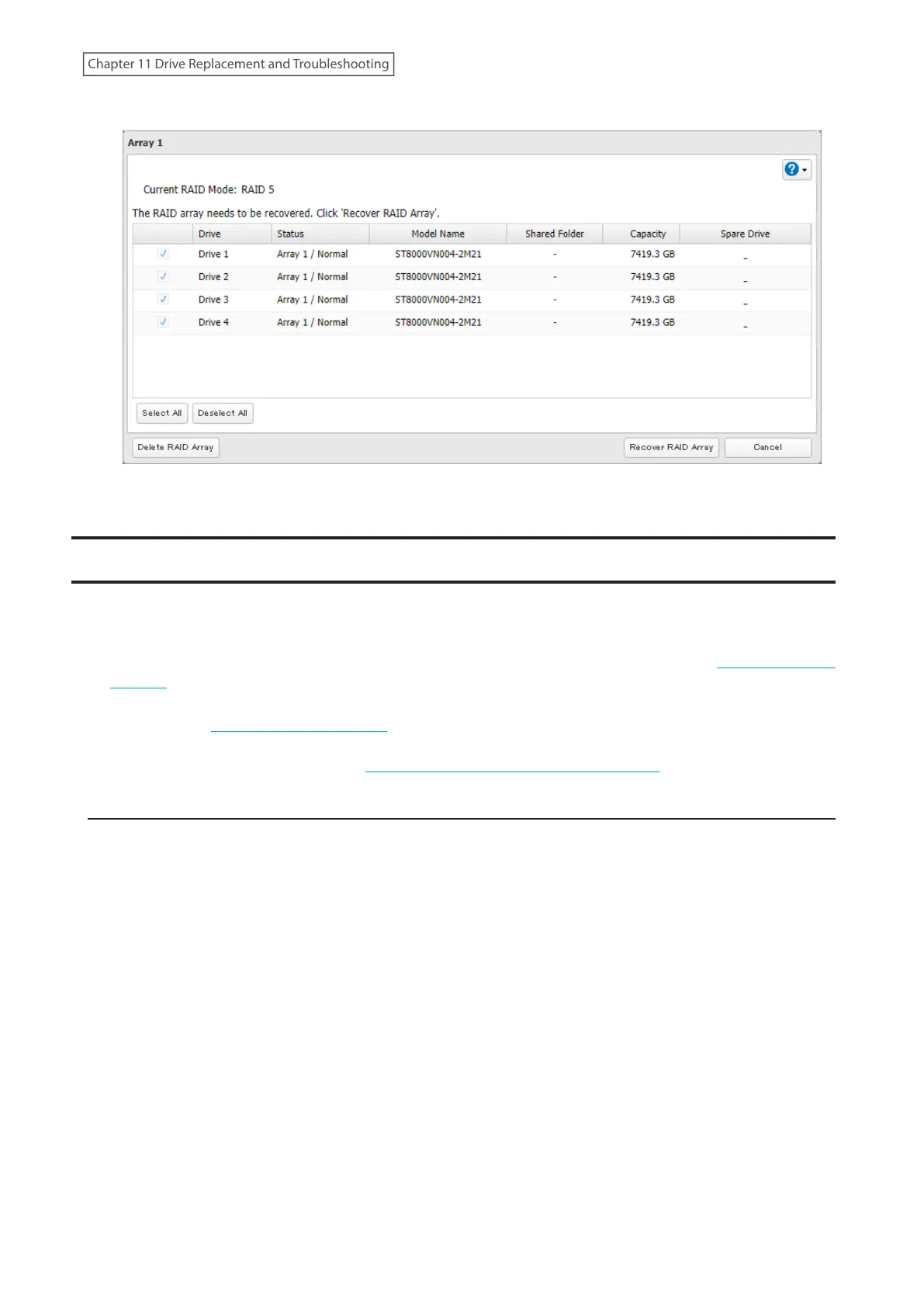
3 Click Recover RAID Array.
4 The process is complete once you close the confirmation window that appears.
TeraStation Does Not Work Properly
If an error occurs that prevents the TeraStation from booting up properly, one or more of the following symptoms
may occur. In such a case, try the corresponding corrective action to recover from the error, described in each
section below. If the error is still not resolved, contact Buffalo technical support for assistance.
• The power LED keeps blinking instead of turning into a solid glow; follow the procedure at the “Power LED Keeps
Blinking” section below.
• An “i” symbol is displayed with the TeraStation icon and the I61 message appears as a notification; follow step 3
and after at the “Power LED Keeps Blinking” section below.
• An “i” symbol is displayed with the TeraStation icon and “EM” is added to your TeraStation’s hostname on NAS
Navigator2; follow the procedure at the “Booting the TeraStation in Emergency Mode” section below.
Power LED Keeps Blinking
While the TeraStation’s power LED keeps blinking, you may see the I61 message. In such a case, follow the
procedure below to recover from drive setup mode.
1 Press and hold down the power button for three seconds to turn off the TeraStation.
2 Turn the TeraStation back on while holding down the function button. You should hold down the function
button for at least 10 seconds after pressing the power button.
3 When the power LED changes from blinking to glowing, release the function button and open Settings from
NAS Navigator2.
257
Chapter 11 Drive Replacement and Troubleshooting















 To Next Page