5 Select the actions and action range to run, then click OK.
6 The “Confirm Operation” screen will open. Enter the confirmation number, then click OK.
7 The process is complete once you close the confirmation window that appears.
Cleaning the Dustproof Filter
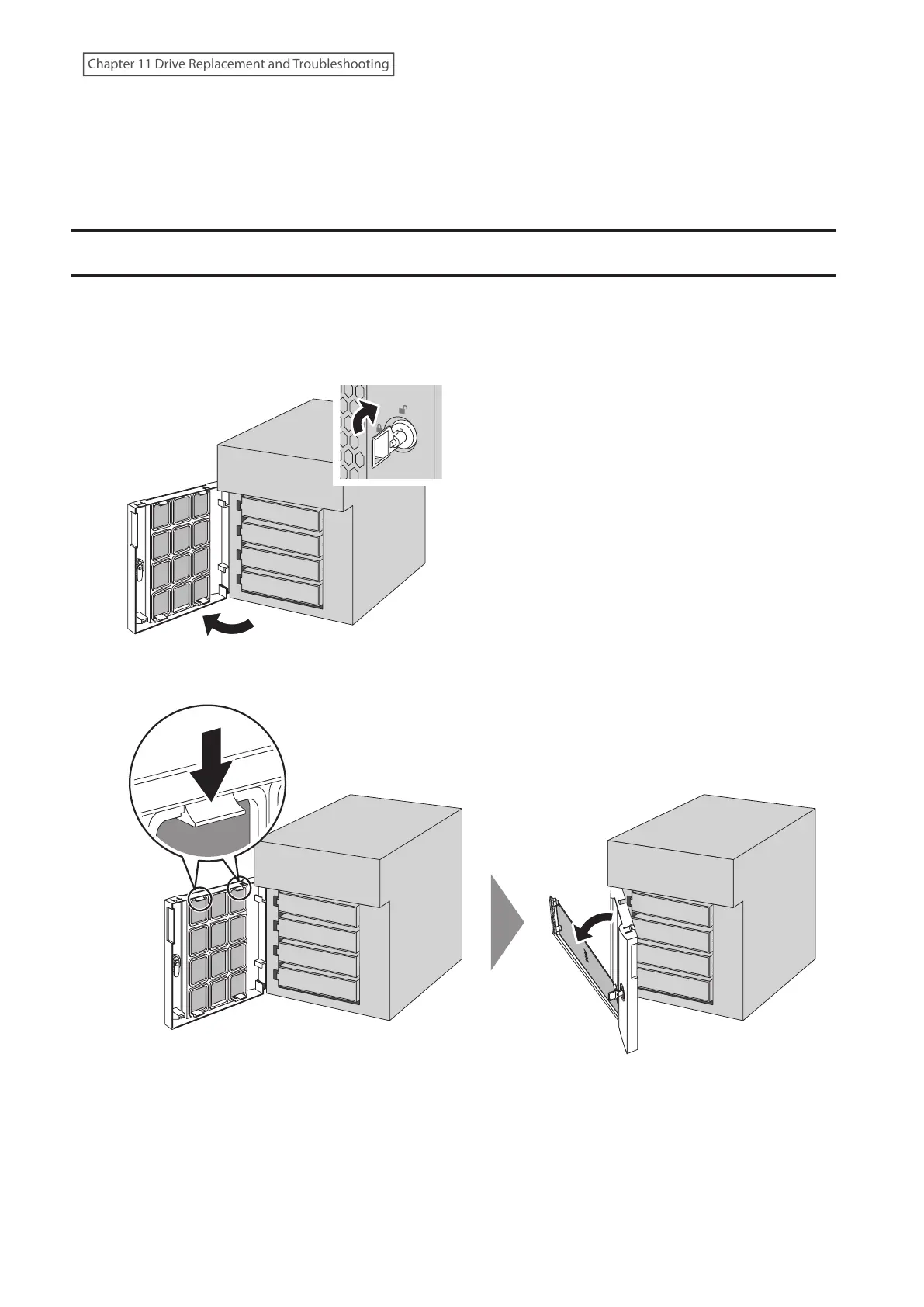
If your TeraStation has a front cover and you are trying to clean the dustproof filter on the front cover, follow the
procedure below.
1 Open the front cover with the included key.
2 Remove the front cover while holding the hook downward.
262
Chapter 11 Drive Replacement and Troubleshooting















 To Next Page