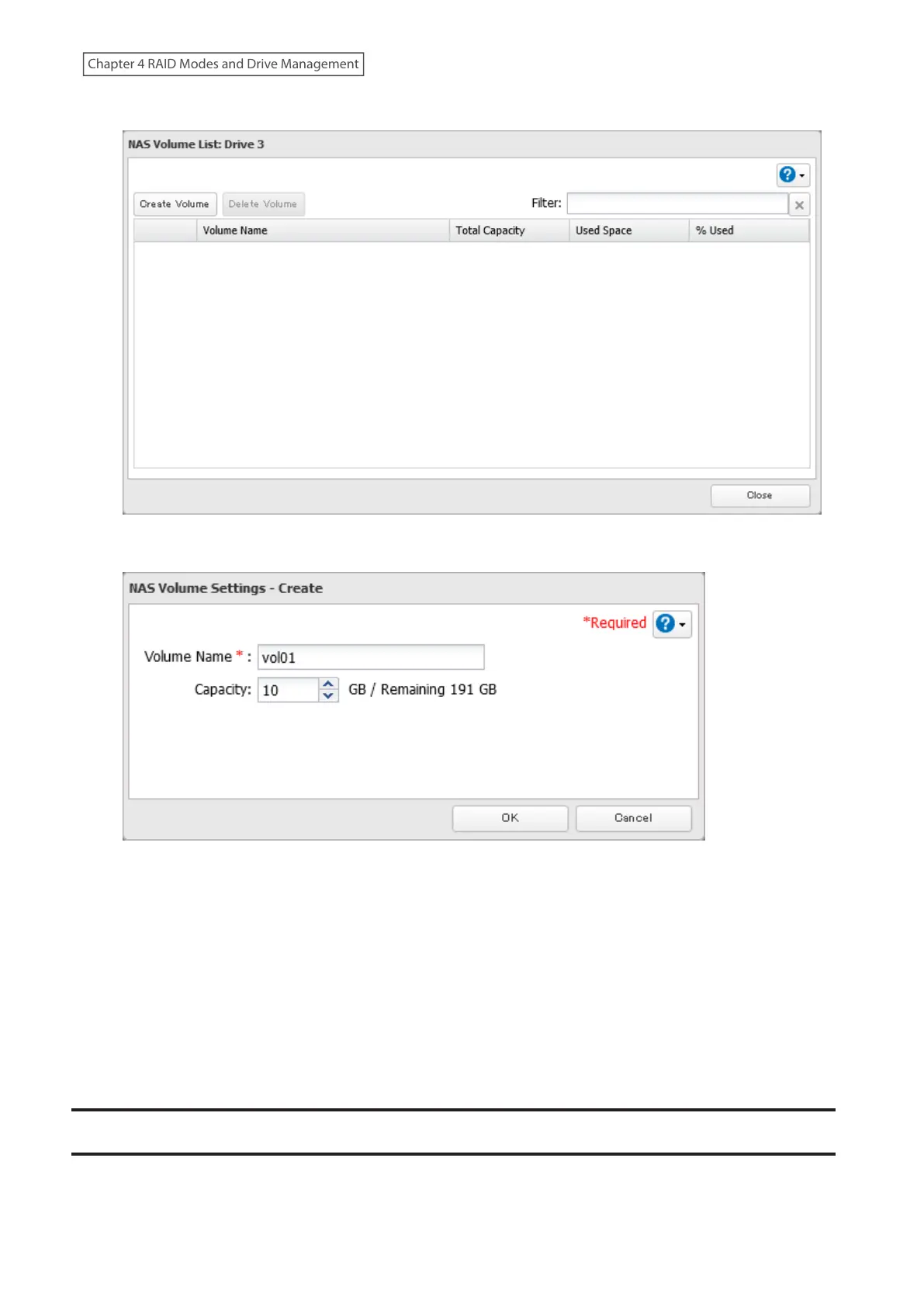
6 Click Create Volume.
7 Enter a volume name and size, then click OK.
8 The process is complete once you close the confirmation window that appears.
The usable capacity can now be limited by selecting the volume that you created for “Drive/Array” on the Basic tab
when creating a shared folder.
Notes:
• If you click Show under “Volume List”, the volumes will be listed on the screen and you can see if these volumes
are being used as iSCSI or NAS.
• If an LVM volume could not be mounted, try restarting the TeraStation. If an issue still exists, delete the LVM
volume and recreate it. Deleting the LVM volume will erase all data on the volume.
Using the TeraStation as an iSCSI Device
Note: This function is not available for the TS3420DS and TS3420RS TeraStation models, and will not appear in
Settings for these models.
81
Chapter 4 RAID Modes and Drive Management















 To Next Page