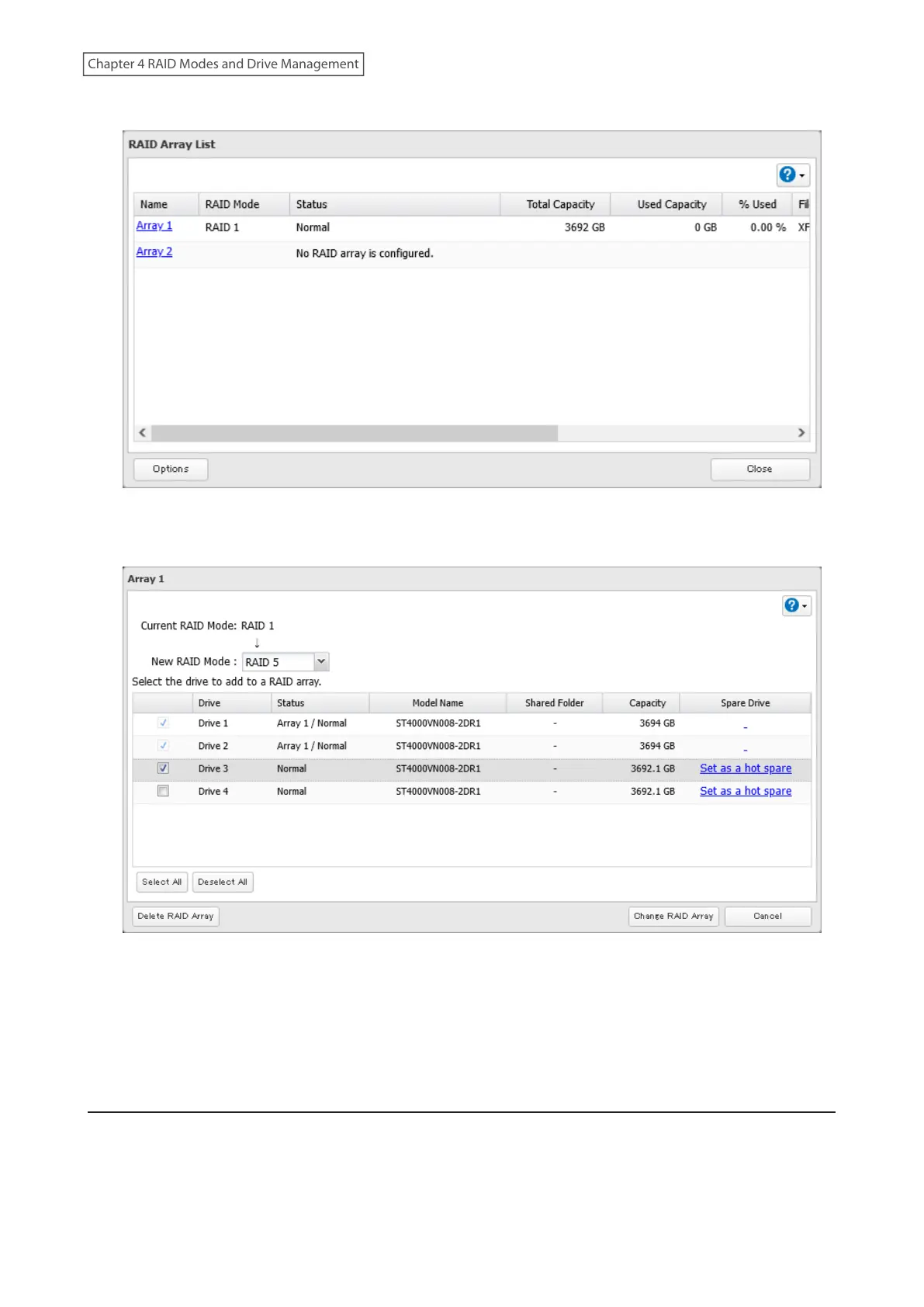
3 Choose a RAID array.
4 Select one drive to add to the RAID array. If changing the RAID mode, choose the desired mode for the array
from the drop-down list. Otherwise, keep the current RAID mode as is.
5 Click Change RAID Array.
6 The “Confirm Operation” screen will open. Enter the confirmation number, then click OK.
7 The process is complete once you close the confirmation window that appears.
RAID Scanning
A RAID scan checks your RAID array for bad sectors and if it finds any, it automatically repairs them. Arrays other
than RAID 0 are supported. For best results, run RAID scans regularly.
63
Chapter 4 RAID Modes and Drive Management















 To Next Page