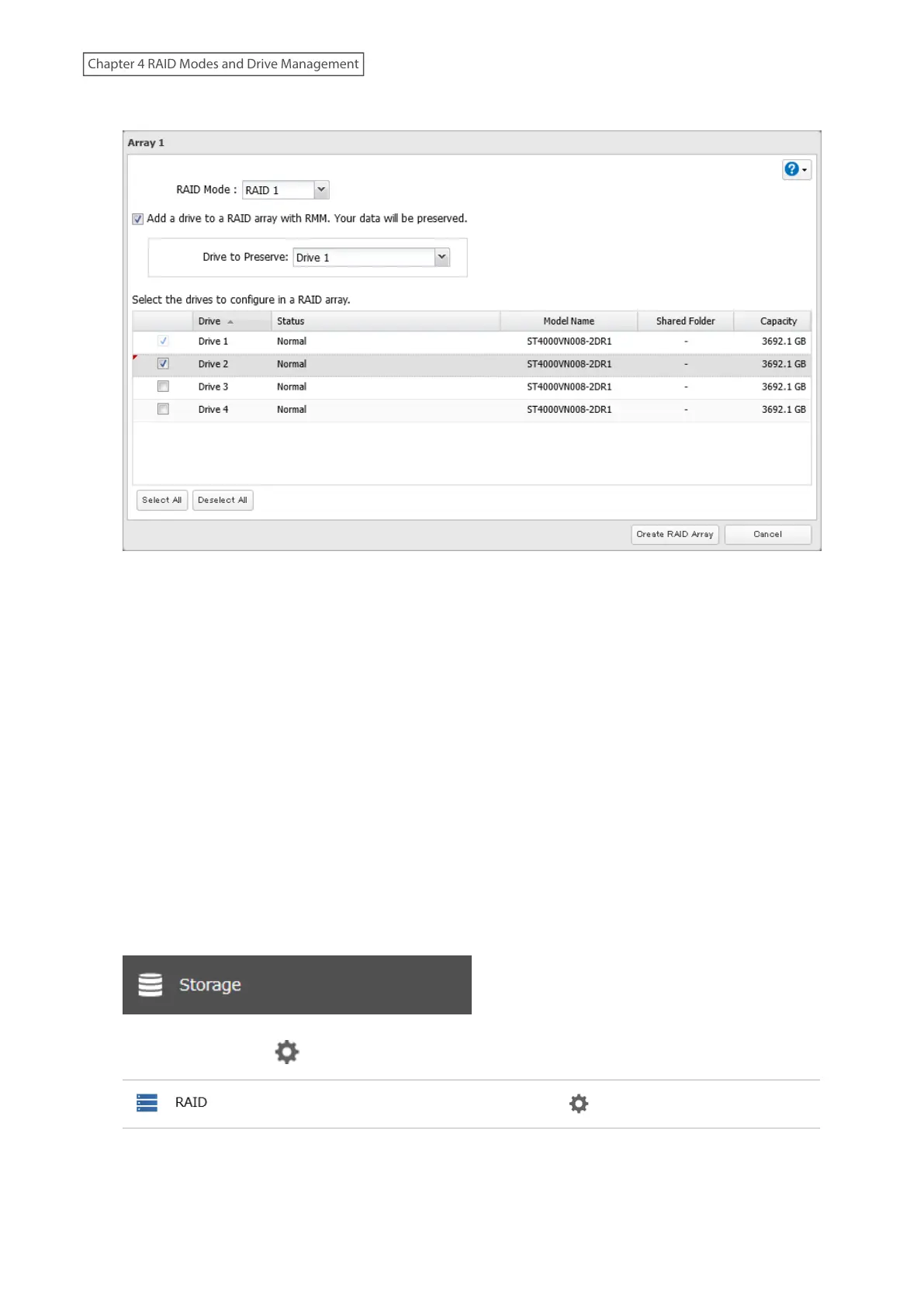
4 Set the RAID mode to “RAID 1”.
5 Select the “Add a drive to a RAID array with RMM. Your data will be preserved.” checkbox.
6 Select the drive whose data will be saved from the drop-down list.
7 Select the drive to add to the RAID array.
8 Click Create RAID Array.
9 The “Confirm Operation” screen will open. Enter the confirmation number, then click OK.
10 The process is complete once you close the confirmation window that appears.
Drives That Are Currently in RAID 1 or RAID 5
To use RMM for redundant RAID arrays (RAID 1 or RAID 5), you must have at least one drive available in JBOD. Follow
the procedure below.
1 From Settings, click Storage.
2 Click the settings icon ( ) to the right of “RAID”.
62
Chapter 4 RAID Modes and Drive Management















 To Next Page