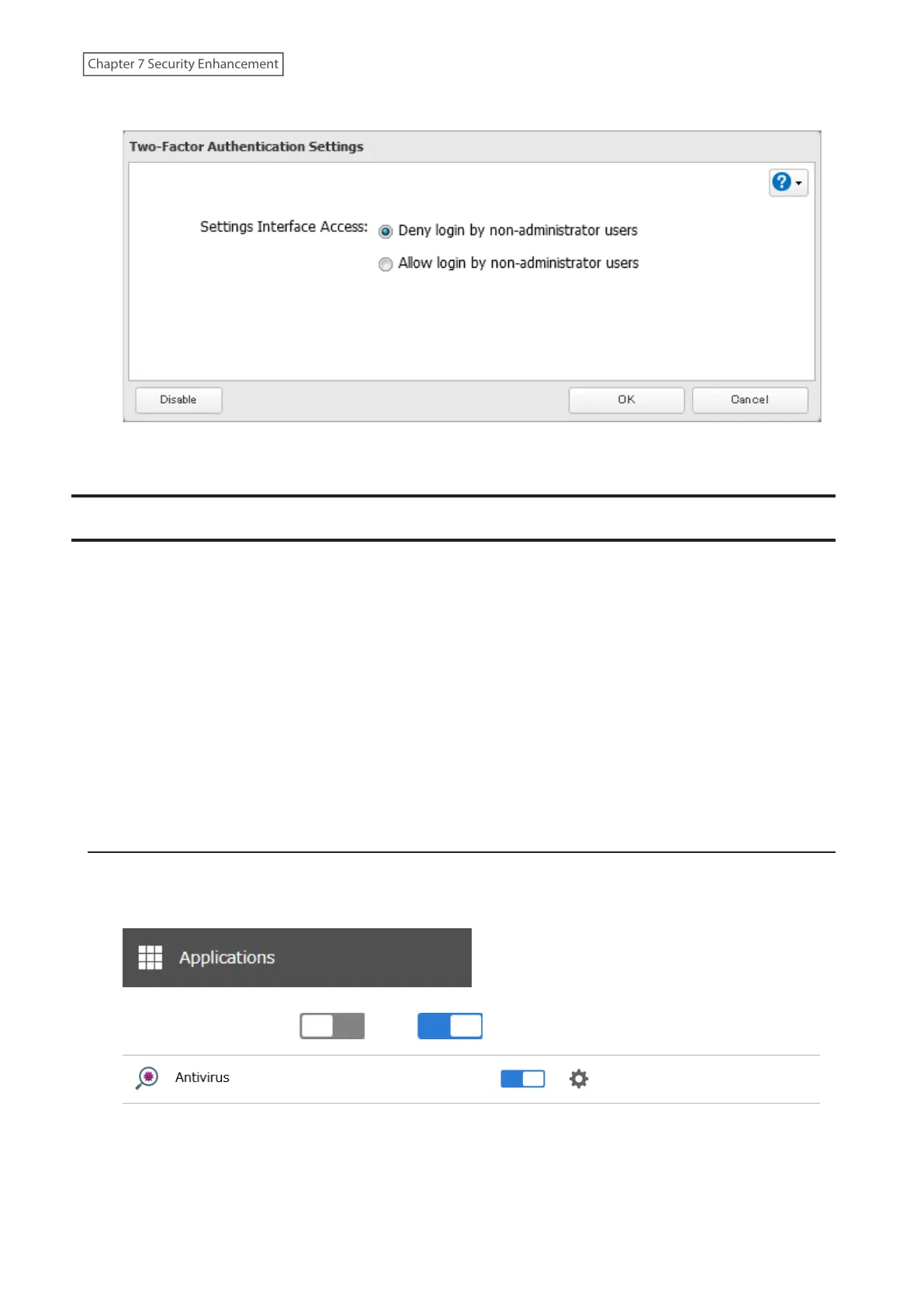
5 Click Disable.
6 The process is complete once you close the confirmation window that appears.
Antivirus Software
Trend Micro NAS Security can protect your network and data from software viruses, malware, and spyware. Virus
scan by Trend Micro NAS Security is available for files in the TeraStation’s shared folders, except for the “usbdisk”
folder.
To use the Trend Micro NAS Security software, you will need to purchase an OP-TSVC license pack (sold separately). If
your TeraStation is already running an activated antivirus software, no license registration is necessary.
Notes:
• If LVM is enabled on the TeraStation, the antivirus software may not work properly. For best results, disable LVM
before use.
• To use the antivirus software effectively, the TeraStation should be connected to the Internet. The connection can
be routed through a proxy server if the appropriate settings are configured in Administration> Proxy Settings from
the left-side menu of the Trend Micro NAS Security settings page.
• Trend Micro is a trademark of Trend Micro Incorporated.
Activating Virus Scanning
Follow the procedure below to activate virus scanning.
1 From Settings, click Applications.
2 Move the antivirus switch ( ) to the position to enable antivirus.
194
Chapter 7 Security Enhancement















 To Next Page