• If the status LEDs do not change after a new drive is installed, click Redetect Drive in Settings.
Drive Replacement for a Redundant RAID Array (TeraStation Is On)
If a drive used on a redundant RAID array fails, you need to recover the RAID array after replacing the defective drive
to a new drive. If a drive used as JBOD fails, you need to format the replaced drive after replacing the defective drive
to a new drive.
Follow the procedure below to recover the RAID array. If replacing multiple malfunctioning drives at once, refer to
the “Drive Replacement for a Redundant RAID Array (TeraStation Is Off)” section.
1 Back up the saved data to another location before replacing the failed drive. If one or more drives fail during
drive replacement, data can no longer be retrieved from the TeraStation.
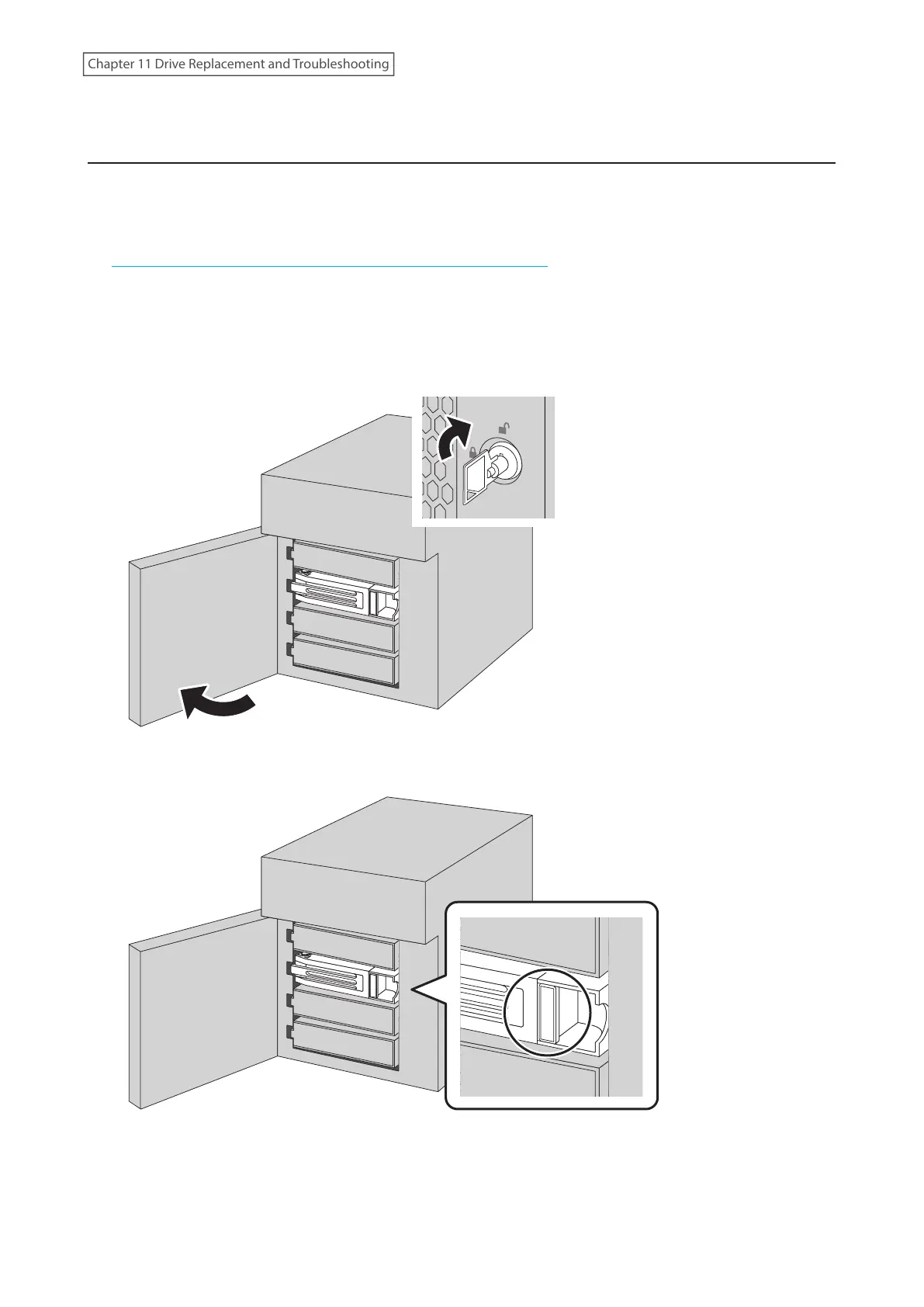
2 Open the front cover with the included key.
3 The failed drive’s status LED will be glowing red. Push its unlock button and swing the lock mechanism out.
249
Chapter 11 Drive Replacement and Troubleshooting















 To Next Page