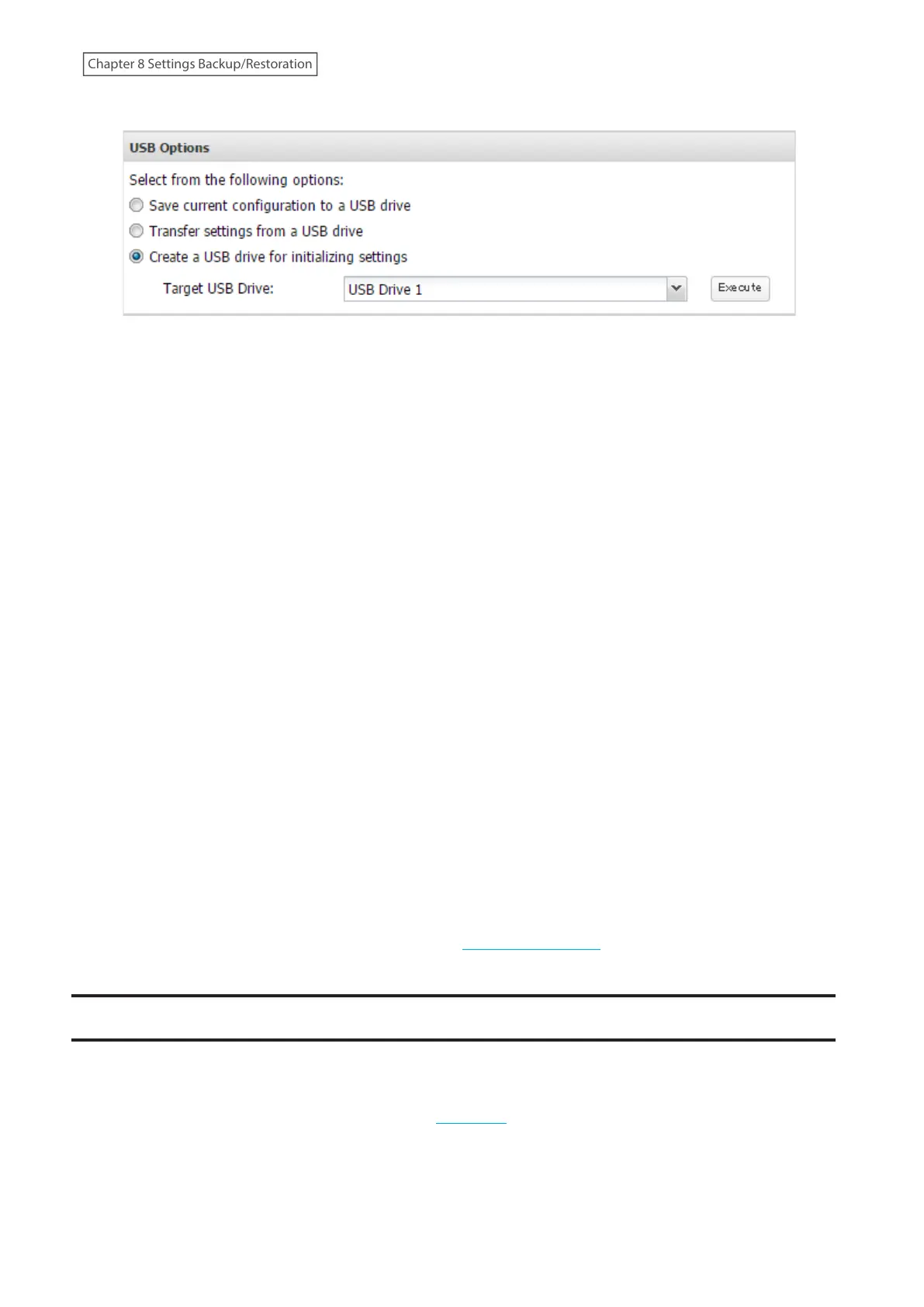
4 Select “Create a USB drive for initializing settings”.
5 From “Target USB Drive”, select the USB drive that is connected to the USB port on the TeraStation, then click
Execute.
6 The “Confirm Operation” screen will open. Enter the confirmation number, then click OK.
7 The process is complete once you close the confirmation window that appears. Refresh the browser and log in
to Settings again.
Starting Initialization
To initialize the settings on your TeraStation with the USB drive created above, follow the procedure below.
Note: If using the USB initialization drive to initialize, the unit’s current firmware version will be changed to the
version used to create the USB initialization drive.
1 Turn off the TeraStation by pressing and holding down the power button for three seconds.
2 Insert the USB drive into a USB port on the TeraStation. Make sure that no other USB drives are currently
connected to any USB ports on the TeraStation.
3 Power on the TeraStation while holding down the function button.
4 When the I41 message appears as a notification, press the function button.
5 The I37 message will appear as a notification while the initialization process is running. It will take several
minutes to initialize the settings. The TeraStation will restart when it’s finished.
6 The process is complete when the I37 message disappears.
Dismount the USB drive before unplugging it. Refer to the “Dismounting Drives” section in chapter 4 for the
procedure on dismounting drives.
Resetting the Administrator Password
If you forget the admin username or password and cannot log in to Settings, or incorrect network settings are
configured and Settings becomes inaccessible, initialize these settings by following the procedure below.
1 Press and hold down the init button (refer to the “Diagrams” section in chapter 2) for 10 seconds.
2 The TeraStation will beep and the I23 message will appear as a notification during initialization.
3 The process is complete when the I23 message disappears.
217
Chapter 8 Settings Backup/Restoration















 To Next Page