5 The process is complete once you close the confirmation window that appears.
Deleting Volumes
To delete an existing volume, follow the procedure below.
Note: Deleting a volume will erase all data on the volume. Back up the data before deleting the volume.
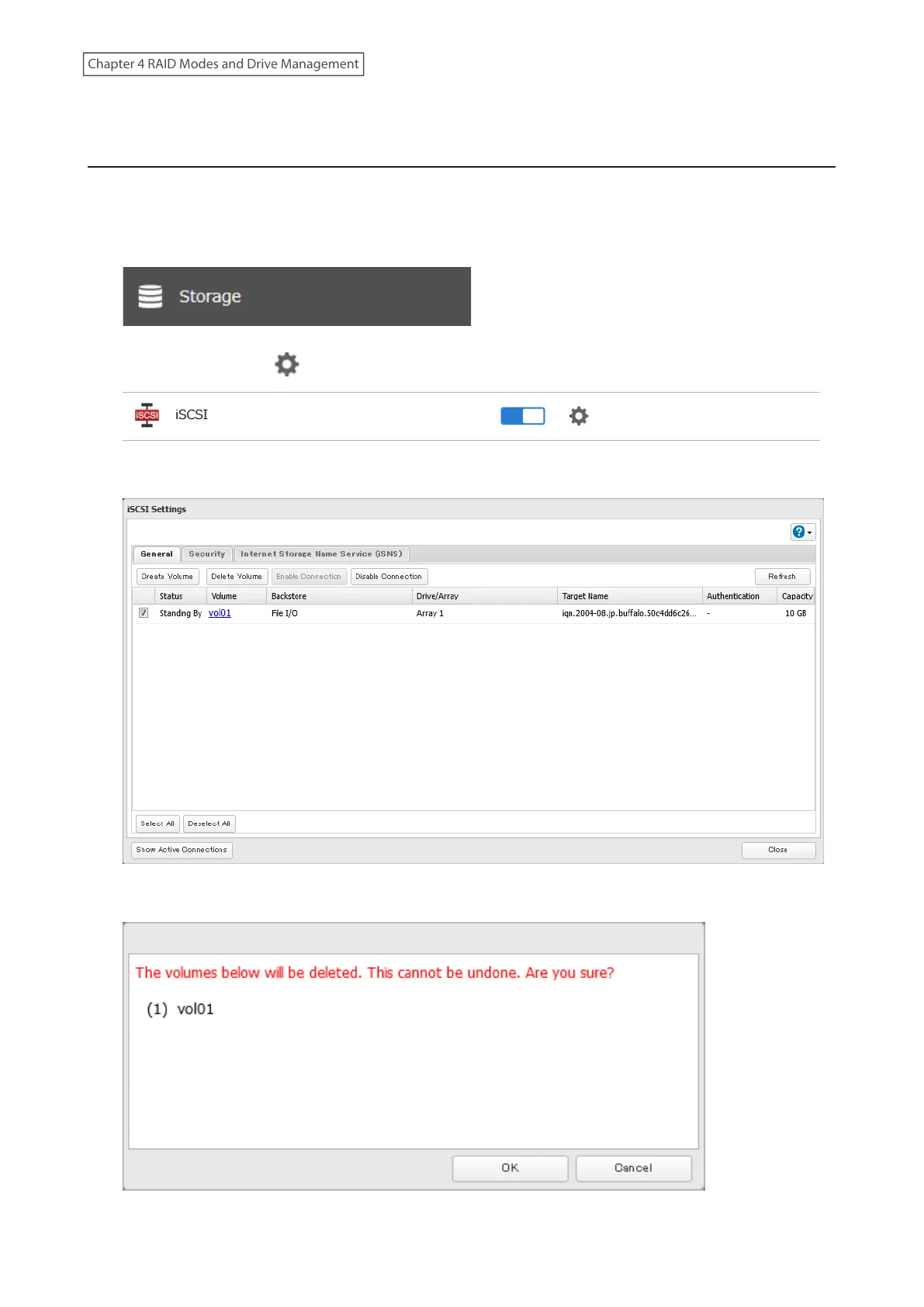
1 From Settings, click Storage.
2 Click the settings icon ( ) to the right of “iSCSI”.
3 Select the volume to delete and click Delete Volume.
4 Confirm that the volume is correctly selected on the screen and click OK.
92
Chapter 4 RAID Modes and Drive Management















 To Next Page