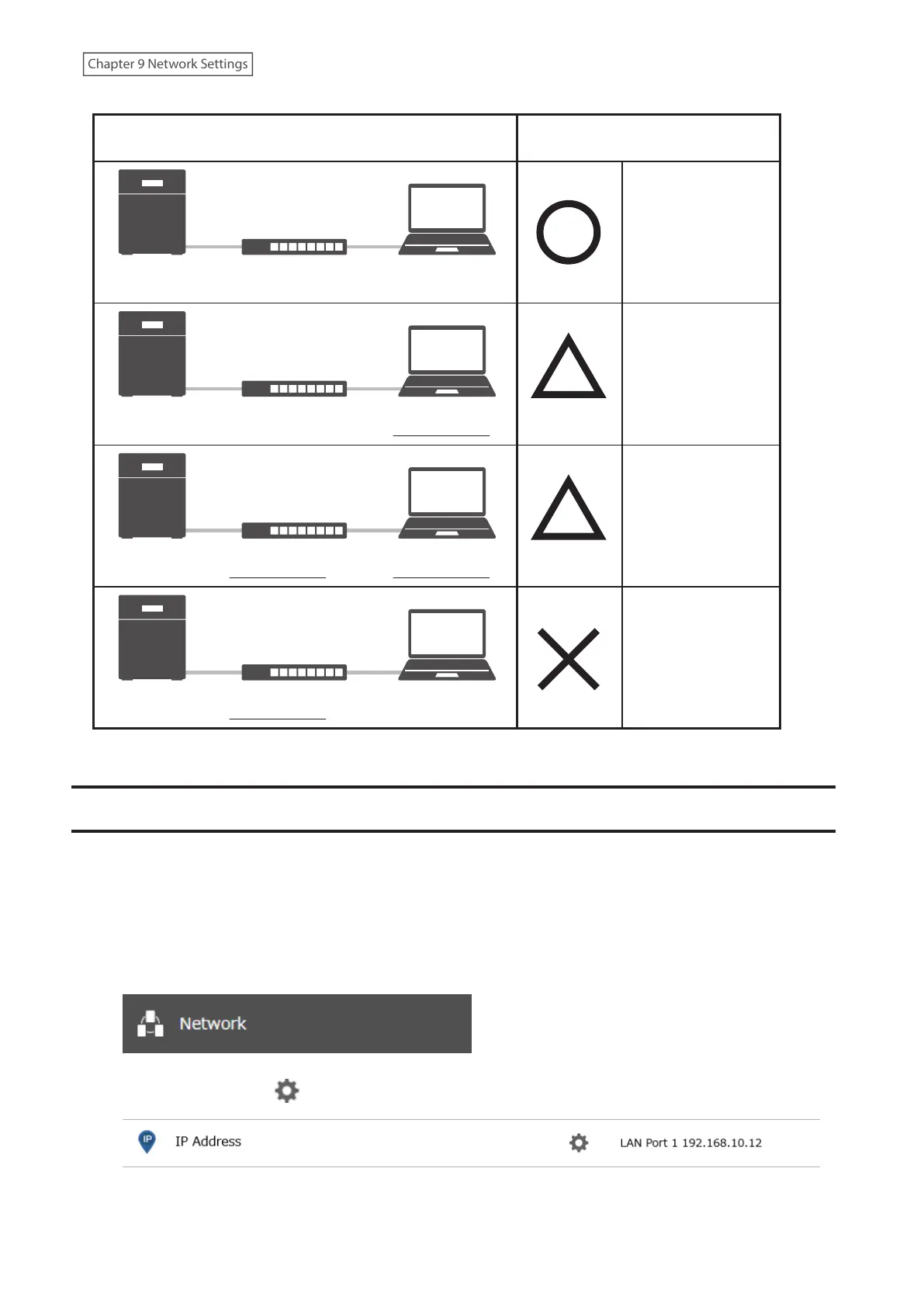
Jumbo Frame
Jumbo Frame
Compatible Switch
Jumbo Frame
Compatible PC
Jumbo Frame
Jumbo Frame
Compatible Switch
Jumbo Frame
Incompatible PC
Jumbo Frame
Jumbo Frame
Incompatible Switch
Jumbo Frame
Incompatible PC
Jumbo Frame
Jumbo Frame
Incompatible Switch
Jumbo Frame
Compatible PC
No data can be
transferred.
Transfer data
without using
jumbo frames.
Transfer data
without using
jumbo frames.
Transfer data using
jumbo frames.
TransmissionConnection
Changing the IP Address
Normally, the TeraStation’s IP address is set automatically by a DHCP server on your network. If you prefer, you can
set it manually. An easy way to do this is to change it on NAS Navigator2. The procedure to change the IP address in
Settings is below.
Note: If the TeraStation is being used as an iSCSI drive, to change the settings, navigate to Storage> iSCSI in Settings
and move the iSCSI switch to the off position temporarily before changing settings.
1 From Settings, click Network.
2 Click the settings icon ( ) to the right of “IP Address”.
3 Click Edit.
227
Chapter 9 Network Settings















 To Next Page