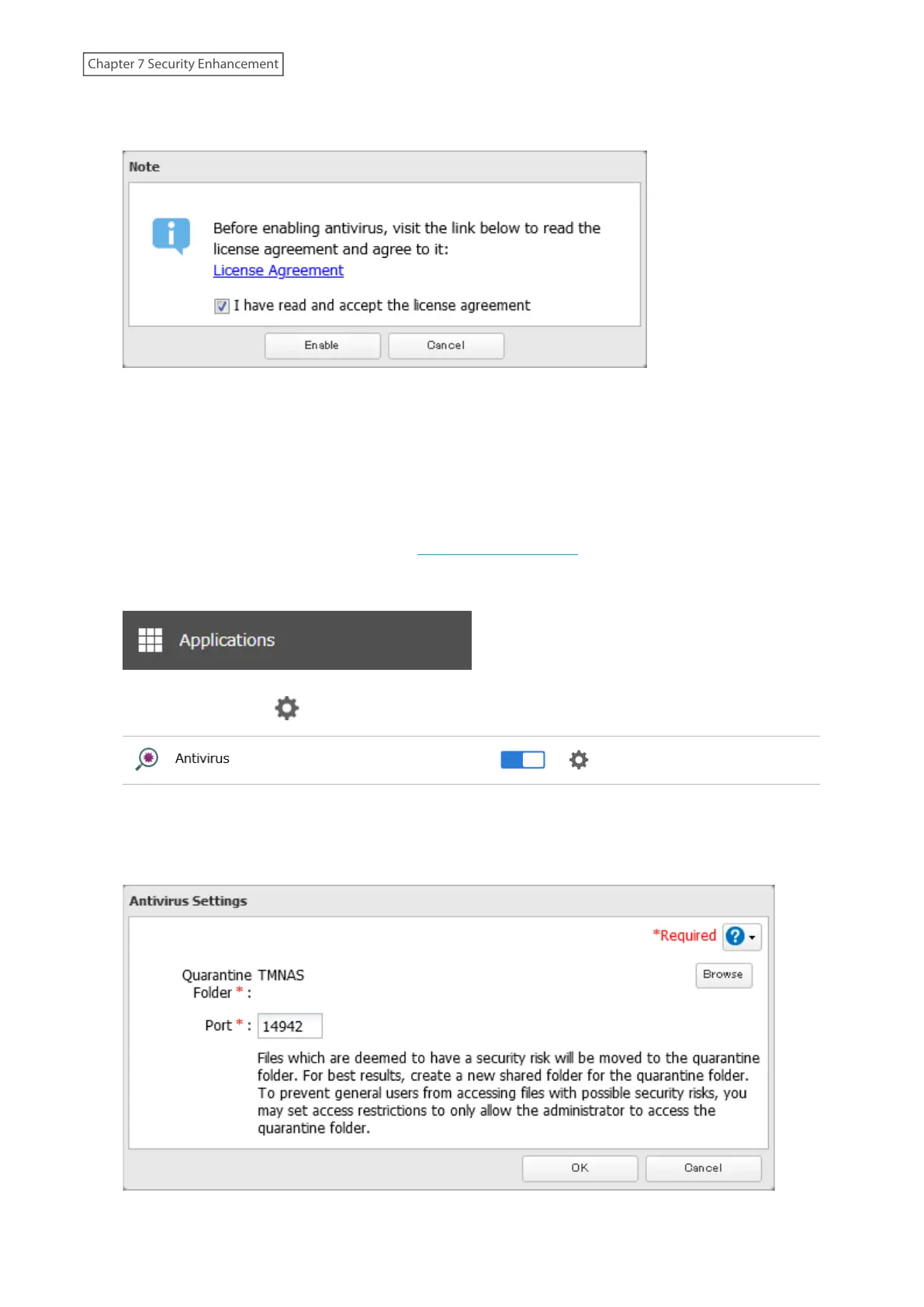
3 The license agreement screen will open. Read the agreement carefully and select the checkbox, then click
Enable.
4 The process is complete when the applications menu list is displayed.
When antivirus is enabled, a quarantine folder named “TMNAS” will automatically be created on the TeraStation. If a
virus is detected, it is moved to this folder.
If you want to configure a specific shared folder as a quarantine folder, follow the procedure below.
1 Create a new shared folder by referring to the “Adding a Shared Folder” section in chapter 3.
2 From Settings, click Applications.
3 Click the settings icon ( ) to the right of “Antivirus”.
4 Click Edit.
5 Click Browse and select the quarantine folder.
195
Chapter 7 Security Enhancement















 To Next Page