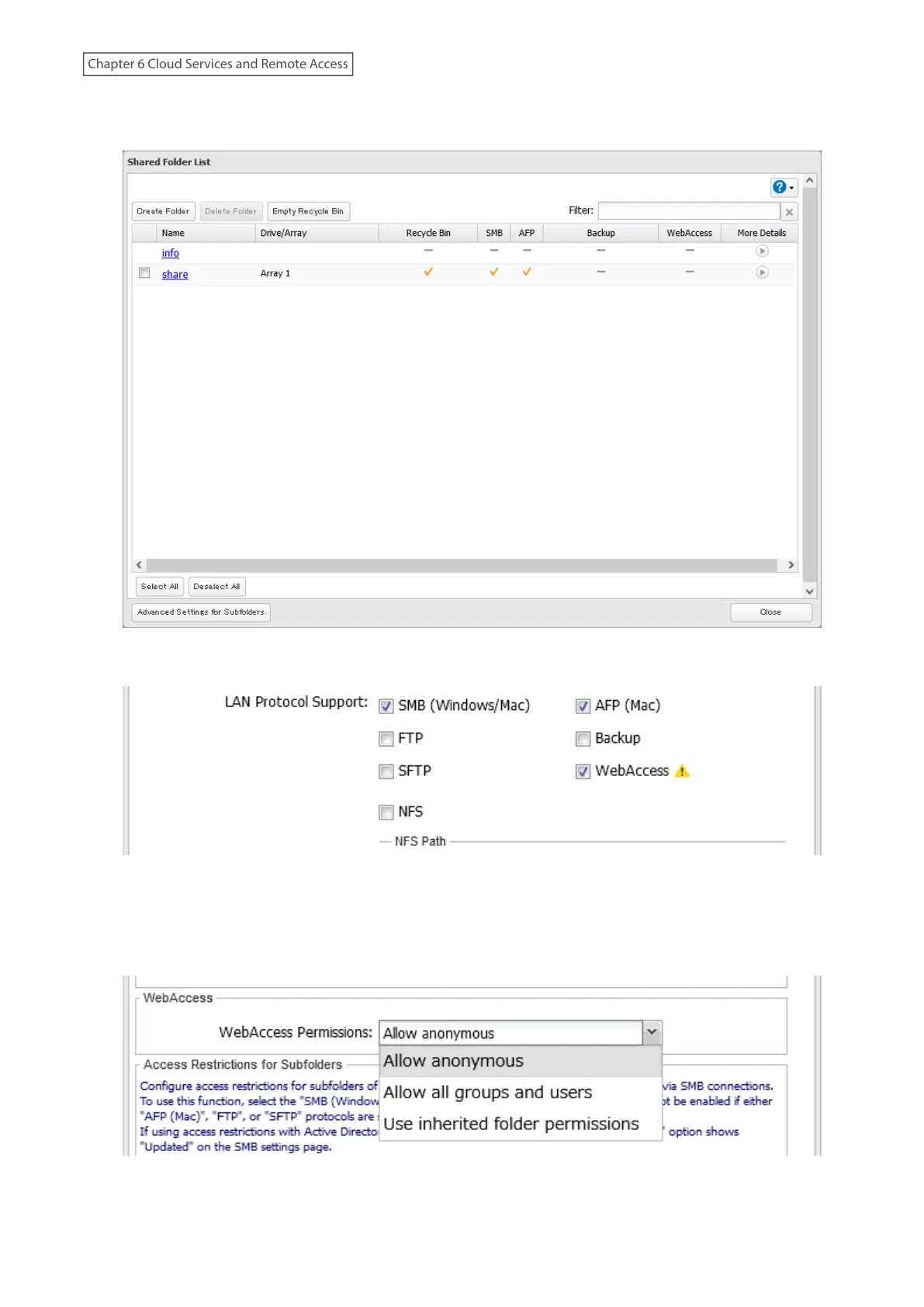
7 Click Create Folder.
For best results, create a new dedicated share for WebAccess to prevent opening files accidentally.
8 Under “LAN Protocol Support”, select the “WebAccess” checkbox on the Basic tab.
9 Click the Option 2 tab.
10 Select the desired WebAccess security level for “WebAccess Permissions”. For more detailed information about
each WebAccess security level, refer to the note below.
11 Configure other settings such as a folder name and click OK.
180
Chapter 6 Cloud Services and Remote Access















 To Next Page