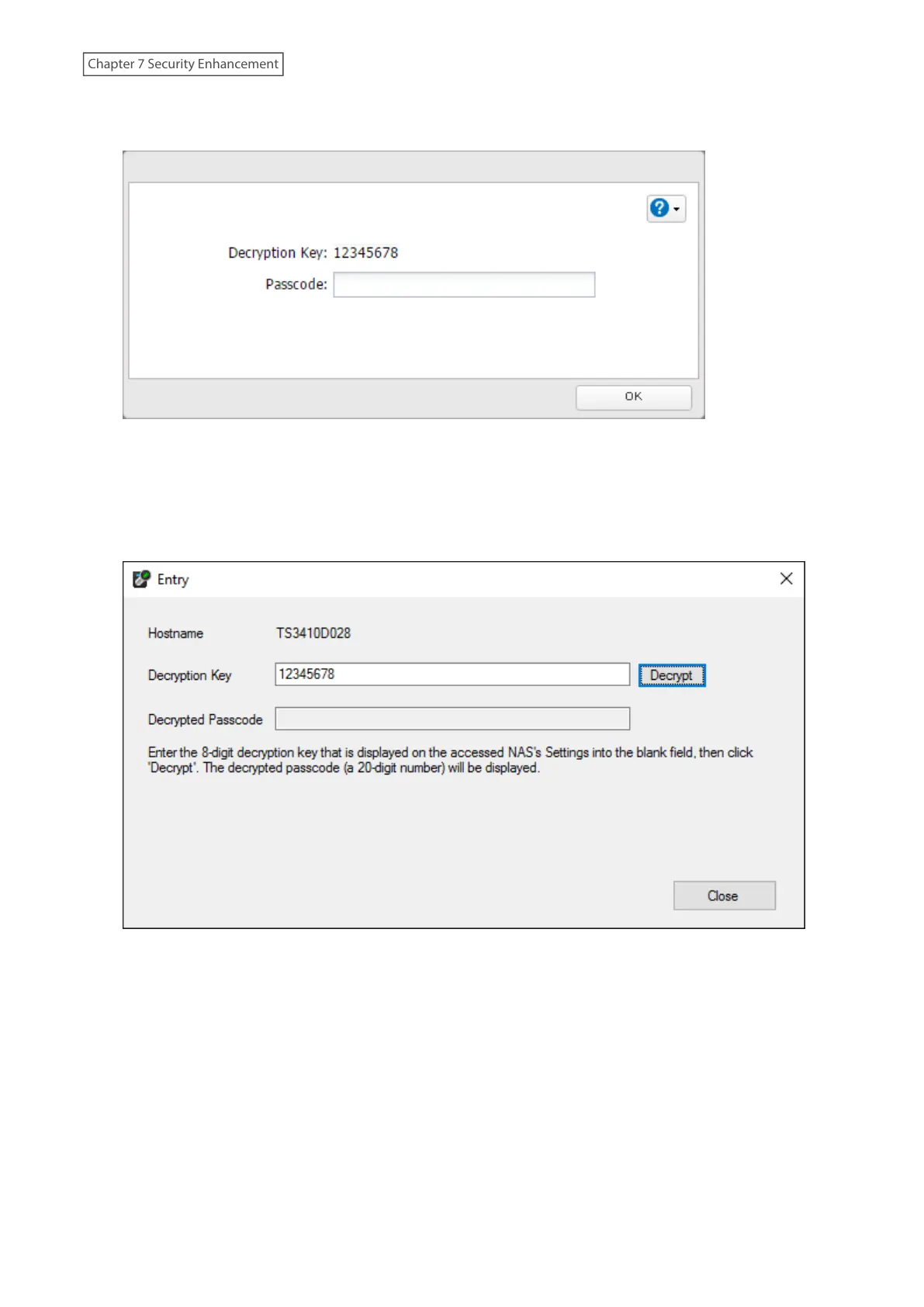
1 When the user tries to access the TeraStation’s Settings and the TeraStation is not available, the screen below
will be displayed. Have the user forward the decryption key to the authentication server administrator.
2 Open Boot Authentication Tool on the authentication server.
3 From Boot Authentication Tool, right-click the target TeraStation from the list and click Decrypt Passcode.
4 Enter the decryption key received from the user and click Decrypt.
209
Chapter 7 Security Enhancement















 To Next Page