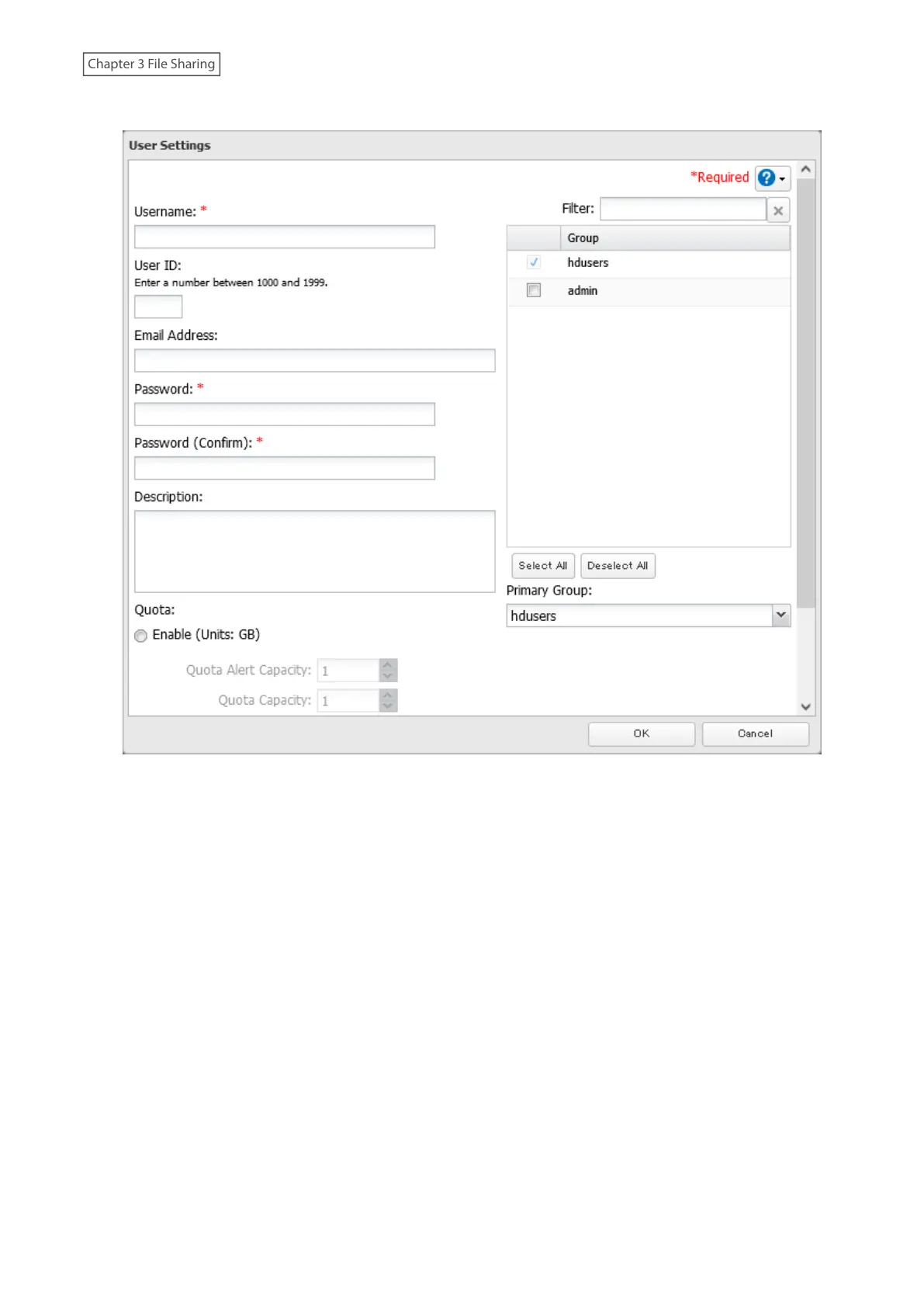
4 Enter the desired settings, then click OK.
5 The process is complete once you close the confirmation window that appears.
Notes:
• Usernames may contain up to 128 alphanumeric characters, hyphens (-), underscores (_), periods (.), and the
symbols ! # & @ $ * ^ %. The first character should not be a symbol.
• The user ID should be a number from 1000 to 1999. Each user ID should be unique. If this field is left blank, a user
ID is assigned automatically.
• Do not duplicate user IDs, group IDs, usernames, or group names. Each should be distinct and unique.
• User descriptions may contain up to 75 alphanumeric characters, hyphens (-), underscores (_), and spaces.
Multibyte characters are supported. The first character should not be a symbol or space.
• Passwords may contain up to 20 alphanumeric characters, hyphens (-), underscores (_), spaces, commas (,),
periods (.), semicolons (;), tildes (~), and the symbols ! # & @ $ * ^ % + : = ? ] [ } { \. The first character should not be
a symbol unless it is an underscore.
• Use the same username and password for both Windows and the TeraStation or you may be unable to access
shared folders.
• Do not use a name already in use as a group name; do not use any of the following words as a username as these
words are reserved for internal use by the TeraStation: _lldpd, adm, admin, administrator, admins, all, apache,
avahi, avahi-autoipd, backup, bin, crontab, daemon, dialout, dip, disk, ftp, ftpuser, fuse, gnats, guest, guests, halt,
hdusers, irc, kmem, libuuid, list, lp, mail, man, messagebus, mysql, netdev, news, nobody, nogroup, none, ntp,
openldap, operator, plugdev, proftpd, proxy, puppet, root, rpc, rpcuser, sambashare, sasl, shadow, shutdown,
30















 To Next Page