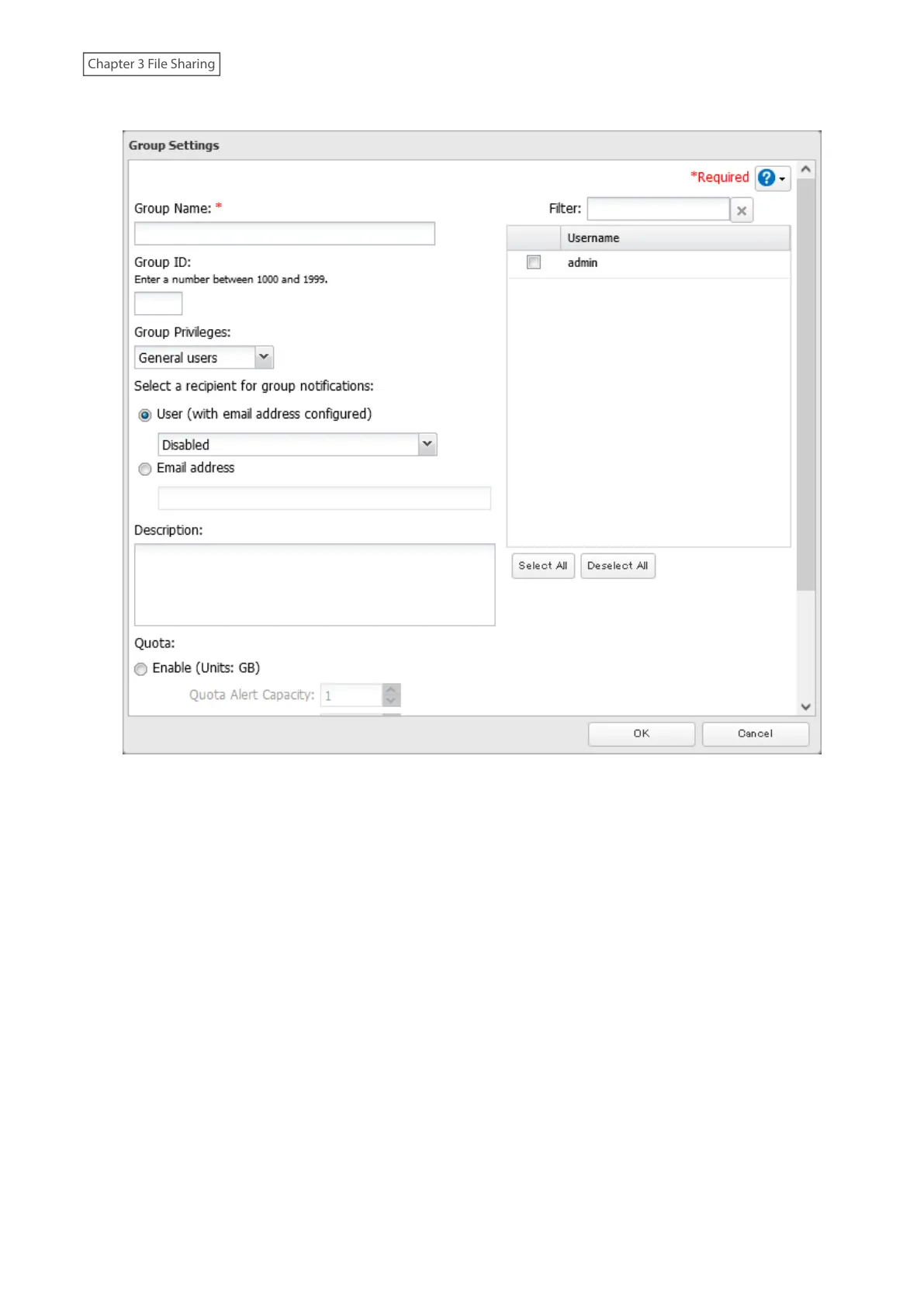
4 Enter the desired settings, then click OK.
5 The process is complete once you close the confirmation window that appears.
Notes:
• Group names may contain up to 20 alphanumeric characters, hyphens (-), underscores (_), and periods (.). The
first character should not be a symbol.
• Group descriptions may contain up to 75 alphanumeric characters, hyphens (-), underscores (_), and spaces.
Multibyte characters are supported. The first character should not be a symbol or space.
• If the group ID field is left blank, a group ID is automatically assigned. Use numbers between 1000 and 1999 to set
a group ID manually. Don’t use duplicate group IDs.
• If you are logged in as an administrator, you can change any setting, including other users’ passwords. If you are
logged in as a member of the power users group, you can create and edit shared folders, users, and groups. If you
are logged in as a member of the general users group, you can only change your own password.
• Do not use a name in use as a username; do not use any of the following words as a group name as these words
are reserved for internal use by the TeraStation: _lldpd, adm, admin, administrator, admins, all, apache, avahi,
avahi-autoipd, backup, bin, crontab, daemon, dialout, dip, disk, ftp, ftpuser, fuse, gnats, guest, guests, halt,
hdusers, irc, kmem, libuuid, list, lp, mail, man, messagebus, mysql, netdev, news, nobody, nogroup, none, ntp,
openldap, operator, plugdev, proftpd, proxy, puppet, root, rpc, rpcuser, sambashare, sasl, shadow, shutdown,
snmp, splx, src, ssh, sshd, staff, statd, sudo, sync, syslog, tmhttpd, tty, users, utmp, uucp, winbindd_priv, www,
www-data
33















 To Next Page