C8000 Battery Testing System User Manual
150 3 Cadex BatteryLab
appears.
The following table shows, which register where
automatically, downloaded. All other c-code fields are
dynamically adjusted to recommended values.
Displays the chemistry type reported
Displays the Design Capacity reported
Displays the requested Current
Displays the requested Current
Displays the requested Charge Voltage
*If the requested current is ZERO (0), then the
system will default to the a 1.0C rate
** This register is only downloaded if the
Chemistry type is equivalent to a CC-CV charging
algorithm.
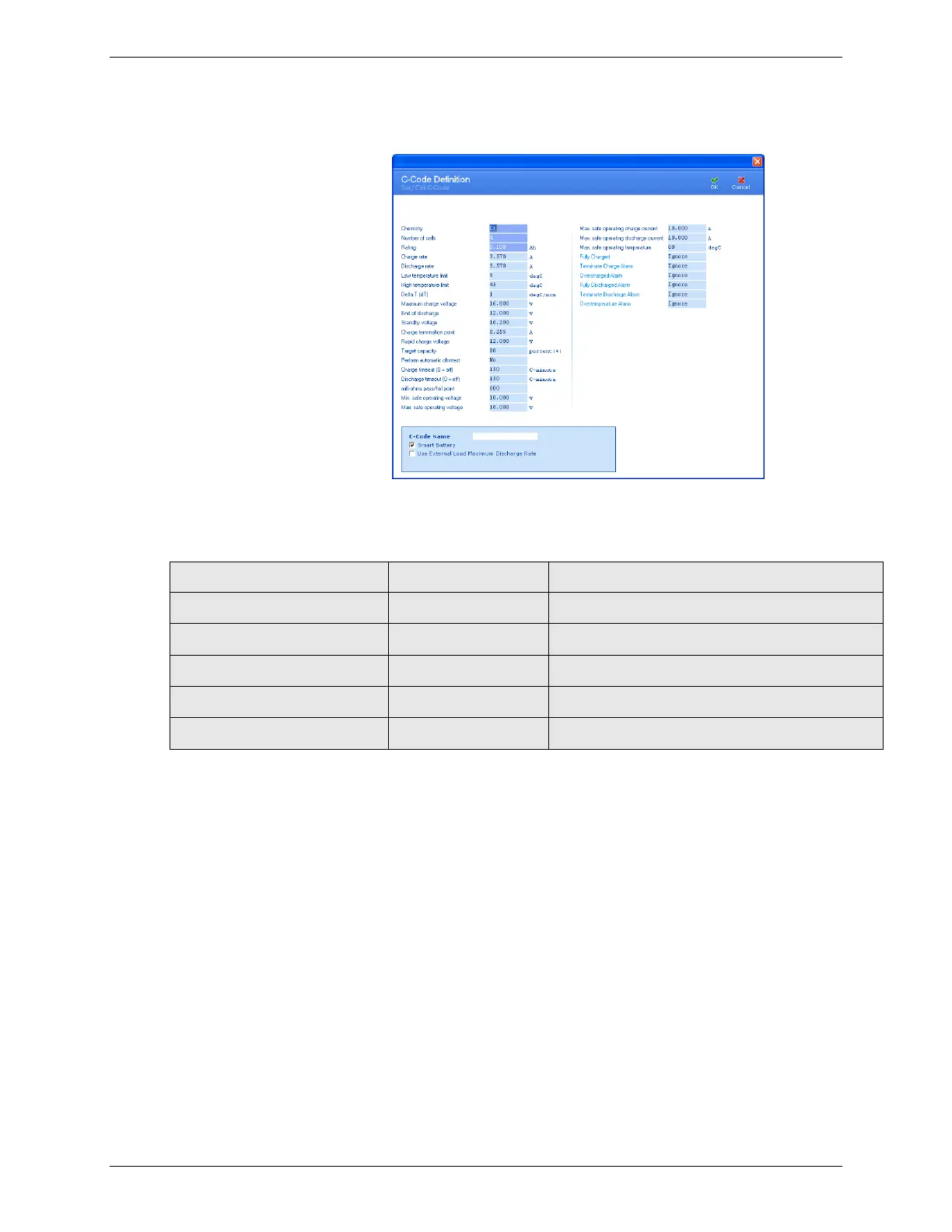
4. If required, edit the detail fields in the C-Code Definition
window to describe the new c-code.
5. Type a name for the new c-code in the C-Code Name field.
The Smart Battery check box is automatically checked.
6. Select the Use External Load Maximum Discharge Rate check
box to bypass the parameter Max. safe operating discharge
current and use the maximum discharge current of the
external load. Bypass only occurs if the Discharge Playback
action is used in a program and is currently active.



 To Next Page