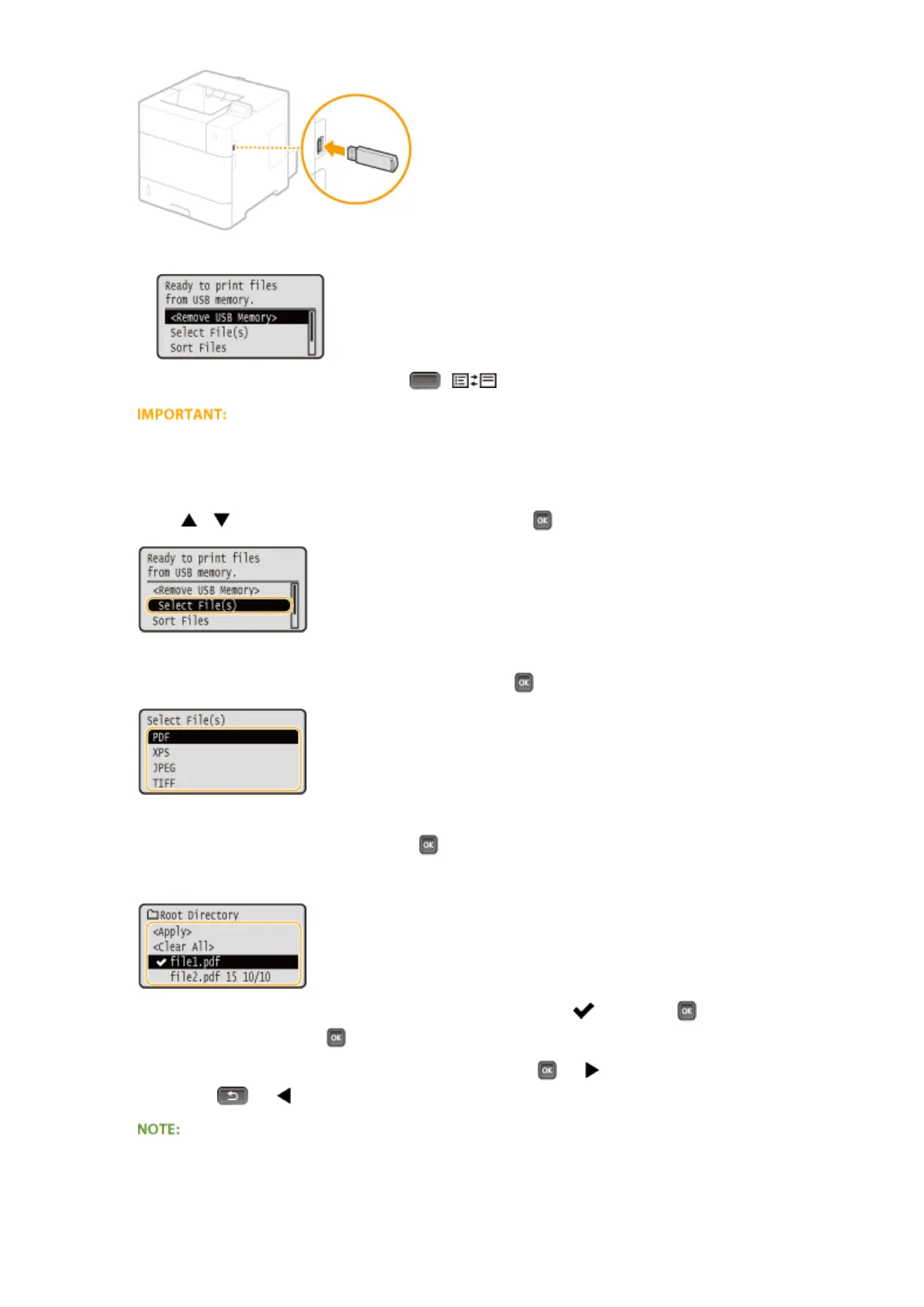
➠ The following screen is automatically displayed.
● If the screen is not displayed, press ( ).
● Do not shock or shake the USB memory device or the machine while the device is connected to the
machine.
2
Use / to select <Select File(s)>, and press .
3
Select the type of the le to print, and press .
4
Select the le to print, and press .
● You can select up to 10 les.
● To clear a selection, select the le you have selected (marked with ), and press . To clear all selections,
select <Clear All>, and press .
● To display the contents of a folder, select a folder, and press
or . To return to the folder in the upper
level, press or .
● Folders and les in lower levels or with longer names may not be displayed.
● When you move to another folder, the previous le selections will be cleared.
Printing a Document
121



 To Next Page