JPEG les and TIFF les
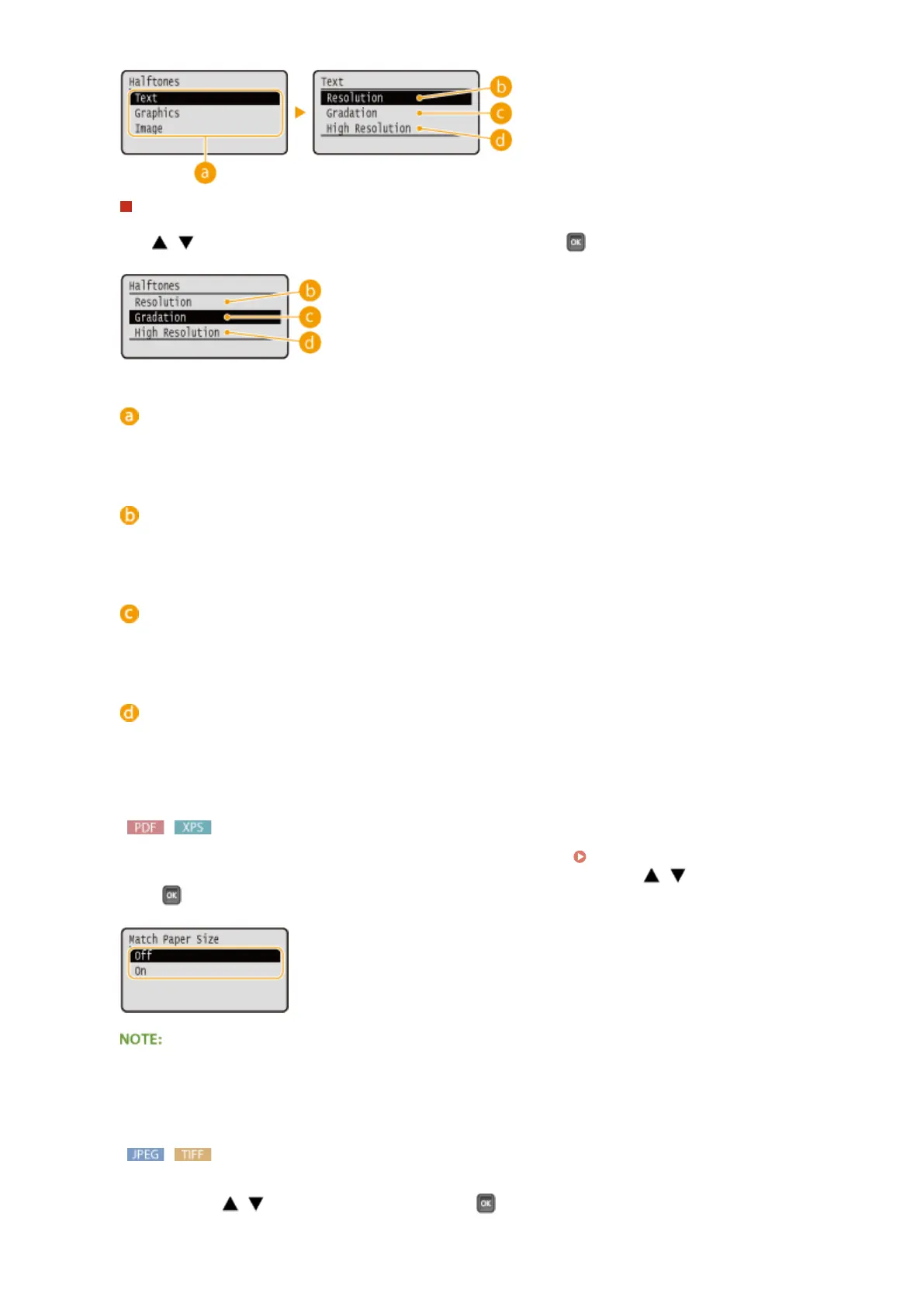
Use / to select the method to reproduce halftones, and press .
Image data type
Select the image data type for which you want to change the settings. Select <Text> for characters,
<Graphics> for lines and gures, or <Image> for images such as photos.
<Resolution>
Prints gradation and lines with a smooth nish. This print mode is suitable for printing gures and charts
with gradation.
<Gradation>
Prints vivid images with a tonal contrast effect. This print mode is suitable for printing image data such as
photos.
<High Resolution>
Performs ne printing by sharply reproducing the edges of characters. This print mode is suitable for
printing data of characters and thin lines with a clear nish.
<Match Paper Size>
Automatically makes enlarged or reduced printouts according to the Printable Area(P. 572) of the paper.
The printouts are enlarged or reduced with the original's aspect ratio kept. Use / to select the setting, and
press .
● This setting is not available if <Auto> is set in <Select Paper>.
<Zoom>
Enable or disable enlarging/reducing images. The printouts are enlarged or reduced with the image's aspect
ratio kept. Use / to select the setting, and press .
Printing a Document
125



 To Next Page