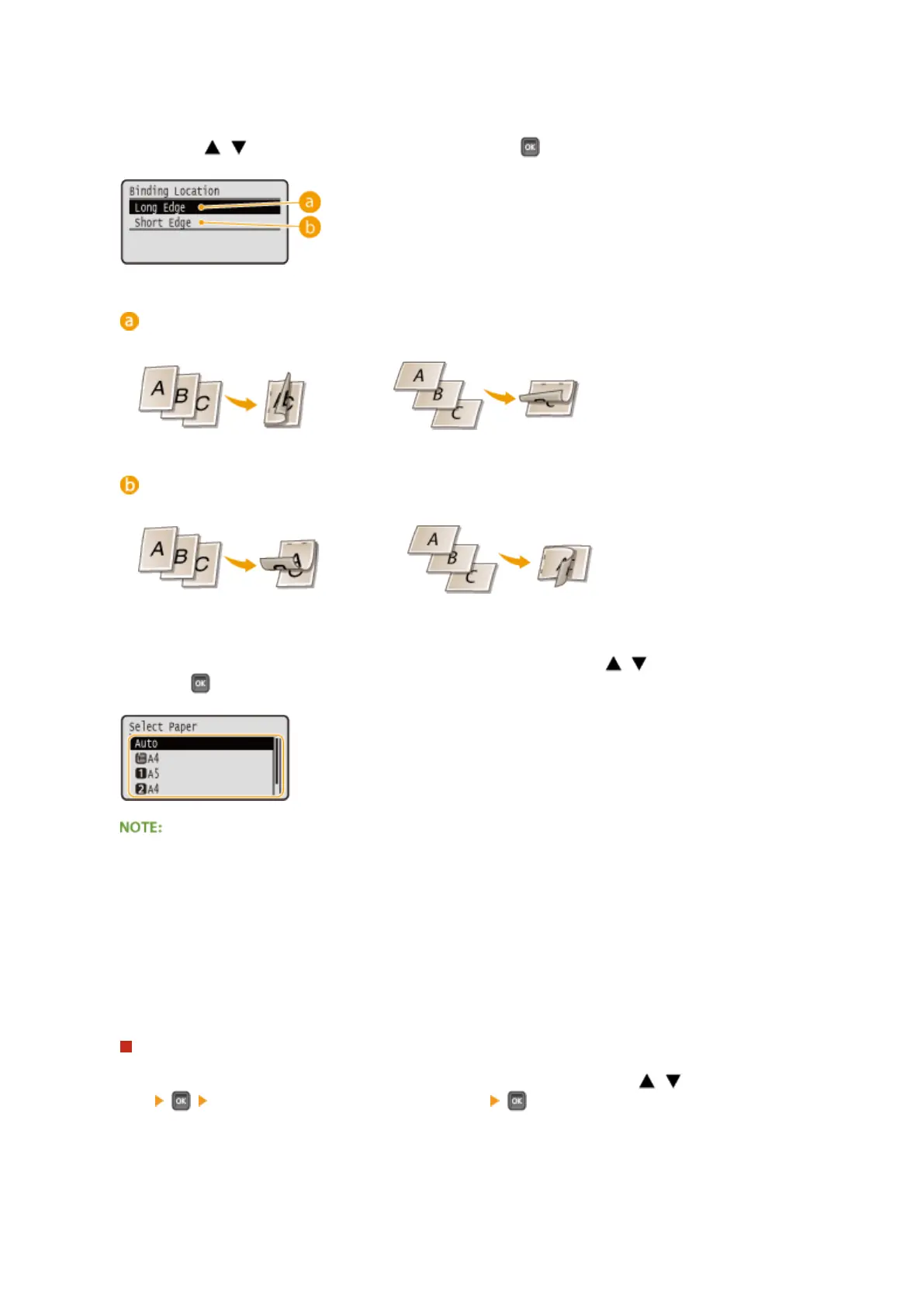
<Binding Location>
Specify whether to bind the long edge or short edge of the 2-sided printouts with a binding tool such as a
stapler. Use / to select the binding position, and press .
<Long Edge>
Binds the printouts on the long edge.
<Short Edge>
Binds the printouts on the short edge.
<Select Paper>
Select the paper source in which the paper to print is already loaded. Use / to select the paper source,
and press .
● When you want to print a PDF le or XPS le, specify <Auto> to automatically select the optimum paper
source.
● A paper source with custom size paper loaded cannot be selected.
<Halftones>
You can select the method to reproduce halftones (the intermediate range between the lighter and darker
areas of an image).
PDF les and XPS les
Halftones can be specied for each image data type in a single document. Use
/ to select the image data
type select the method to reproduce halftones .
Printing a Document
124



 To Next Page