2
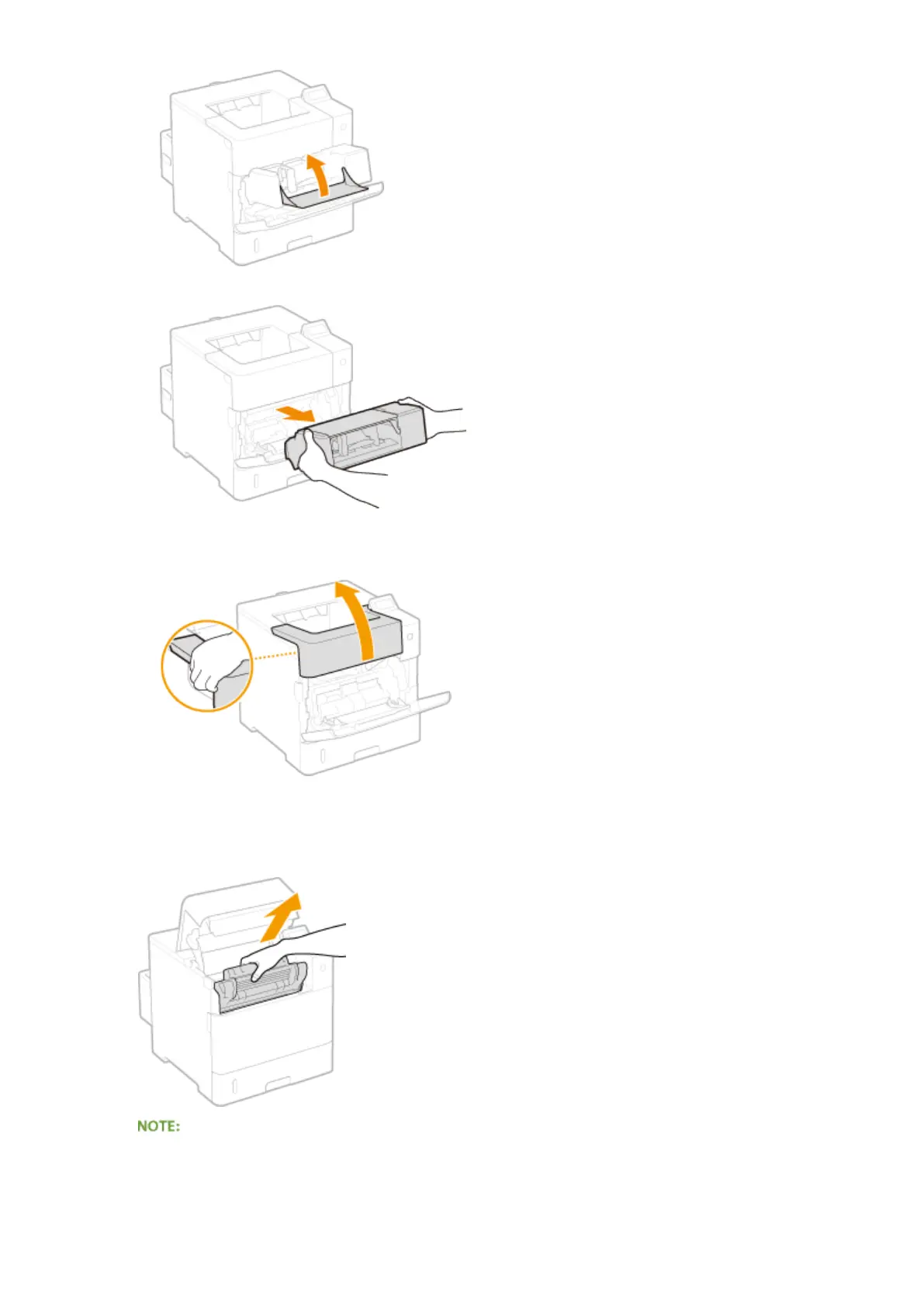
Remove the envelope feeder.
3
Open the top cover.
● Hold the handle on the left side, and open the top cover.
2
Remove the toner cartridge.
● When the envelope feeder had been installed, skip to step 4.
3
Open the cover of the multi-purpose tray.
Troubleshooting
474



 To Next Page