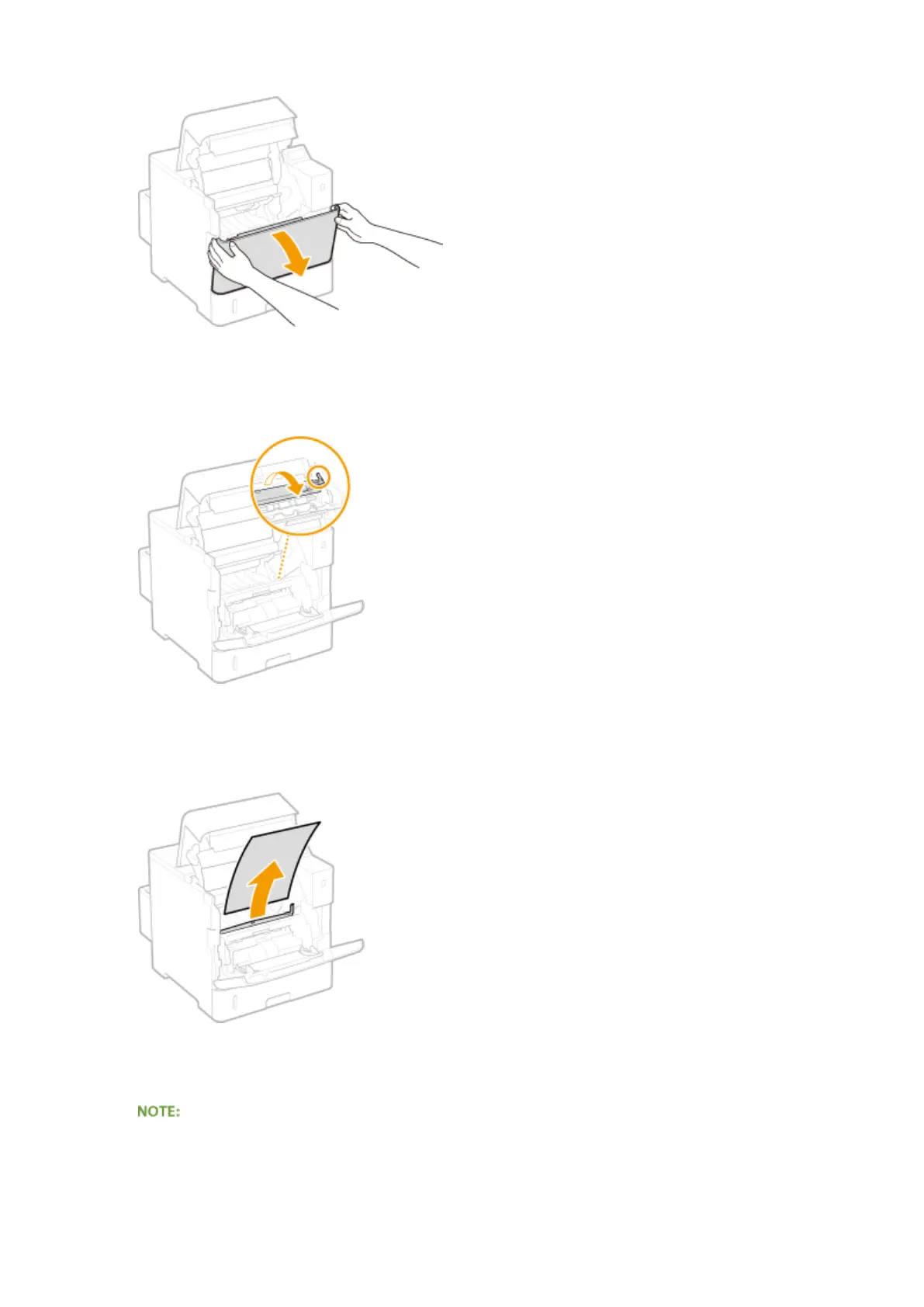
● Hold the left and right side handles, and open the cover.
4
Hold the back side green knob and lift the transport guide.
● Keep holding the transport guide until returning it to the original position in step 6.
5
Gently pull out the paper.
● Pull out the paper atly as much as possible to prevent unxed toner from being dropped.
6
Gently return the transport guide back in place.
● When the envelope feeder had been installed, skip to step 8.
7
Hold the handle of the envelope feeder cover, and remove the cover.
Troubleshooting
475



 To Next Page