● You can use <Offset Y (2-Sided)> and <Offset X (2-Sided)> to adjust the print position on the rst page (front
side) in 2-sided printing mode regardless of the paper source.
● The print position on the second page (back side) in 2-sided printing mode follows the settings for the
available paper source. For example, the vertical print position for 2-sided printing from the multi-purpose
tray is adjusted as shown below.
First page (front side)
<Offset Y (2-Sided)> setting value
Second page (back side) <Offset Y (MP Tray)> setting value
6
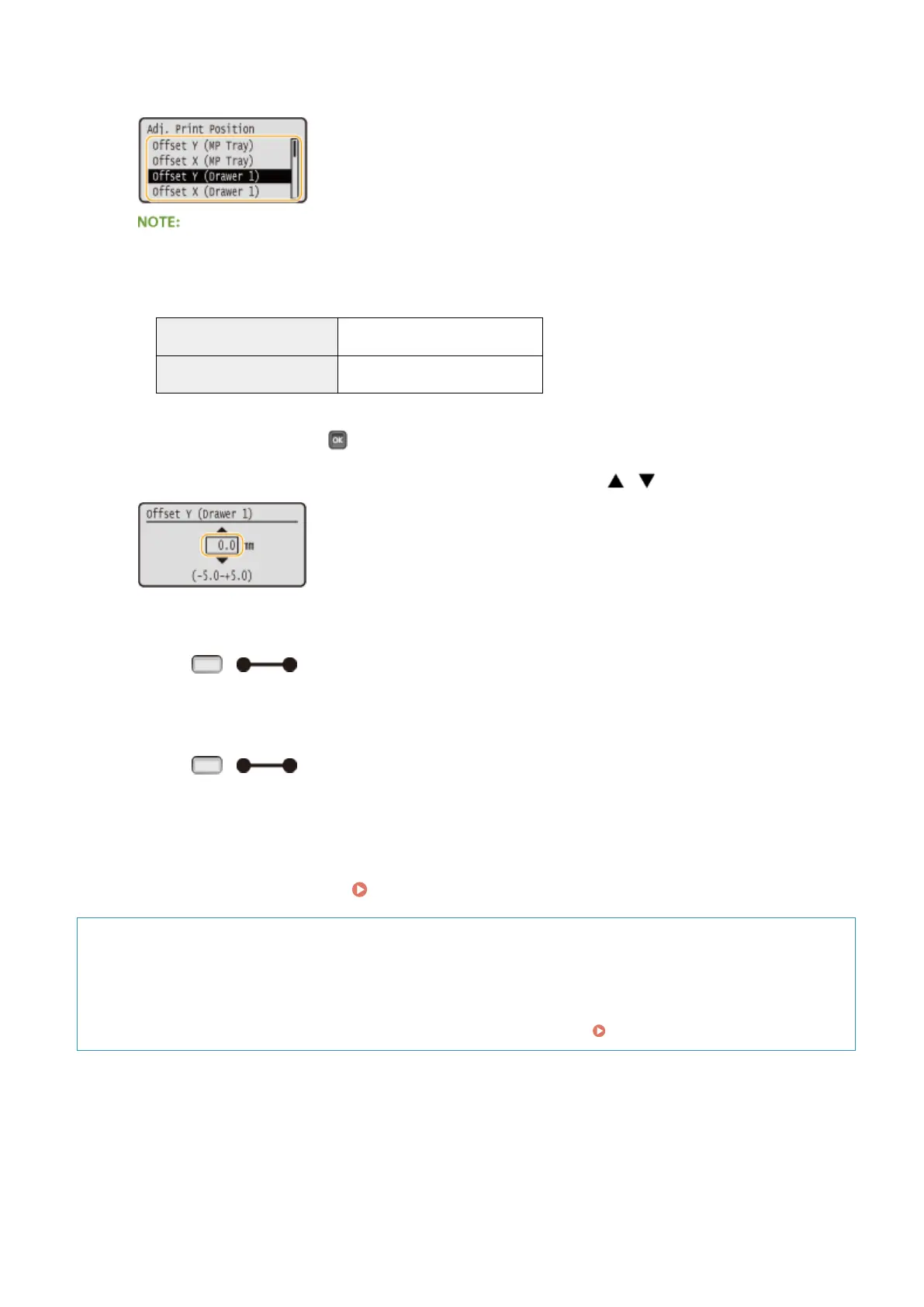
Set a value, and press .
● Based on the printout made by Printing Position Adjustment Print, use / to enter a value.
● To adjust another position or paper source, repeat steps 5 and 6.
7
Press ( ).
➠
The screen returns to the main screen.
8
Press ( ) again.
➠
The machine becomes online.
9
Perform the Printing Position Adjustment Print, and check the adjusted print
position on the printout. Step 1: Printing the Current Print Position(P. 532)
Adjusting all print positions
You can use <Offset Y> and <Offset X> in the setting menu of the operation panel to adjust the print positions
for all types of printing regardless of the paper source. You can adjust the print position in the range of -50.0 to
+50.0 mm in 0.5 mm increments in either direction: vertical and horizontal. Offset Y/Offset X(P. 395)
Maintenance
535



 To Next Page