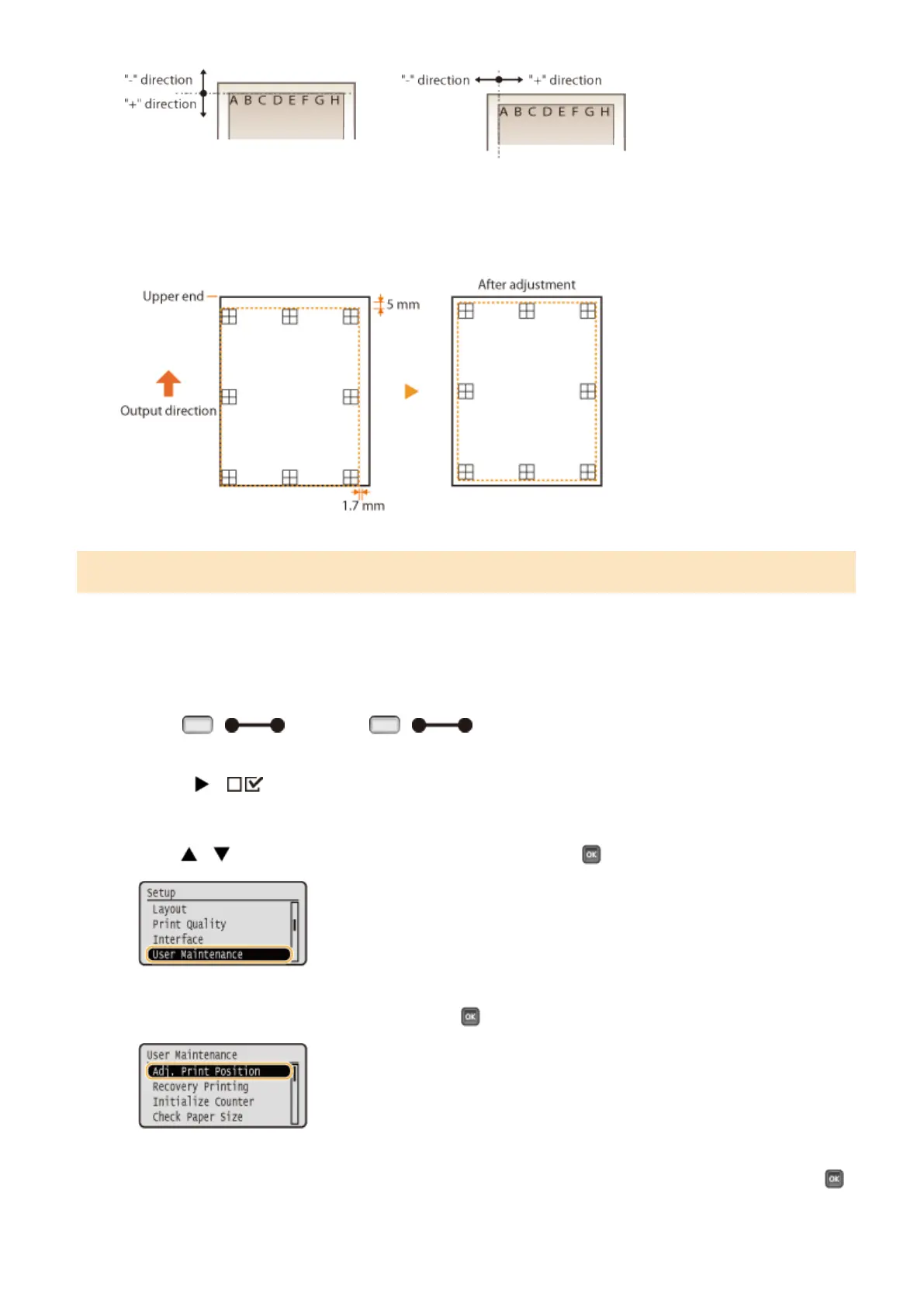
In the example shown below, to shift the print position 5 mm upward and 1.7 mm rightward, "-5.0 mm" is set in
<Offset Y> and "+1.70 mm" is set in <Offset X>.
Step 3: Adjusting the Print Position for Each Paper Source
After you conrm the direction and distance to adjust, specify an adjusted print position. You can adjust the print
position in the range of -5.0 to +5.0 mm in 0.1 mm increments in either direction: vertical and horizontal.
1
Set the machine to oine.
● When ( ) is lit, press ( ).
2
Press ( ).
3
Use / to select <User Maintenance>, and press .
4
Select <Adj. Print Position>, and press .
5
Select the combination of the direction to adjust and the paper source, and press .
Maintenance
534



 To Next Page