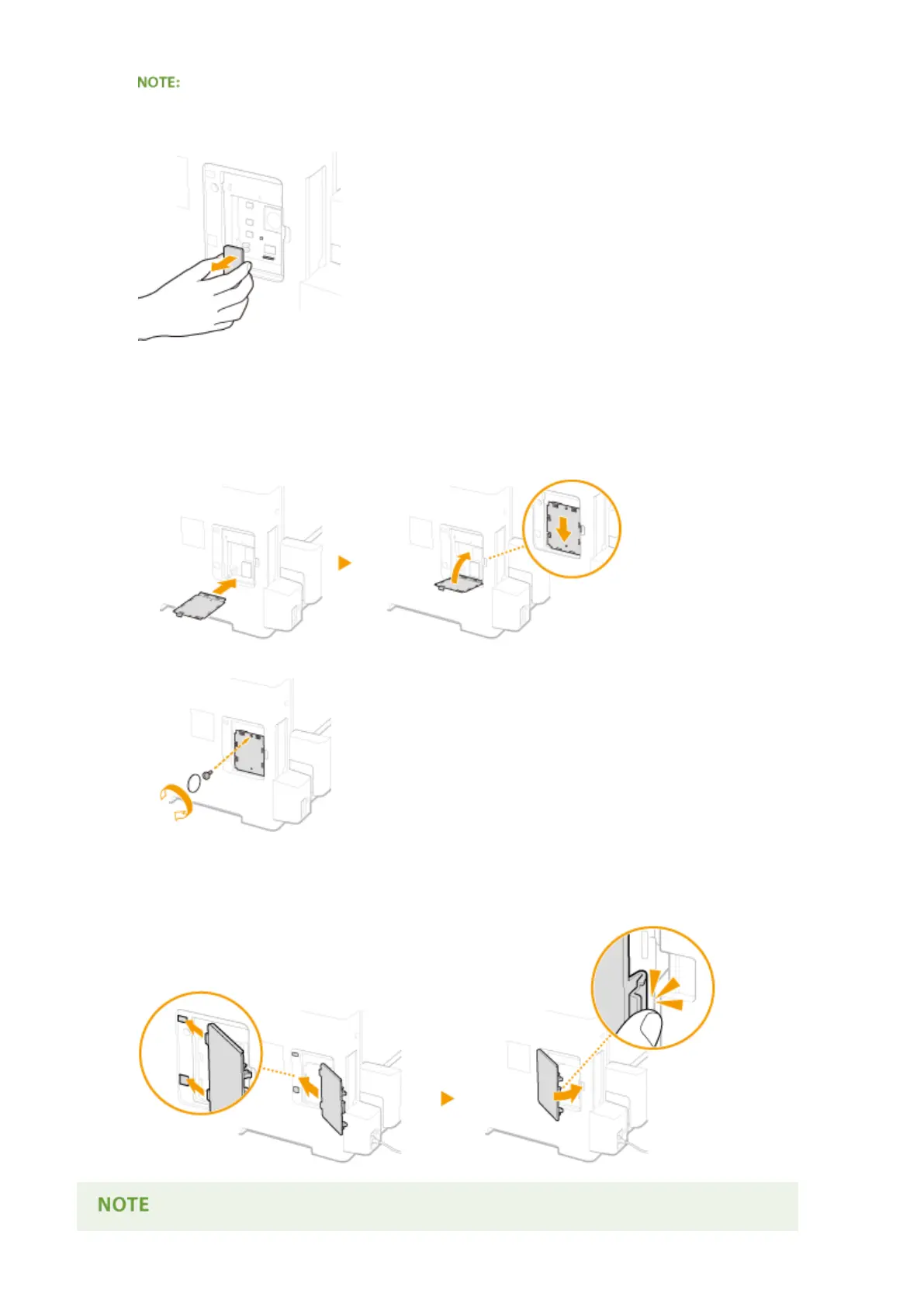
When disconnecting the ROM
● Hold the edges of the ROM and pull it out as shown in the illustration below.
5
Put the ROM cover back into position.
1
Close the ROM cover by pushing in the catch of the ROM cover in the direction indicated by the
arrow.
2
Use a coin to reattach the screws.
6
Insert the right cover in the direction indicated by the arrow, and close it while
pushing the catch.
Appendix
581



 To Next Page