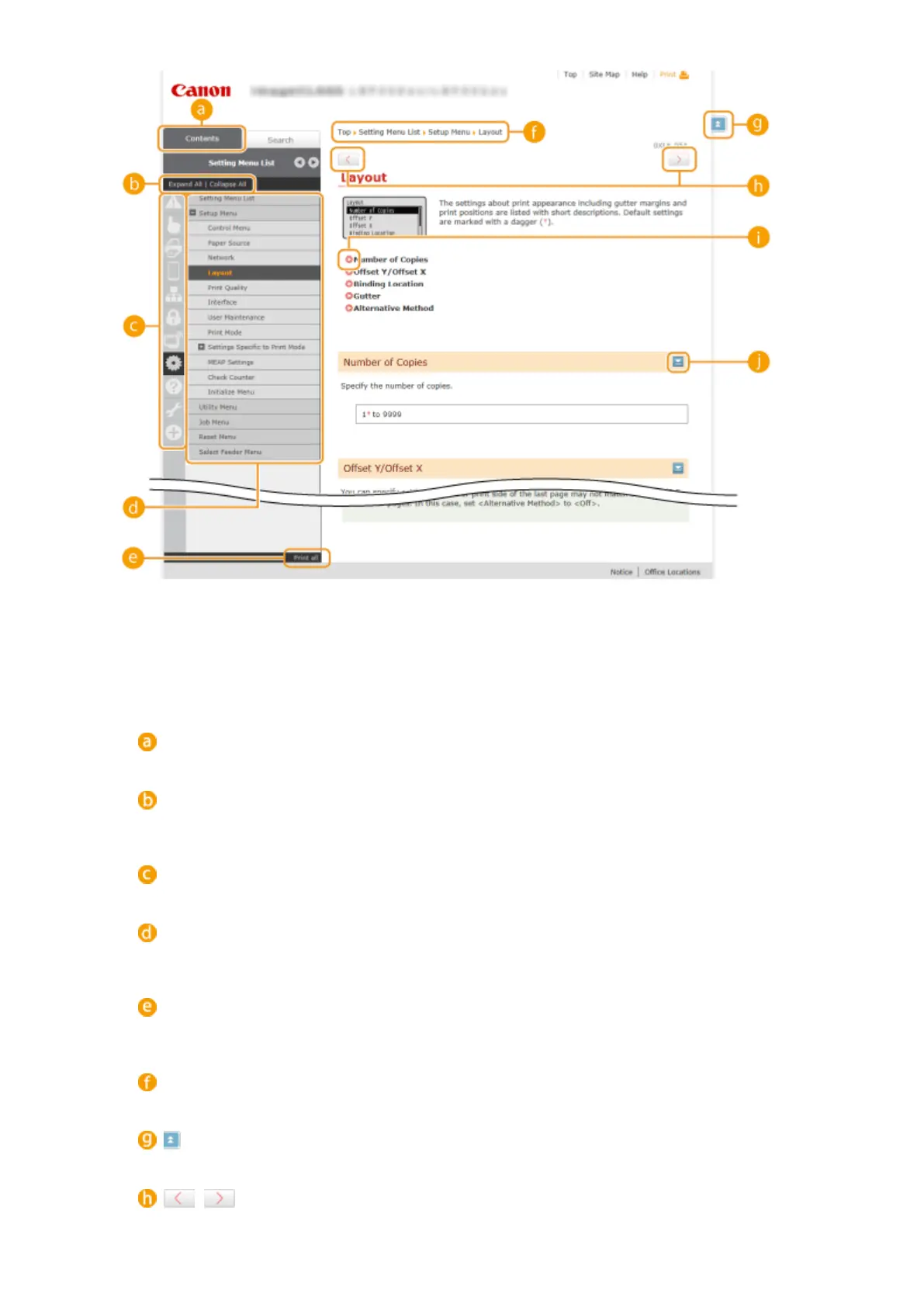
[Contents]
The chapter icons and titles are displayed.
[Expand all]/[Collapse all]
Click [Expand all] to display all of the subsections of all topics. Click [Collapse all] to close all of the
subsections of all the topics.
Chapter icons
Click a chapter icon to navigate to the top of the corresponding chapter.
Topic page
Displays the topics of the selected chapter. If "+" is displayed on the topic, clicking it displays the
subsections of that topic. Click "-" to close the expanded topic.
[Print all]
All pages of the selected chapter are opened in a separate window. The chapter can be printed if
necessary.
Navigation
See what chapter topic you are currently viewing.
Click to return to the page top.
/
Click to display the previous or following topic.
Appendix
595



 To Next Page