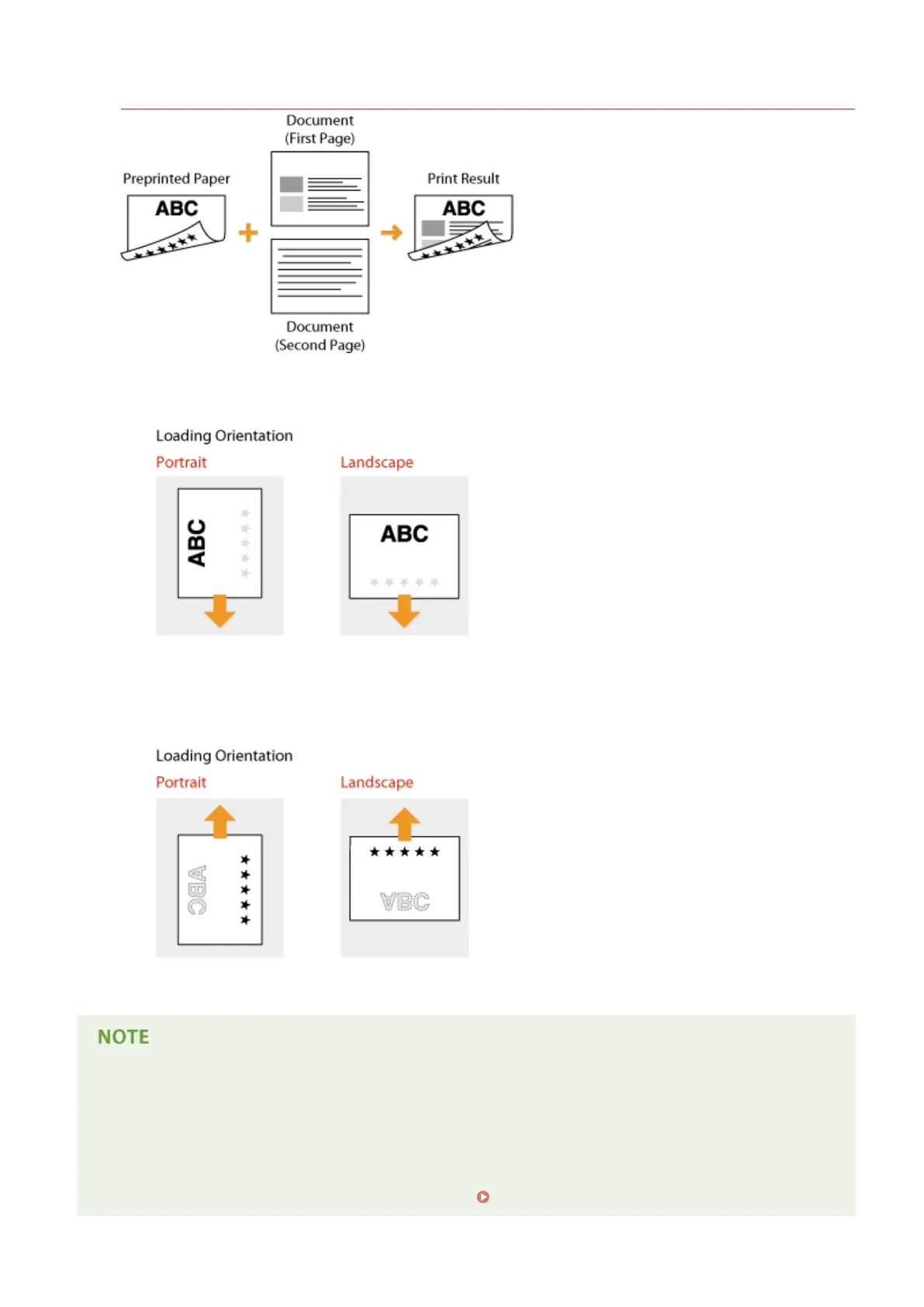
Printing on Paper with Logos in Landscape Orientation
When loading paper in the paper drawer or paper deck
Load the paper with the front logo side (the side to print the rst page of the document) face up.
When loading paper in the multi-purpose tray
Load the paper with the front logo side (the side to print the rst page of the document) face down.
The <Paper Feed Method> setting
● When you print on preprinted paper, you need to change the facing of the paper to load each time you
switch between 1-sided and 2-sided printing. However, if <Paper Feed Method> is set to <Print Side Priority>,
the facing that you use for loading preprinted paper for 2-sided printing (logo side face up for paper drawer
or down for multi-purpose tray) can also be used for 1-sided printing. This setting is especially useful if you
frequently perform both 1-sided and 2-sided printing.
Paper Feed Method(P. 412)
Basic Operations
58



 To Next Page