CDM-840 Remote Router MN-CDM840
Ethernet-based Remote Product Management Revision 3
6–45
When QoS Control Mode = DiffServ, you have the option of configuring attributes for each
group (the acceptable ranges for each parameter are shown in brackets). Note the following
(from left to right):
The automatically assigned specific rule internal index number is identified here.
IP traffic is prioritized based upon the DSCP (DiffServ Code Points) Class Selector
Precedence.
This is the traffic class that determines how packets will be forwarded.
This is the Codepoint value in the Type of Service (ToS) byte of the IP header.
The minimum bandwidth is served first among the Assured Forwarding (ASFD) classes
in case of bandwidth availability, once Class Selector 7 through Class Selected 1 have
ASFD Class 4 through 1 Code Points (b100xx0, b011xx0, b010xx0, and b001xx0)
carry the drop precedence value (xx). In case of network congestion, a Weighted
Random Early Detection (WRED) congestion avoidance algorithm is imposed on these
queues to drop the packets randomly rather than ‘tail drop.’
The ASFD classes all take Priority 8 instead of their corresponding
class priorities (i.e., 1 through 4) to provide “Service Rate (kbps)”
among all ASFD classes.
•
Low Drop Precedence (% full) [100] – In case of congestion, the WRED is
applied after the queue depth exceeds the configured percentage value assigned
for the Drop Precedence value b001.
• Med. Drop Precedence (%full) [20–90] – In case of congestion, the WRED is
applied after the queue depth exceeds the configured percentage value assigned
for the Drop Precedence value b010.
• High Drop Precedence (% full)) [10-80] – In case of congestion, the WRED is
applied after the queue depth exceeds the configured percentage value assigned
for the Drop Precedence value b011.
Make sure that:
High Drop Precedence value < Med. Drop value < Low Drop value.
Click [Submit] to save.
The page sections that follow are accessible only when QoS Control Mode =
Max/Pri, Min/Max, or Pri-Weighted.
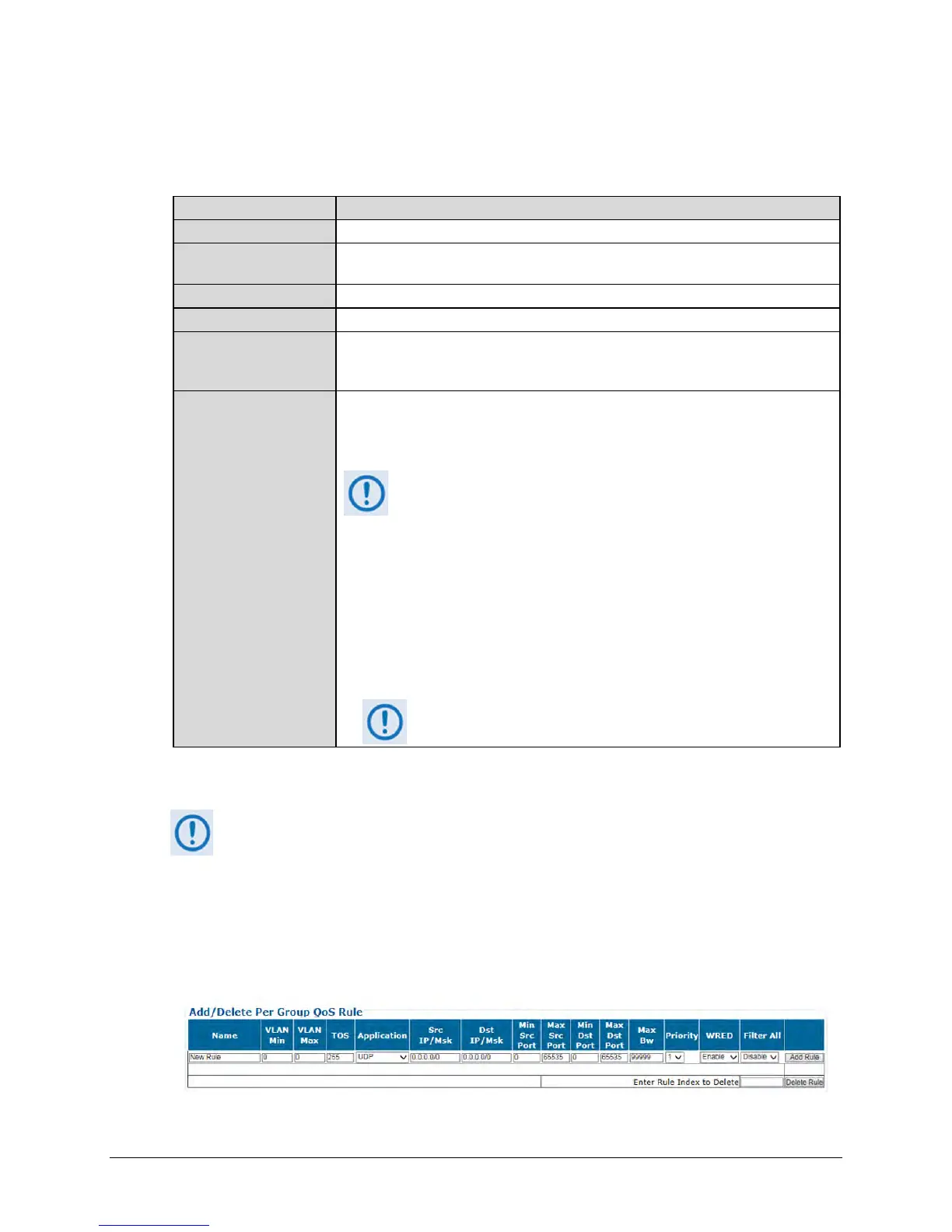
Add/Delete Per Group QoS Rule
The appearance of this table varies depending on your active QoS Control Mode. Examples are
as follows:
When QoS Control Mode = Max/Pri:



 To Next Page