CDM-840 Remote Router MN-CDM840
Appendix M Revision 3
M–21
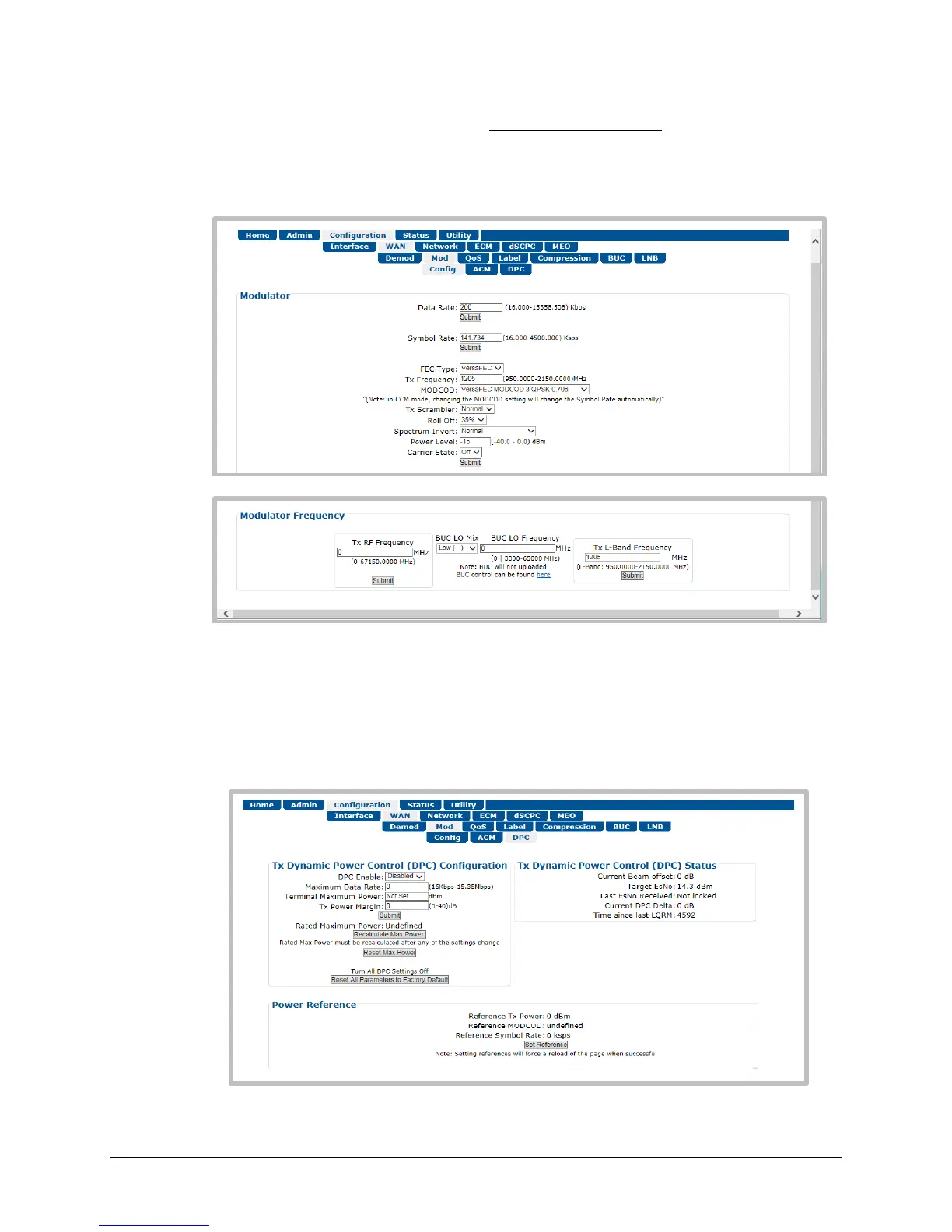
1. If the link is established statically, use the CDM-840 HTTP Interface to do these steps:
a) Use the ‘Configuration | WAN | Mod | Config’ page to establish the communications
link, set the Modulator Frequency, and select the MODCOD, Symbol Rate and Data Rate.
b) Manually adjust the modulator power until the return path demod locks with good data
(pings).
c) Use the drop-down list in the Tx Dynamic Power Control Configuration section of the
‘Configuration | WAN | Mod | DPC’ page to enable DPC. Click [Submit], then allow
power to target (ACM operation is not required).



 To Next Page