CDM-840 Remote Router MN-CDM840
Appendix M Revision 3
M–22
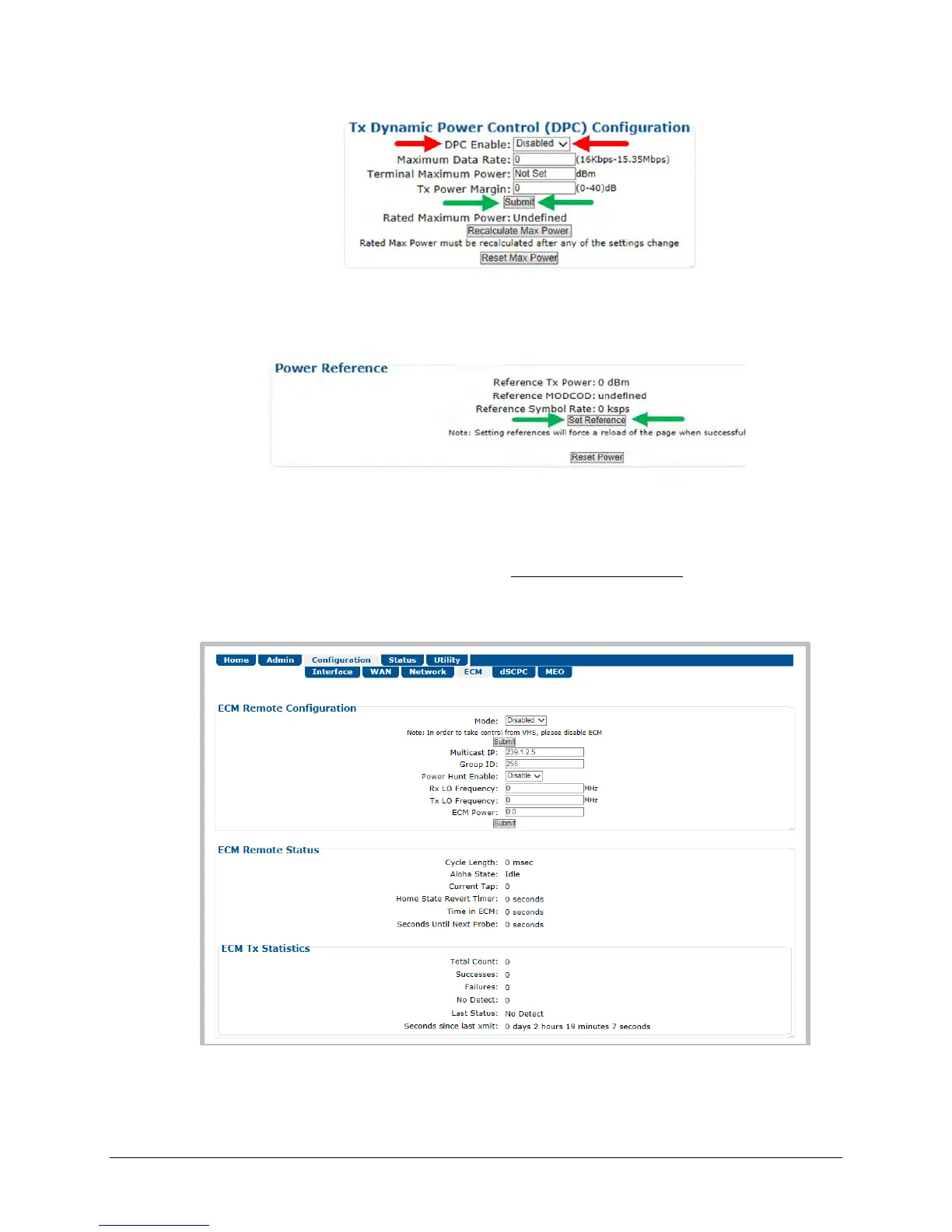
d) In the Power Reference section of the ‘Configuration | WAN | Mod | DPC’ page, click
[Set Reference]:
e) If [Set Reference] fails, note the failure, correct the condition, and click [Set Reference]
once more.
2. If the link is established dynamically, use the CDM-840 HTTP Interface to do these steps:
a) Use the ‘Configure | ECM’ page to enable ECM with correct TAP parameters:
b) Either manually set ECM Power or enable Power Hunt to adjust power until the return
path ECM demod locks with good data (VMS registration completes).



 To Next Page