CDM-840 Remote Router MN-CDM840
Appendix M Revision 3
M–23
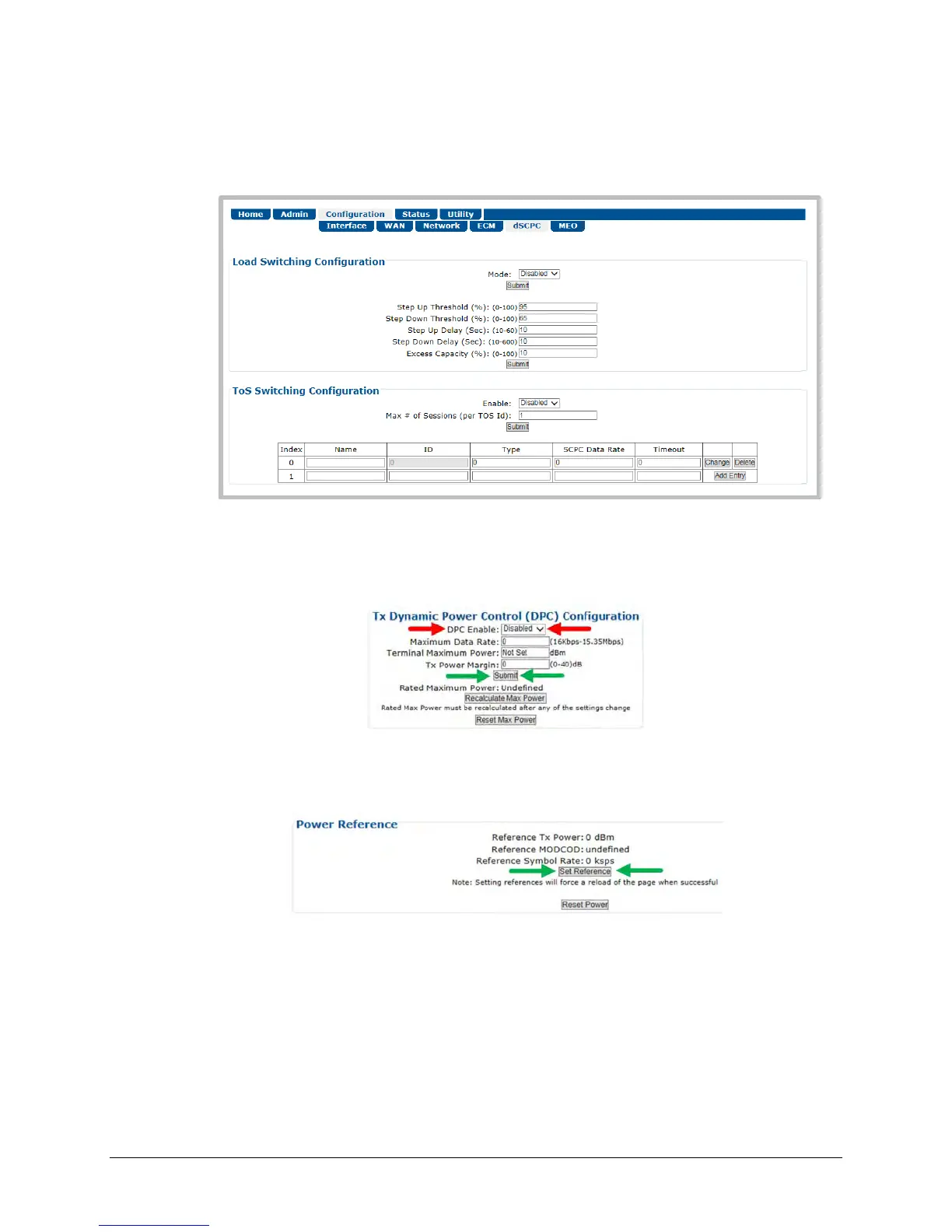
c) Use the ‘Configuration | dSCPC’ page to switch to dSCPC manually (using the Load
Switching Configuration section) or automatically (using the ToS Switching
Configuration section).
d) Use the drop-down list in the Tx Dynamic Power Control (DPC) Configuration section of
the ‘Configuration | WAN | Mod | DPC’ page to enable DPC. Click [Submit], and allow
power to target (ACM operation is not required).
e) In the Power Reference section of the ‘Configuration | WAN | Mod | DPC’ page, click
[Set Reference].
f) If [Set Reference] fails, note the failure, correct the condition, and click [Set Reference]
once more.



 To Next Page