92 • SMP Gateway User Manual
In the Security menu of the Local Security Database Editor window, select Authentication
Policy.
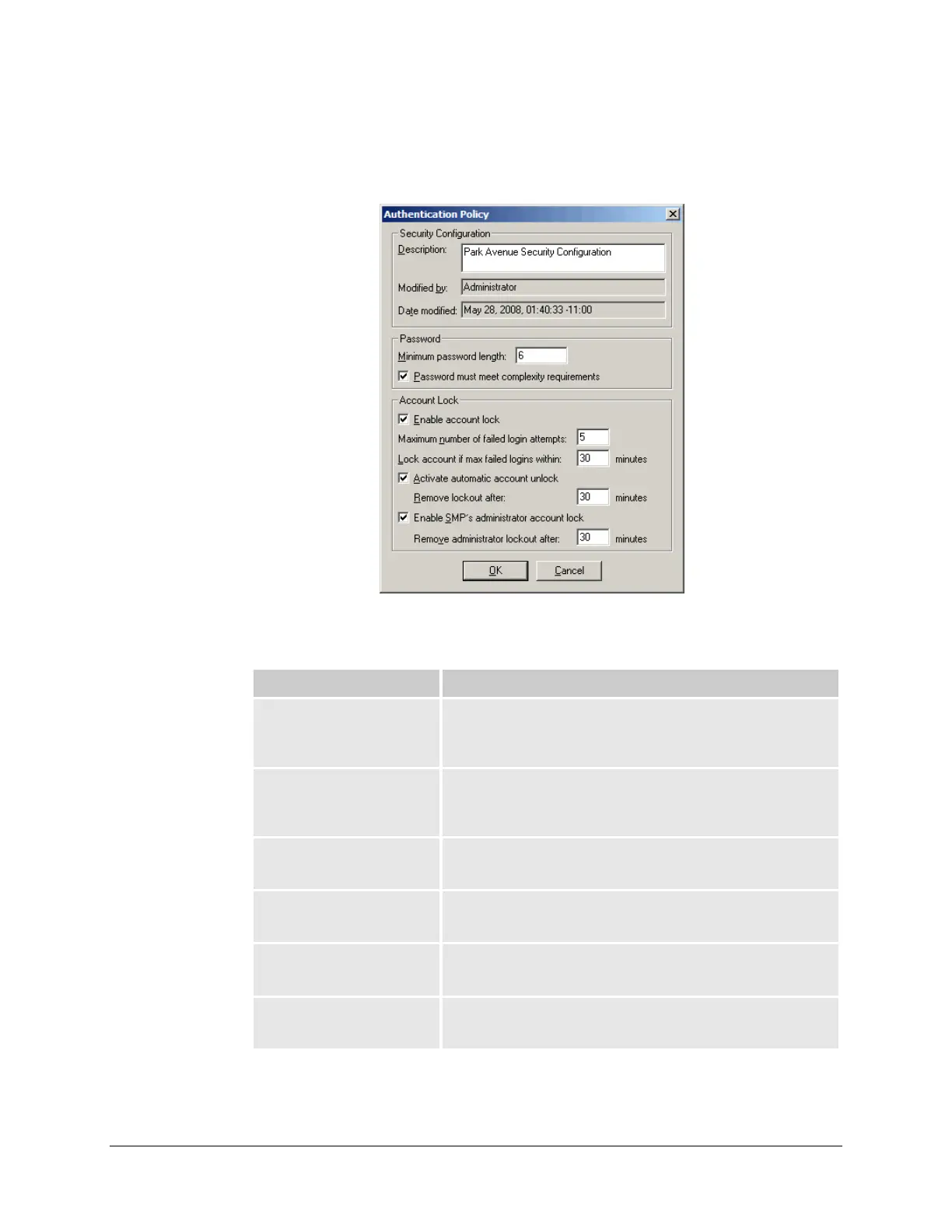
The Authentication Policy dialog box appears.
The dialog box contains the following elements:
Element Description
Security Configuration
This section of the dialog box provides a description of the
security database, and shows when security database was last
modified.
Description Use this box to enter a meaningful description for your security
database. This description will appear on the title bar of the
Security Database Editor window.
Modified by This read-only box indicates which SMP Manager user last
modified the security database.
Date modified This read-only box indicates the date and time when the security
database was last modified.
Password
This section of the dialog box specifies the rules that passwords
must meet when users set their new passwords..
Minimum password length Specifies the minimum number of characters that a password must
contain.



 To Next Page