34 • SMP Gateway User Manual
5.4 Duplicating a Master Protocol Instance
Once you have created a master protocol instance and configured its data points, you may want to
generate one or more additional instances with the same general and data point settings. A quick
way to accomplish this is by duplicating the master protocol instance.
To do this:
In the left pane, click the protocol instance you want to duplicate.
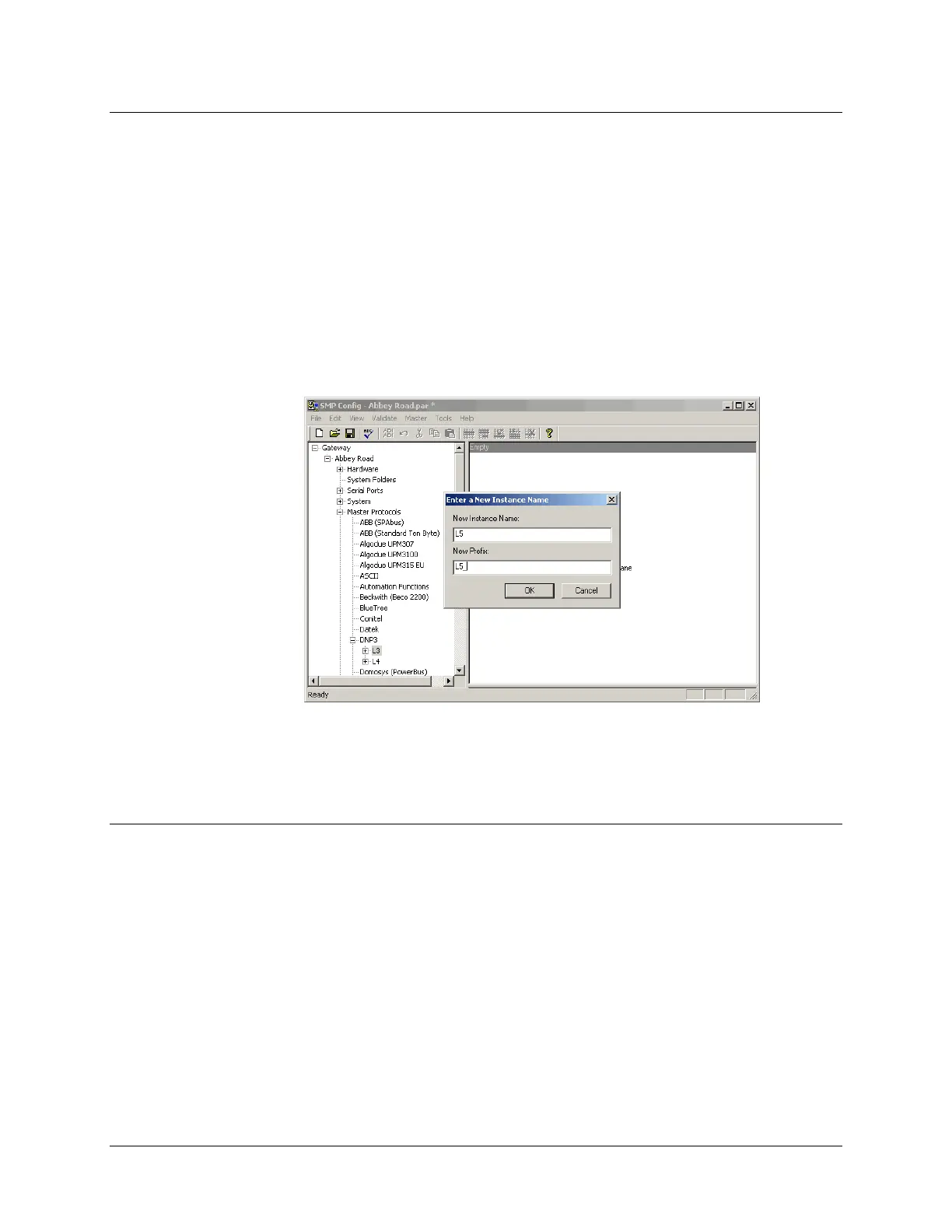
In the Tools menu, click Duplicate.
A dialog box appears, prompting you for the instance name and device prefix, as shown in the
following.
Type the name and prefix of the protocol instance, and click OK.
The new protocol instance now appears in the left pane.
5.5 Configuring the Communications Links
A protocol component communicates with a device or control center using one of the following: a
serial link, a modem or a TCP/IP network. The configuration of a communications component is
completely independent of the protocol used. Before you connect a device to the SMP Gateway,
you have to choose and configure its communications links.
5.5.1 Configuring the Serial Port Interfaces
Depending on the options you choose in the hardware configuration, you can configure the
SMP Gateway serial ports to support RS-232, RS-422 or RS-485 communication.
Click Serial Ports in the left pane, to display all the available ports.



 To Next Page