SMP Gateway User Manual • 183
19.2 Grouping 2 SMP Gateways for Redundancy
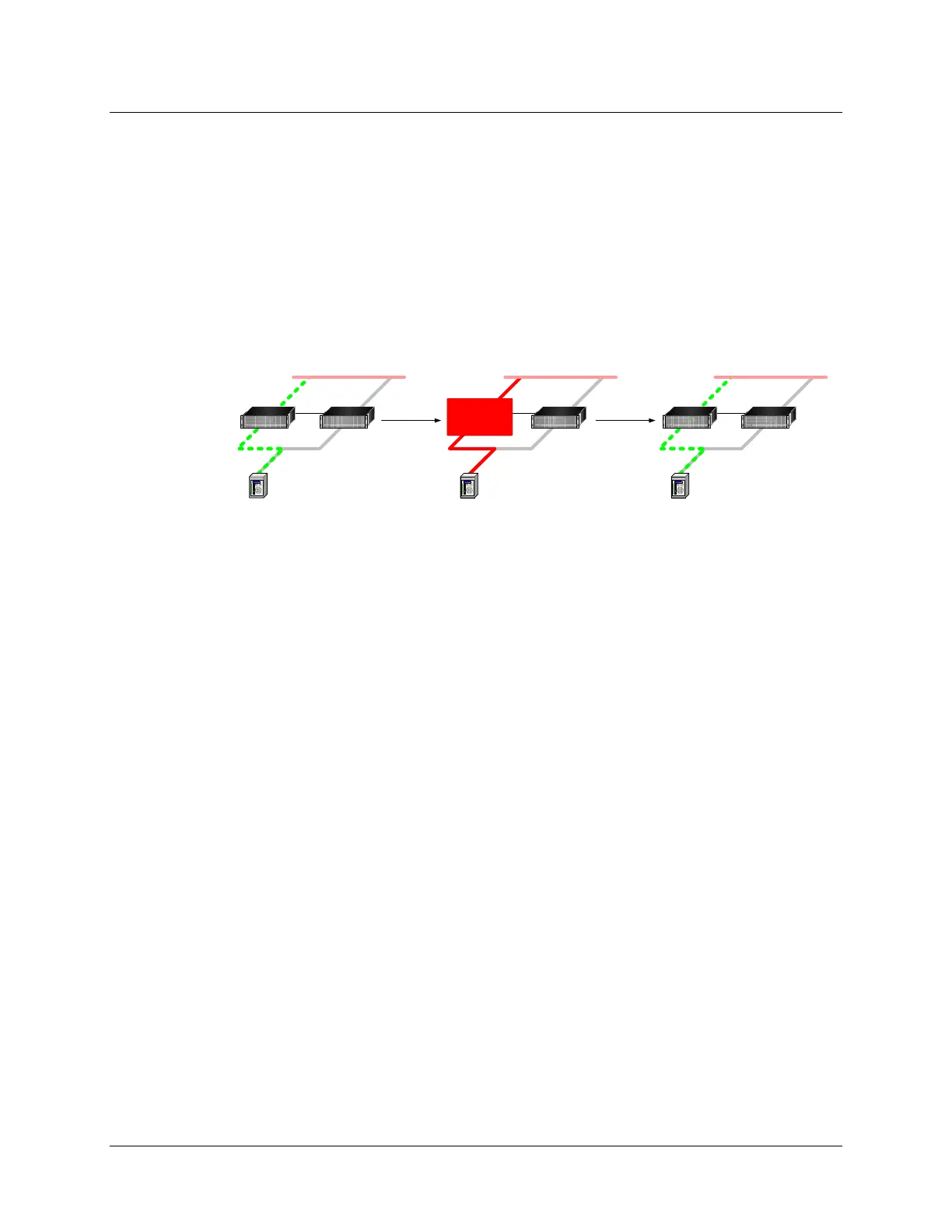
Basic SMP Gateway redundancy consists of an active SMP Gateway and a standby
SMP Gateway. The active gateway is polling the devices and communicates with the control
center as if it was a stand-alone system. The active and standby gateways are communicating with
each other so that when the active gateway fails, the standby one becomes active.
Both SMP Gateways share a public IP address to which the control center can connect. This
ensures that no special network configuration is needed at the control center; in fact, when the
control center connects to the public IP-address, it has no indication which gateway is active and
which one is on standby. In the following example, SMP Gateways 10.2.15.1 and 10.2.15.2 are
grouped under the public IP address 10.2.15.3.
10.2.15.1 10.2.15.2
10.2.15.3
STANDBYACTIVE
SMP
FAILURE
10.2.15.1 10.2.15.2
10.2.15.3
ACTIVE
10.2.15.1 10.2.15.2
10.2.15.3
STANDBY ACTIVE
SMP
RESTORED
You should know that:
Each SMP Gateway has its own private IP address.
Both SMP Gateways share a public IP address which is assigned to the active gateway.
Basic failover condition is the detection of a hardware failure on the active
SMP Gateway.
Serial devices are connected to both SMP Gateways through Y-cables.
The standby SMP Gateway can still be accessed by its private IP address for
maintenance.
It is possible to force a failover, as explained in section 19.3.1, page 188.
Both SMP Gateways must have the same configuration.
19.2.1 Setting Up a Redundancy Group Using SMP Manager
You will use SMP Manager to create an SMP Gateway redundancy group. The sections that
follow provide an overview of the configuration process.
To create a redundancy group:
In the SMP Manager window, choose the 2 SMP Gateways you want to group together. Note
that they must be of the same model and have the same configuration file currently loaded.
Select one SMP Gateway, and use the mouse and the SHIFT or CTRL key on your keyboard,
as for any standard Windows selection, to select the second SMP Gateway.



 To Next Page