44 • SMP Gateway User Manual
Press the Del key on your keyboard, and confirm your intention of deleting the row.
The item disappears from the grid.
To delete a protocol instance:
In the left pane, click the protocol type.
The list of instances of this protocol type appears in the right pane.
In the right pane, click the protocol instance you want to delete.
Press the Del key on your keyboard, and confirm your intention of deleting the row.
The protocol instance disappears from both panes.
To delete a serial port connection:
By their very nature, serial port connections cannot be deleted in the same way. To delete a serial
port connection, you have to reserve the corresponding serial port for another usage:
In the left pane, click Serial Ports.
In the right pane, choose Reserved in the Interface list of the serial port.
5.8.6 Using Tooltips
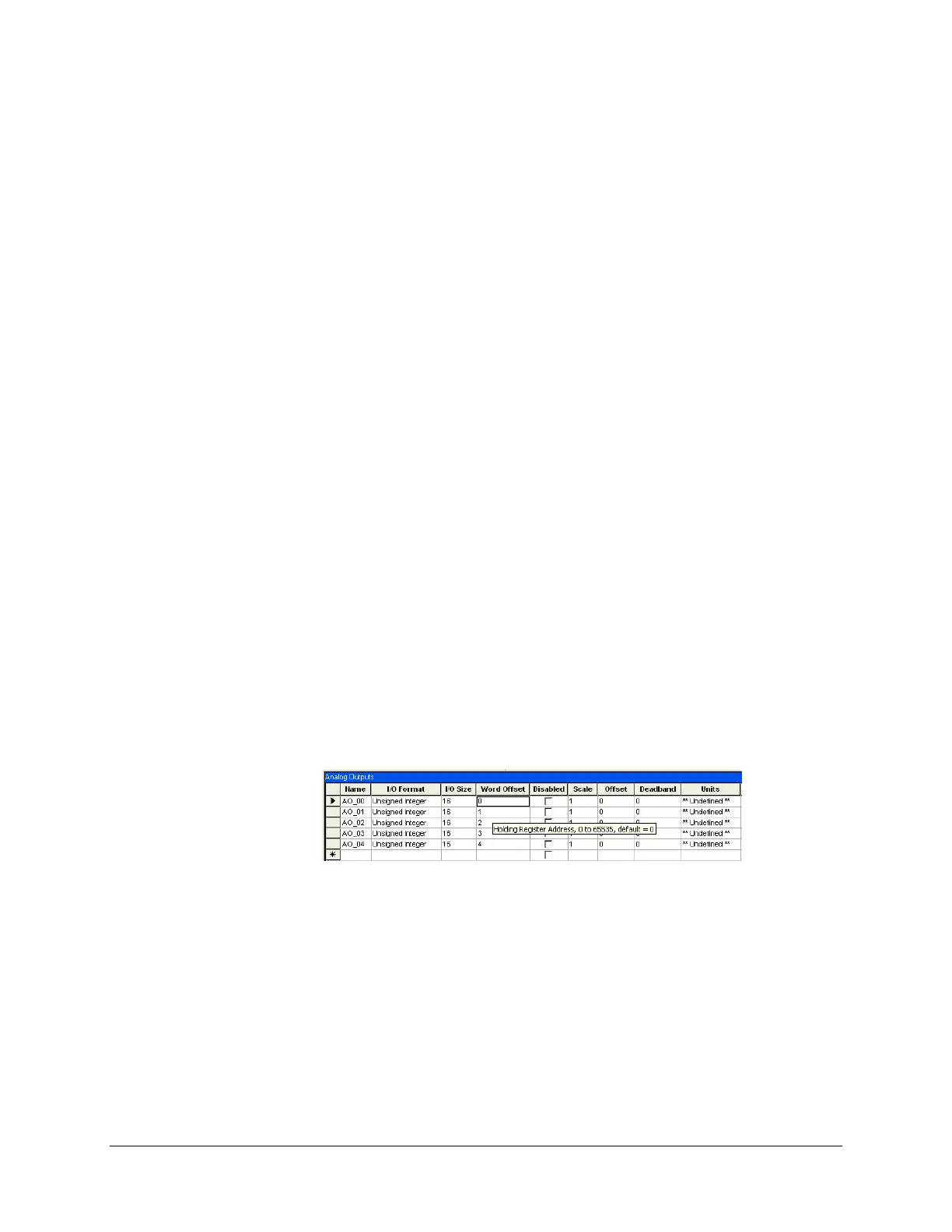
SMP Config provides context tooltips. These tooltips are not displayed on the status bar but rather
appear when you point with the mouse to a cell in any grid. This type of tooltip normally displays
the editing criteria for the field. For example, it may tell you that the value must fall between 10
and 1000, that the default value is 500 ms, that the field is mandatory if a certain other field is
selected, and so on. So they will assist you in editing grids.
Here is a sample tooltip:
This feature is a great time and effort saver, as it spares you from having to wait until you try to
validate or save your SMP configuration before finding out that you have a number of errors.
5.8.7 Searching and Replacing Points in a Configuration
5.8.7.1 Finding Points in a Configuration
To help you find all the references to a point in a configuration, a search function is available in
SMP Config.
To access it:



 To Next Page