60 • SMP Gateway User Manual
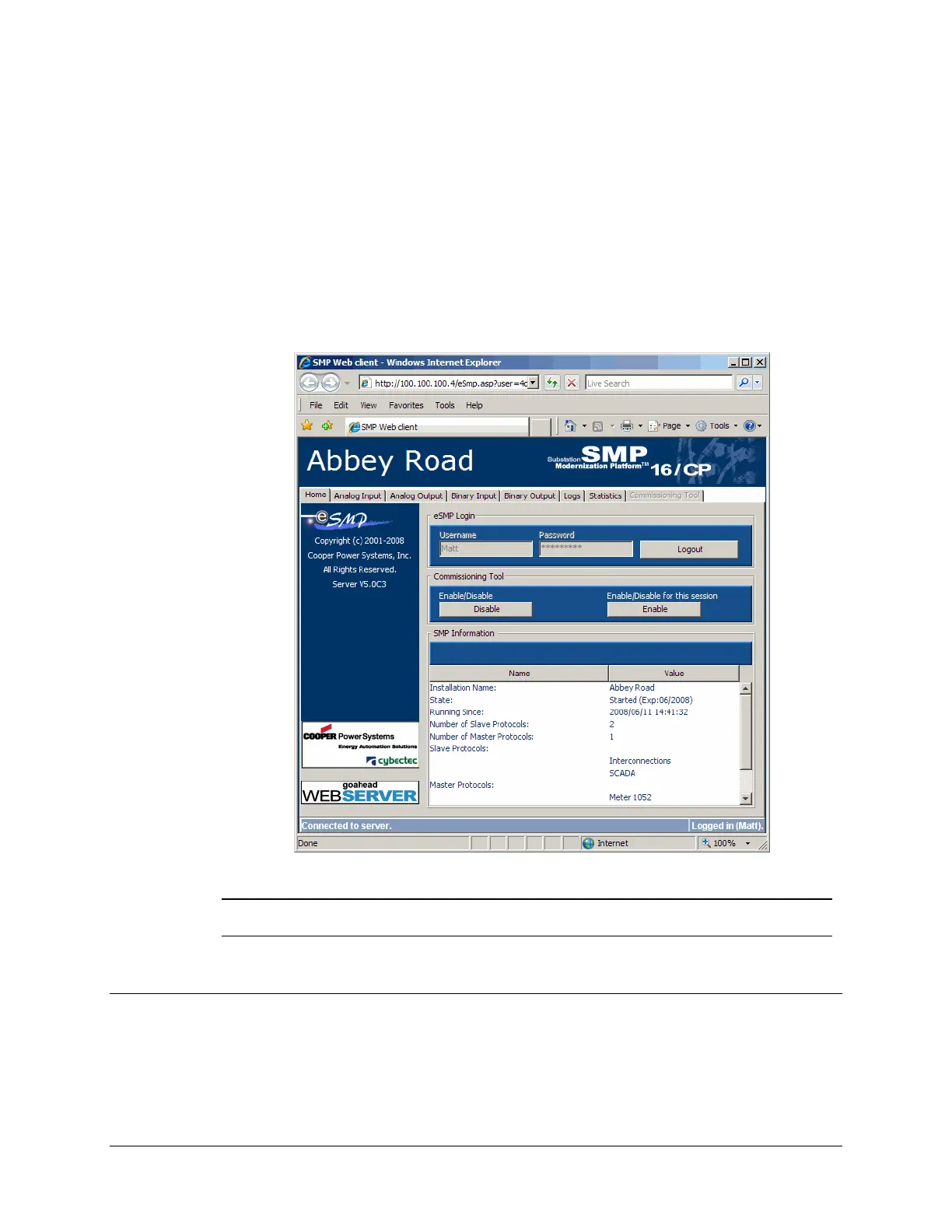
The Analog Input, Analog Output, Binary Input, and Binary Output tabs display the
current value of all the SMP Gateway’s data points.
The Logs tab displays the contents of the internal SMP Gateway log files. The data is the
same as provided by the SMP Log program.
The Statistics tab displays the SMP Gateway’s real-time statistics. The data is the same as
provided by the SMP Stats program.
The Commissioning Tool tab is only available when commissioning has been activated on
the SMP Gateway. For more information about this feature, see “Using the Web Server’s
C
ommissioning Tool”, page 69.
Note: If password security is enabled on your SMP Gateway, everything will be
deactivated until you type a valid username and password under eSMP Login.
9.3 Applying a Filter to a Data Point Display
If you click the Analog Input, Analog Output, Binary Input and Binary Output tabs, you can
see all the data points change dynamically on your screen. Since there may be a large number of
data points, you can use the Filter function to choose the points you want to display.



 To Next Page