SMP Gateway User Manual • 199
If your IRIG-B source provides its time information as “local” time, instead of UTC, some
software configuration is required on the SMP Gateway, as the gateway internally uses UTC.
Using SMP Config, proceed as follows:
Under the System branch, select Time. If the Time instance has not been created yet, type a
name in the blank Name text box, and then click again the Time branch.
Under the Time instance branch, select the General branch.
Under Security Time Zone, select the time zone of the IRIG-B source.
Select the Auto Adjust DST checkbox if the IRIG-B source is automatically adjusted for
daylight savings.
21.3.4 Setting Up the SMP Gateway as an SNTP Client
Another alternative is to configure the SMP Gateway as an STNP client.
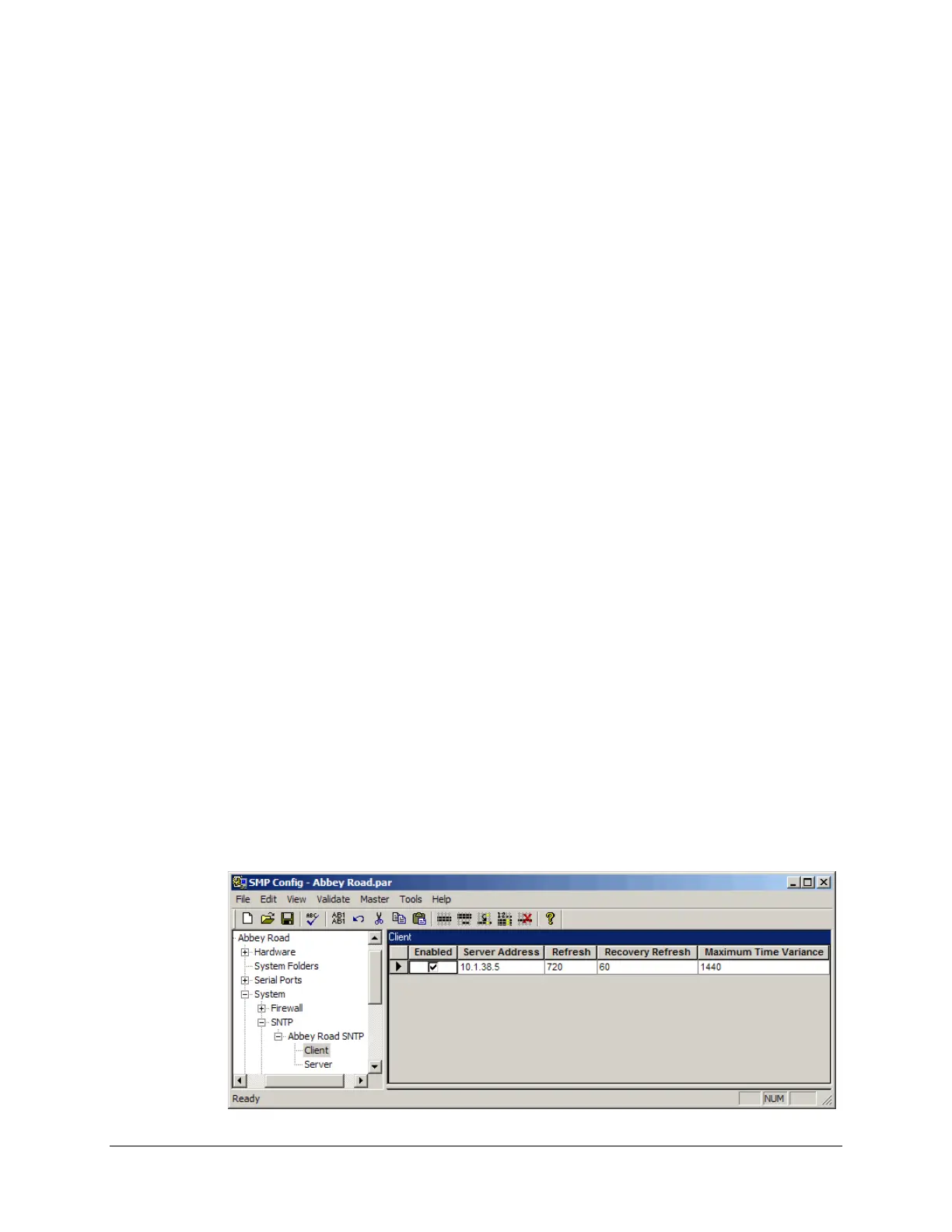
To set up the SMP Gateway as an SNTP client:
Launch SMP Config.
Under the System branch, select SNTP. If the SNTP instance has not been created yet, type a
name in the blank Name text box.
Under the SNTP instance branch, select the Client branch.
Select the Enabled checkbox.
Type the Refresh rate, which is the frequency, in minutes, at which the SMP Gateway will
connect to the SNTP server in order to be resynchronized.
Type the Recovery Refresh rate, which is the frequency, in minutes, at which the
SMP Gateway will retry to connect to the SNTP server following a connection failure. This
value must be smaller than the normal Refresh rate.
Type the Maximum Time Variance allowed, which is the maximum difference allowed
between the new time provided by the server and the actual time of the SMP Gateway. If the
difference is larger, the time update is ignored.



 To Next Page