SMP Gateway User Manual • 157
To filter alarm entries:
Touch the Alarms (A) button. The button will appear “unpressed”, and only operator action
entries should be displayed.
To display alarm entries:
Touch the Alarms (A) button again. The button will appear “pressed” and the alarms entries
should be displayed.
To display only operator action entries:
Touch the Operator (O) button. The button will appear “unpressed”, and only alarm entries
should be displayed.
To display operator action entries:
Touch the Operator (O) button again. The button will appear “pressed” and operator action
entries should be displayed.
16.6.6 Monitoring System Status
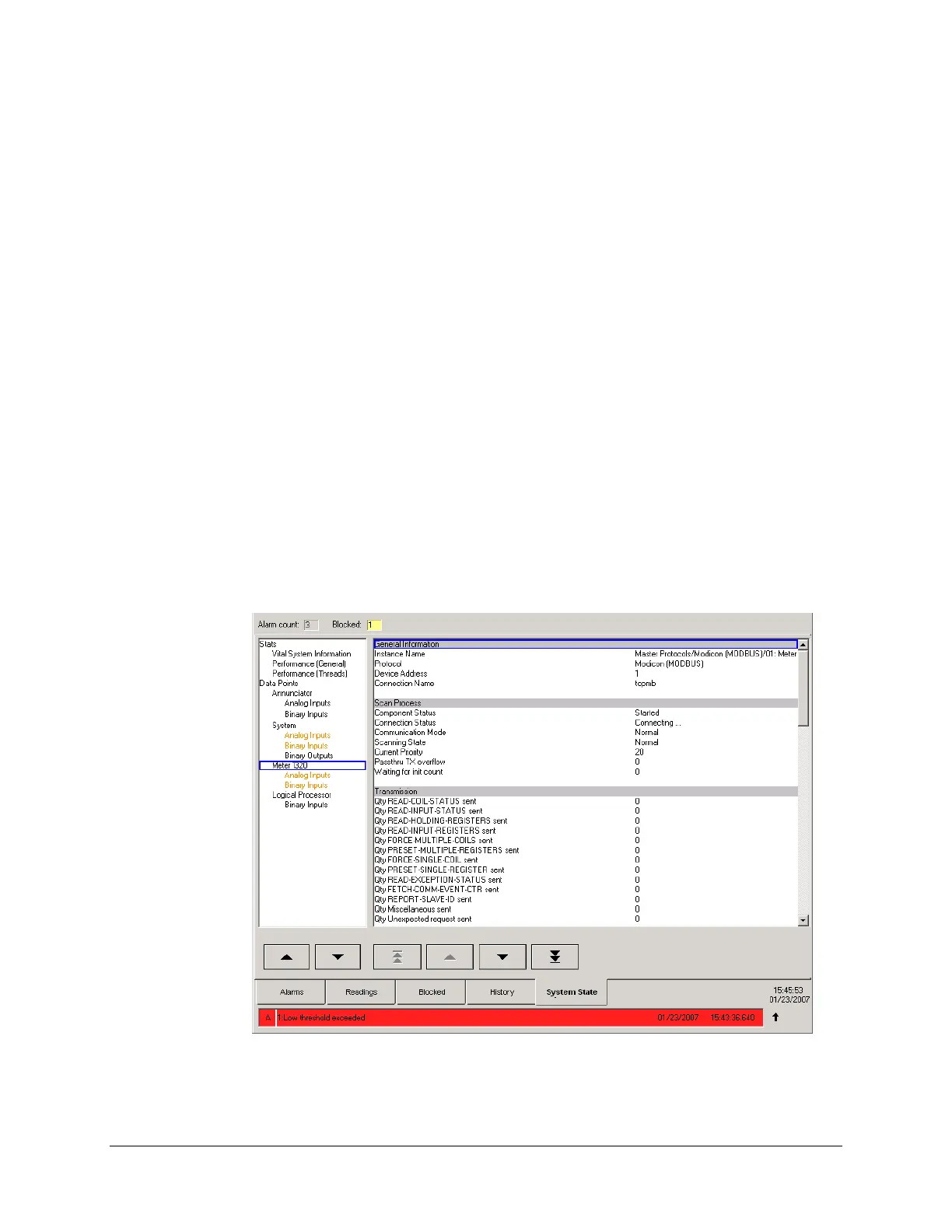
The System State page provides access to the SMP Gateway’s internal statistics and the current
value of all its data points.
The left pane lists all information or statistics pages that can be displayed in the right pane.


 To Next Page