156 • SMP Gateway User Manual
circular and has a limited size: when it is full, new entries replace the oldest ones. The history log
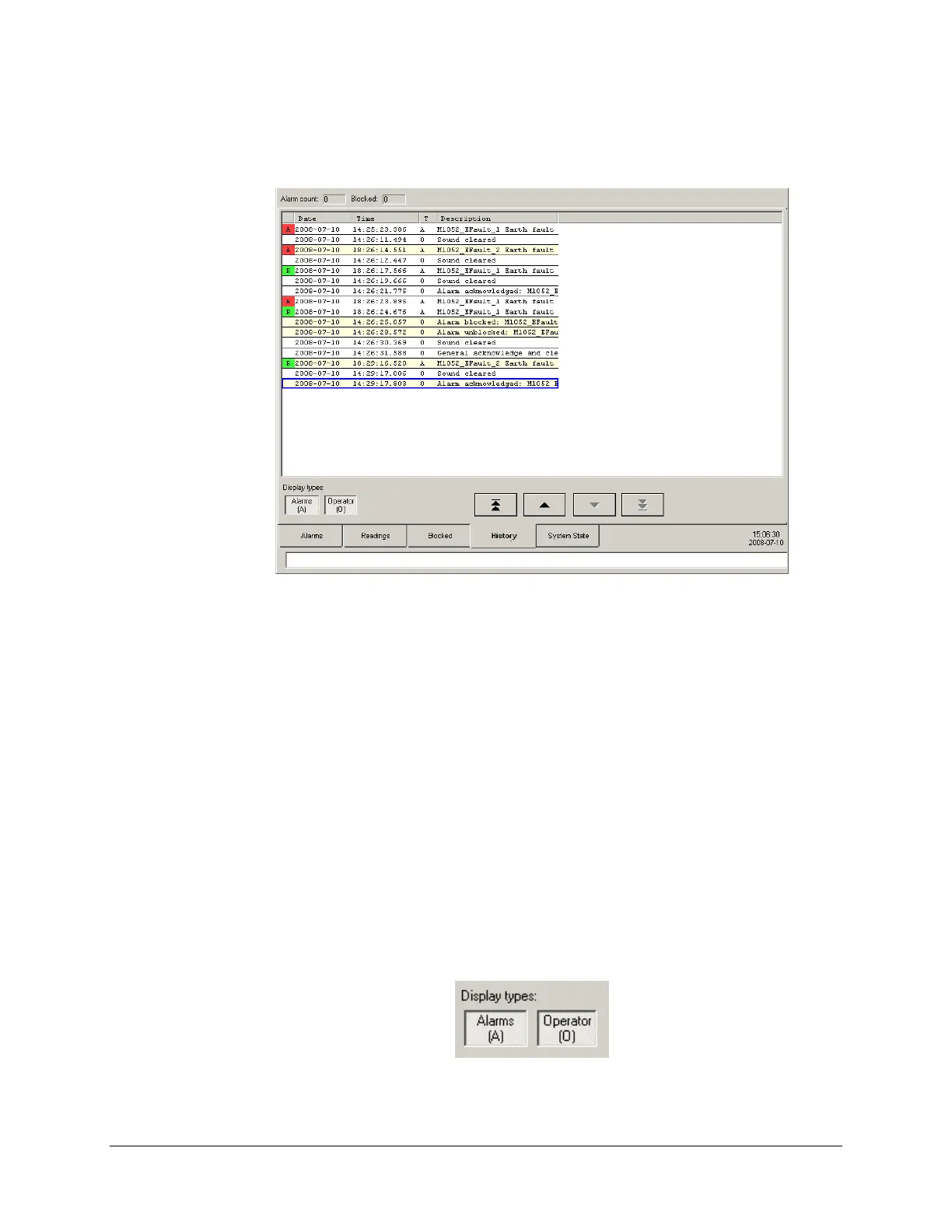
file’s entries are displayed in the History page, in chronological order, starting with the oldest one
at the top.
This page resembles the Alarms page, with an additional column that indicates the type of entry.
Two types of entry are displayed in the History page:
Alarms (an ‘A’ is displayed in the T column).
Every time an alarm appears or returns to normal, an entry is added to the log file. The
message displayed is the same that appears in the Alarms page, with the ‘A’ or ‘R’ icon that
indicates what happened.
Operator actions (an ‘O’ is displayed in the T column).
Whether the operator clears sound, acknowledges or recalls alarms, blocks or unblocks alarm
inputs, or performs control operations, an entry is added to the log file. The action executed is
described in the Description column.
To customize the History display page and to set the size of the history log file, see “Setting Up
t
he History Page”, page 135.
As stated prev
iously, large arrow key buttons are available to scroll through the list of entries, and
when you select an entry, all related entries are highlighted. Two filtering buttons are also
available.
These buttons are kept “pressed” by default, which means that no filter is apply to the log display.



 To Next Page