52 • SMP Gateway User Manual
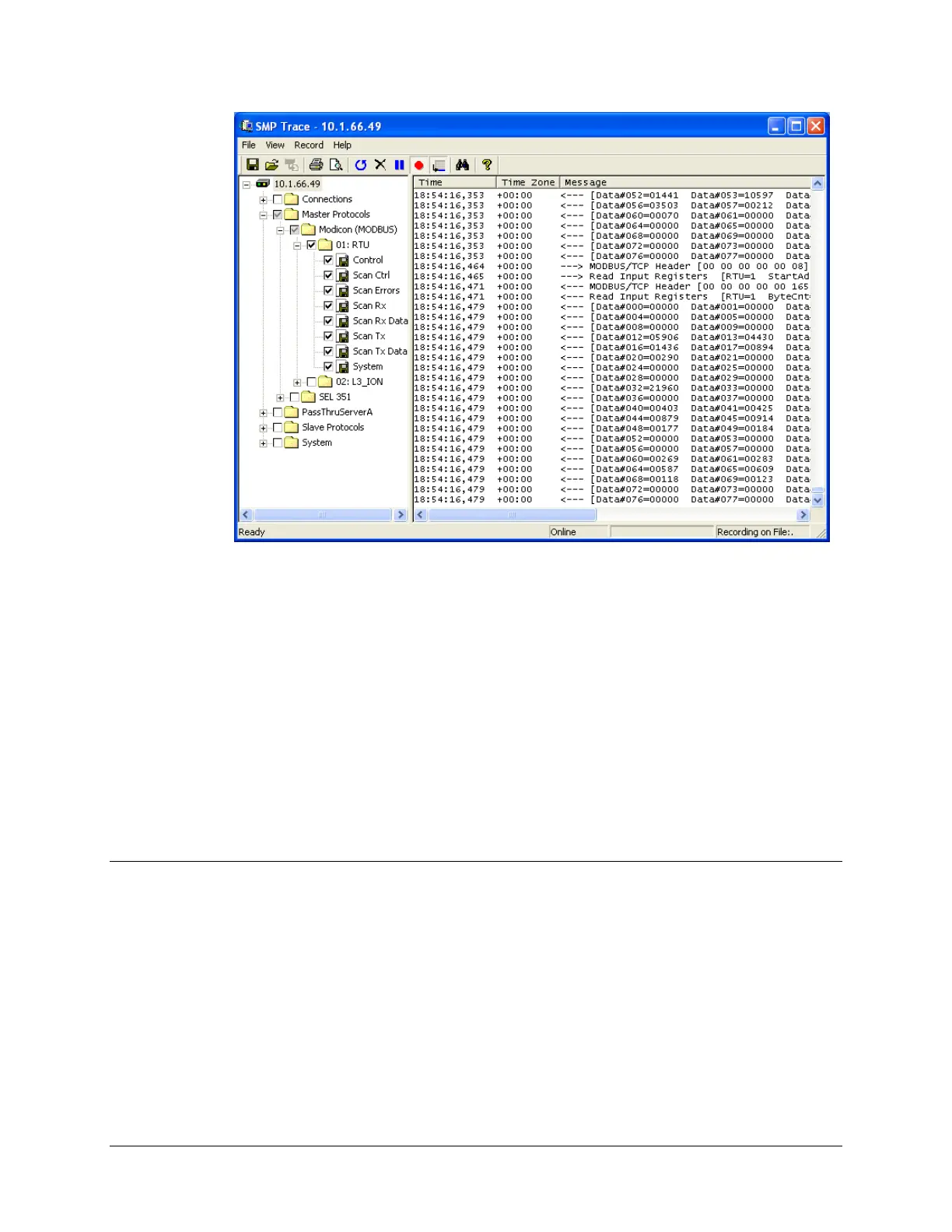
Using SMP Trace, you can view detailed traces of all the system activity. The following traces
provide information that you will find useful during the configuration and maintenance of your
SMP Gateway.
Master and Slave Protocol traces display the high-level information exchanges that occur
between the SMP Gateway and the other system components to which it is connected. These
application-level traces are similar to those provided by a protocol analyzer. They describe the
requests sent to a device and the values retrieved. The Slave Protocols folder appears only if
slave protocol instances are configured on the SMP Gateway.
Connection traces display the data being exchanged between the SMP and a device. These
low-level traces describe, in hexadecimal format, the byte stream sent and received to and
from a device.
7.2 SMP Trace Features
SMP Trace offers you several handy features: recording traces, searching, printing and saving
trace records, and having the information displayed in UTC or local time.
7.2.1 Searching in SMP Trace
From the menu View, click Search. You can also press CTRL+F.
Type a keyword in the text box and click the Search button. All the results will become
highlighted, and the first one will be lighter. You can click the Pause/Resume button in the
toolbar to stop the screen from scrolling; this command is also available from the View menu.



 To Next Page