78 • SMP Gateway User Manual
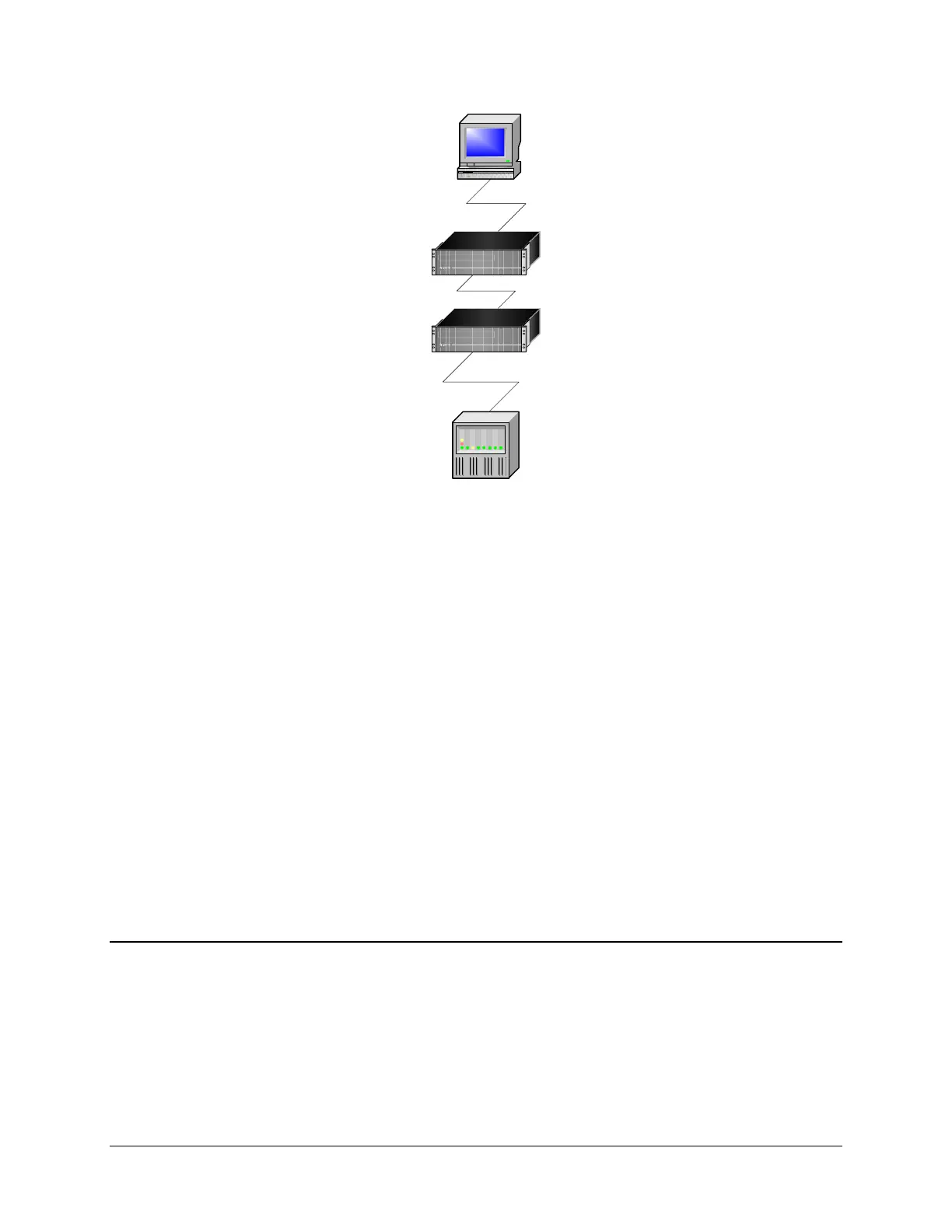
SCADA
IEDs
DNP3 MASTER
DNP3 SLAVE
INTERCONNECTIONS MASTER
SLAVE
MASTER
INTERCONNECTIONS SLAVE
PARK AVENUE
CEDAR CREEK
If you move from IEDs up to the SCADA, you will see how the master-slave configuration must
be designed for this to work.
The main steps are the following, using SMP Config:
In the device's master (here, the Cedar Creek SMP Gateway), create an Interconnections
slave.
Create the Interconnections slave’s connection and associate it with the slave.
In the SCADA’s slave (in this example, the Park Avenue SMP Gateway), create an
Interconnections master.
In the Interconnections master, import the data points from the slave SMP Gateway’s
configuration file.
Give the data points a prefix to identify their originating SMP Gateway when you see their
readings in the web browser.
Create the master’s connection and associate it with the master.
The following sections explain these steps in details.
12.1 Configuring the Slave SMP Gateway
The first step to interconnect your SMP Gateways is to signify the existence of the master
SMP Gateway in the slave SMP Gateway’s configuration.
Follow these steps:
Open SMP Manager.



 To Next Page