SMP Gateway User Manual • 29
If no template is available, you will need to enter the points list. If you are configuring a
number of devices of the same type, you can save the first device configuration as a template
that you will then use to configure the other devices.
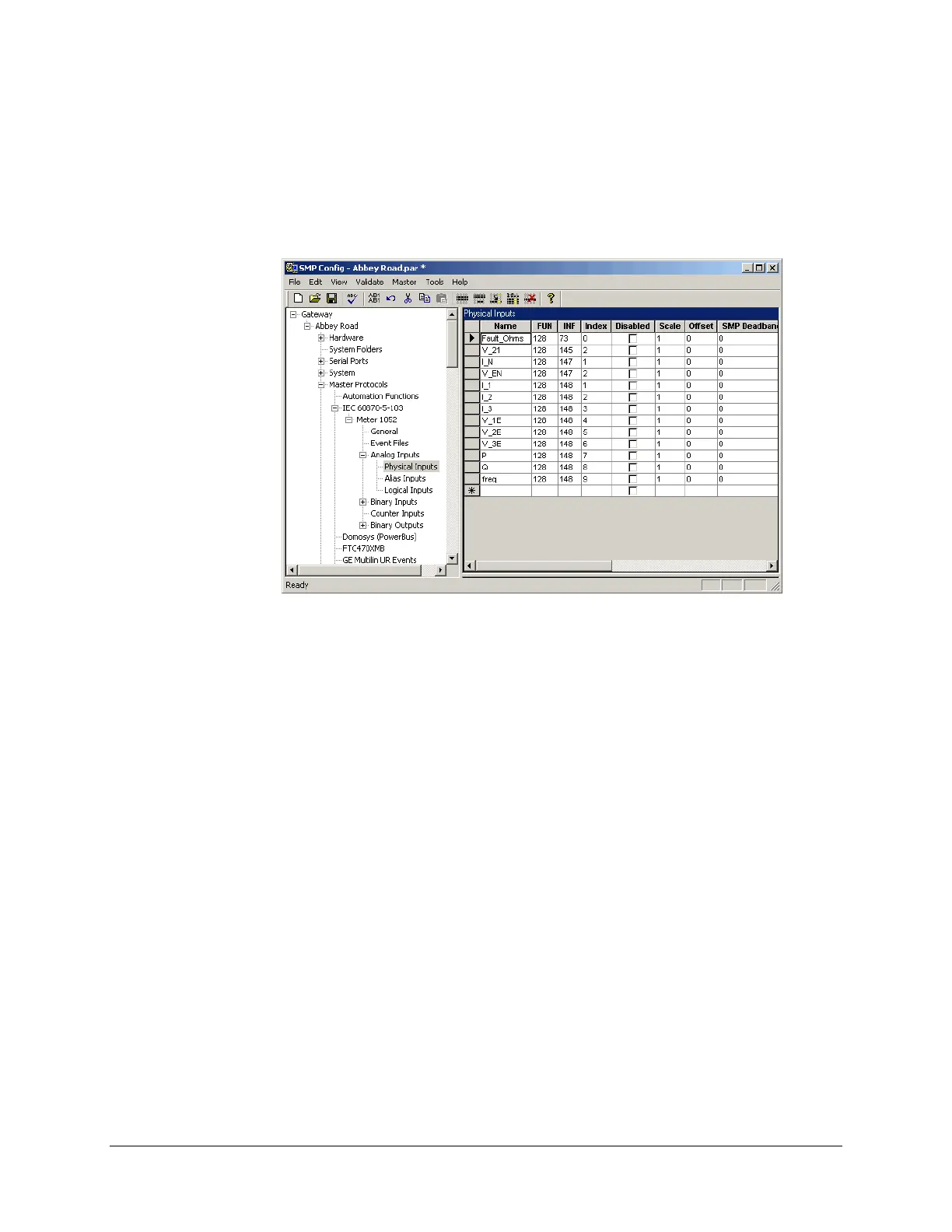
Once you have added a master protocol instance and entered its data points (manually or via a
template), you can click a particular data point type in the left pane and see the list of data points
and their settings in the right pane, as shown next.
5.1.1 Creating a Master Protocol Instance from a Template
To add a master protocol instance from a template:
In the left pane, open the Master Protocols branch, to display the list of master protocols
provided under your product license.
In the left pane, click the protocol for which you want to add an instance.
The list of all defined master protocol instances appears in the right pane.
In the Tools menu, click New Instance From Template.
Choose the appropriate template, and click Open.
In the dialog box, enter:
The name of the new instance.
The device prefix.
The device prefix is a string that identifies the device and is used as a prefix for all of its
data point names. The prefix ensures that every name in the system is unique. An
explanation of the usage of prefixes is provided under “Configuring the Master Protocol
Gen
eral Settings”, in the next sections.
The new instance appears in the left pane. If you open its tree structure and click the various
physical data point types, all the data points supported by the device will be displayed in the right
pane.



 To Next Page