24 • SMP Gateway User Manual
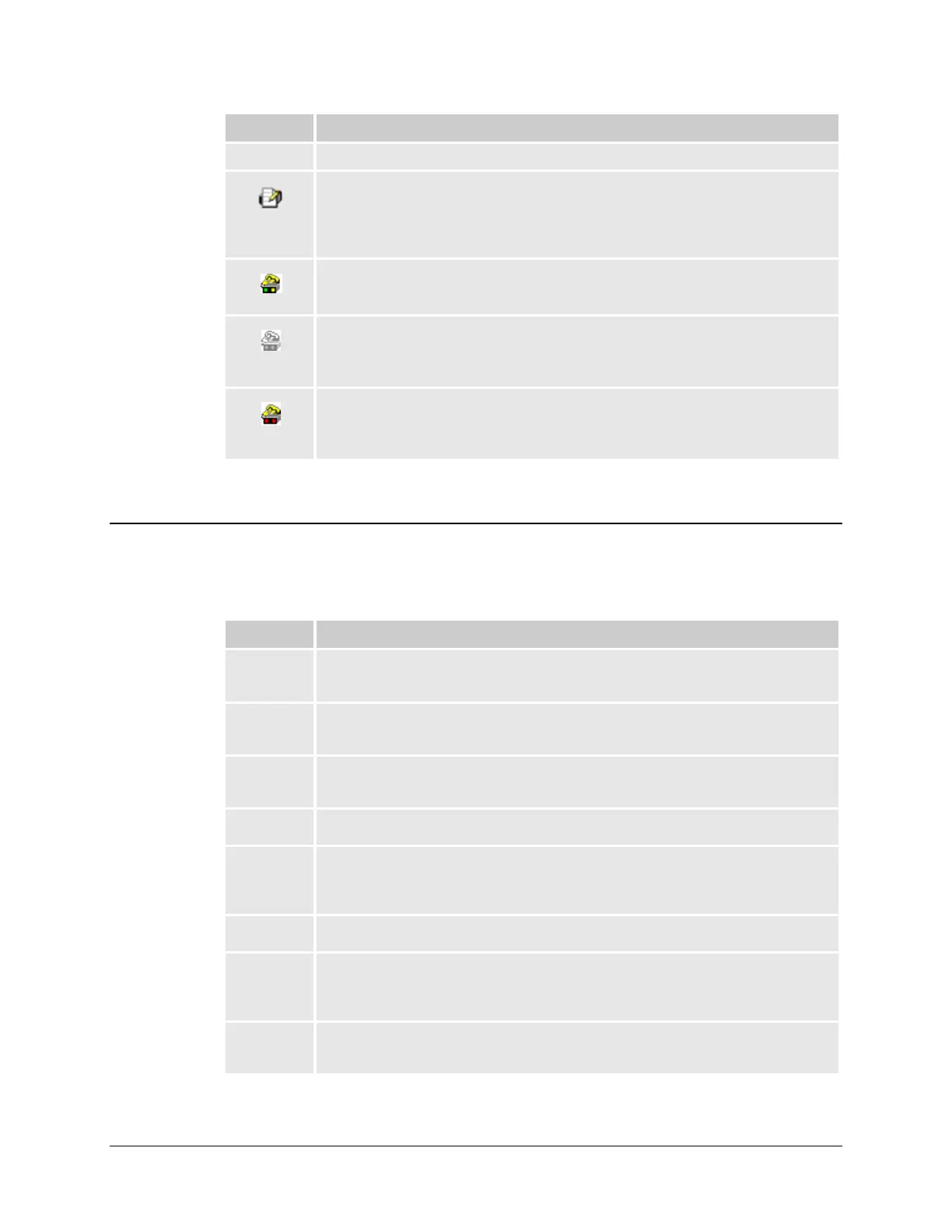
Icon Description
when the gateway is restarted.
A lined page and a pencil.
A report is currently in progress.
The report file provides detailed information about the gateway. You should, therefore,
send an SMP Gateway report file with any request for technical support.
A device, flashing yellow and green LEDs and a yellow telephone.
SMP Manager is connected to the gateway via remote dialup.
A device and a telephone, grayed.
The gateway is configured for remote dialup but not currently connected to SMP
Manager.
A device, red LEDs and a yellow telephone.
SMP Manager is unable to establish a connection with the gateway over the remote
dialup connection.
4.5 Customizing the Display
You can customize the display in the SMP Manager window to suit your needs. You can choose
which columns you want to display, and the order in which you want them to appear.
Column Description
Gateway The list of SMP Gateways and, if you request it, the tools that are currently running for
each gateway in the list.
IP Address The IP address of any SMP Gateways you have grouped together in SMP Manager. This
column is not available by default.
Status The current status of each SMP Gateway in the list (started, failed, safe mode, max safe
mode, on standby, and various intermediate states).
Platform The SMP Gateway model: SMP 4-20, SMP 8-40, SMP 4, SMP 16/CP or SMP 16/SG.
Firewall Whether the SMP Gateway's built-in firewall is active. This information is available only
if your version of the SMP Gateway software supports the SMP Gateway’s security
features.
VPN Indicates if the SMP Gateway is connected to SMP Manager using VPN or not.
Group This column shows the virtual address given to the redundancy group. If the address is
modified, the new address will appear beside the old one, separated by an arrow. Upon
the next reboot, the device will be grouped under the new address only.
Security This column shows whether the security is activated or not, if it is global or local, and
how recent it is.



 To Next Page