SMP Gateway User Manual • 53
To go to the next result, click Search Next in the View menu or press F3.
To go to the previous result, click Search Previous in the View menu or press F3.
Once you have found, click Cancel Search from the View menu and only the selected result
will remain highlighted.
Note: SMP Trace will keep highlighting matching results as long as you have not
canceled the search. You can either deselect the binoculars in the toolbar or stop
the search from the View menu.
7.2.2 Printing Traces
To print currently displayed traces:
From the menu File, click Print.
7.2.3 Recording Live Traces
To record live traces to a file for further analysis:
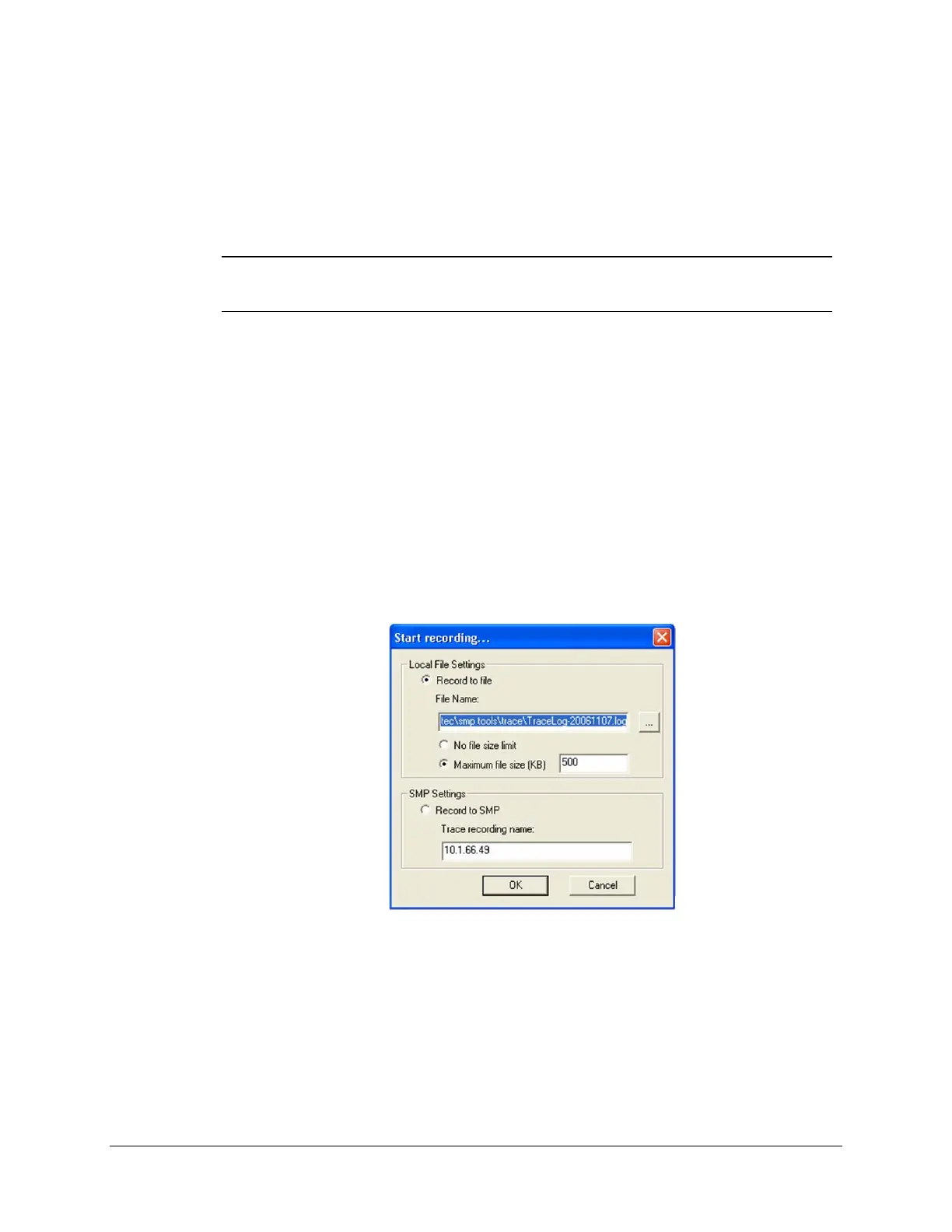
From the Record menu, select Start or click the red button in the toolbar. The Start
recording dialog box appears.
You can also choose to save it inside the SMP Gateway's memory by selecting Record to
SMP. For example, if you have an SMP 4 with a modem on a pole outdoors and you need to
save 24 hours worth of activities, long distance costs are most of the time prohibitive. Use this
option and connect again 24 hours later to pick up your data.
When you wish to stop the recording, click the red button again or click Stop in the Record
menu.



 To Next Page