SMP Gateway User Manual • 43
To correct the problem, proceed as follows:
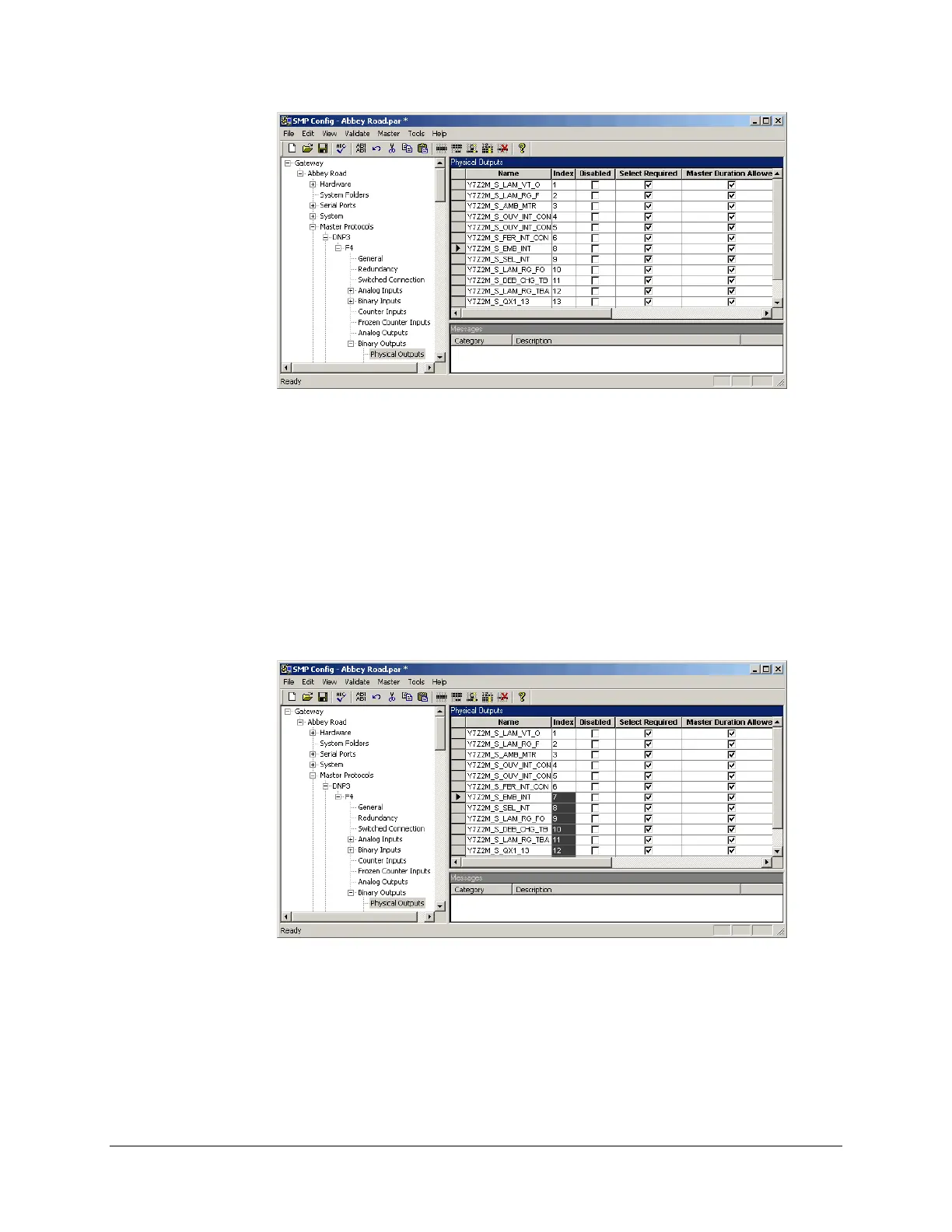
Click the cell with Index no. 8.
Hold down the SHIFT key of your keyboard and click the last cell in the column.
In the Edit menu, click Select Cells.
The cells turn gray.
In the Edit menu, click Resequence Selection.
A dialog box appears, in which you must specify the starting sequence number (7) and the
increment (1). The result is shown next.
To deselect the cells, click Clear Selection in the Edit menu.
5.8.5 Deleting an Item
To delete a line in a grid:
In the right pane, click the header of the line you want to delete.



 To Next Page