134 • SMP Gateway User Manual
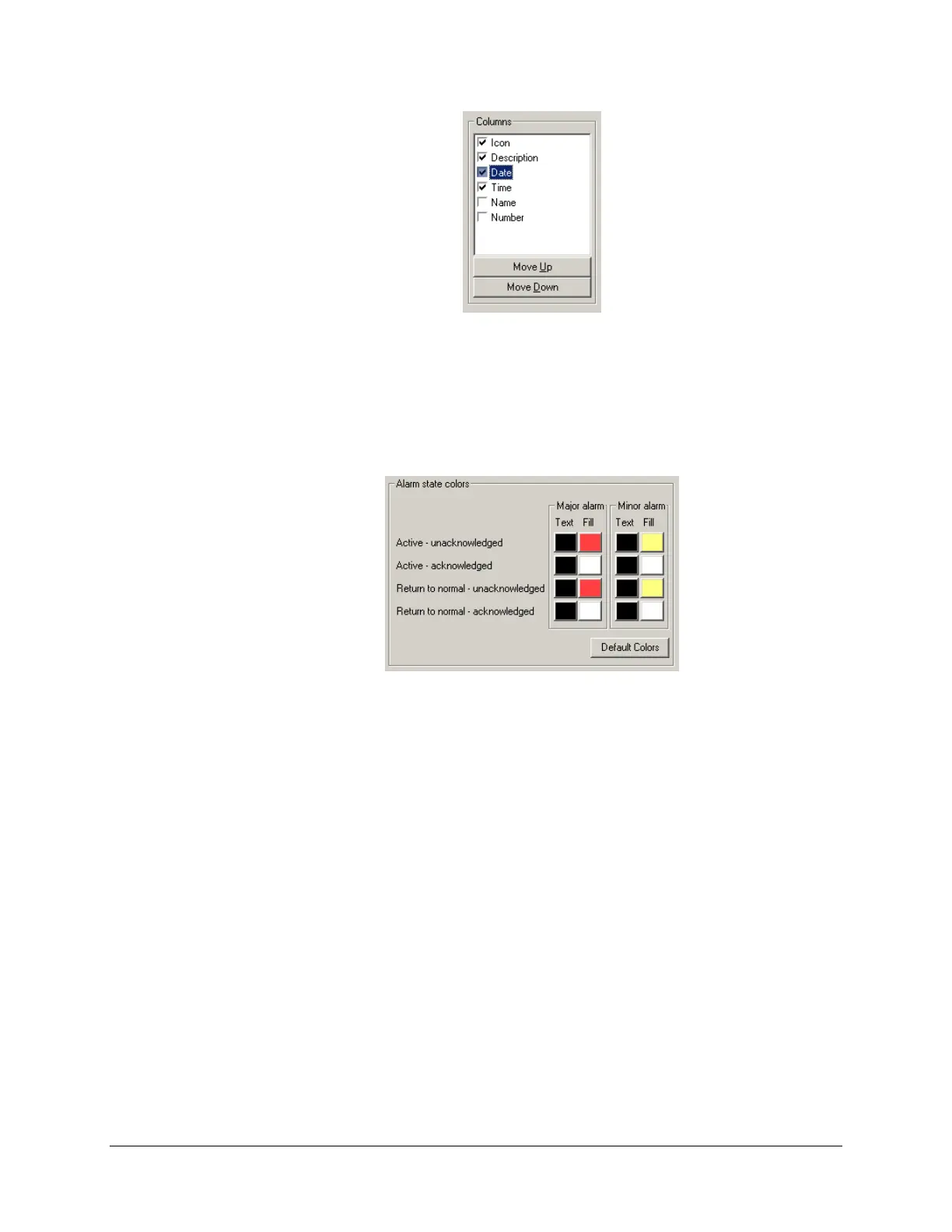
Still under Columns, you can move the column names up and down using the Move Up and
Move Down buttons. Selected columns will appear from left to right, starting with the
topmost column name in the list.
Under Alarm state colors, set the colors for alarm messages that appear in the Annunciator’s
various display pages:
Set the text and fill colors for active unacknowledged alarm messages. Different colors
may be specified for major and minor alarms.
Do the same for active acknowledged alarms, unacknowledged alarms that have returned
to normal and acknowledged alarms that have returned to alarms.
To revert to default colors, click Default Colors.
You can also use the preview section of the edition pane to modify the columns’ width, order
and availability state, like for the Alarms page (see “Setting Up the Alarms Page”, above).
16.2.3 Setting Up the Blocked Page
An operator may want to “deactivate” some alarms at runtime, during maintenance periods for
example. The Annunciator make it possible by allowing some data points to be blocked, which
means that even when alarm conditions are met for these points, they will no longer appear in the
Alarms page: the blocked alarms are then transferred to the Blocked page.
To learn how to block and unblock alarm inputs, see “Blocking Alarm Inputs”, page 154
To c
onfigure the display settings of the Blocked page, proceed as follows:



 To Next Page